Open Source & Developer Tooling
Open source software that powers real production systems, and the macOS tooling that keeps high-output engineering teams productive.
Fix macOS Battery Drain: WindowServer & Sleep Guide
What is WindowServer? WindowServer is a core macOS system process that manages everything you see on your display. It acts as the graphics engine powering your Mac’s visual interface. WindowServer handles: CPU usage varies based on activity: When WindowServer uses high CPU, it drains battery because the GPU must work harder to render visual effects. […]
Read more →
Apache Kafka 4.x: What KRaft and ZooKeeper Removal Mean
There is a version of the Apache Kafka story that gets told as a series of press releases. ZooKeeper removed. KRaft promoted. Share groups landed. Iceberg everywhere. Each headline lands cleanly, and then platform teams go back to their actual clusters and wonder what any of it means for them. This post is the other […]
Read more →
Fix Wireshark Permission Error on macOS: ChmodBPF Guide
If you see the error “The capture session could not be initiated on the device “en0” (You don’t have permission to capture on that device)” when trying to start a pcap on wireshare you can try installing ChmodBPF; but I suspect you will need to follow the steps below:
Read more →
Mac Wireshark MCP Setup for Claude Desktop: Full Guide
If you’re like me, the idea of doing anything twice will make you break out in a cold shiver. For my Claude desktop, I often need network pcap (packet capture) to unpack something that I am doing. So the script below installs wireshark, and then the wireshark mcp and then configures Claude to use it. […]
Read more →macOS Touch ID & Password Timeout: Terminal Guide
Ever wondered how to adjust the time window before your Mac demands a password again after using Touch ID? Here’s how to configure these settings from the terminal. Screen Lock Password Delay The most common scenario is controlling how long after your screen locks before a password is required. This setting determines whether Touch ID […]
Read more →
hping3 Penetration Testing on macOS: 10 Techniques
⚠️ LEGAL DISCLAIMER AND TERMS OF USE **READ THIS CAREFULLY BEFORE PROCEEDING** Legal Requirements: **AUTHORIZATION REQUIRED**: You MUST have explicit written permission from the system owner before running any of these tests **ILLEGAL WITHOUT PERMISSION**: Unauthorized network scanning, port scanning, or DoS testing is illegal in most jurisdictions **YOUR RESPONSIBILITY**: You are solely responsible for […]
Read more →
Find Max MTU Size on Mac OS X Using Ping (No Fragmentation)
If you have ever tried to use jumbo packets, or trace a weird slowness on the network – one of the things that frequently comes up is packet fragmentation. This is basically where a source machine is sending bigger packets than can be consumed along its pathway to a destination machine. This means the packets […]
Read more →Mac Terminal: Check DNS Nameservers in 2 Commands
To view the list of nameservers your mac is using, simply open Terminal and paste the following: Alternatively, you can copy the DNS servers to clipboard directly from the command line (using pbcopy):
Read more →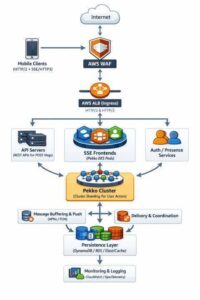
Mobile Chat at Scale: Apache Pekko, SSE, and Java 25 Guide
Real time mobile chat represents one of the most demanding challenges in distributed systems architecture. Unlike web applications where connections are relatively stable, mobile clients constantly transition between networks, experience variable latency, and must conserve battery while maintaining instant message delivery. This post examines the architectural decisions behind building mobile chat at massive scale, the […]
Read more →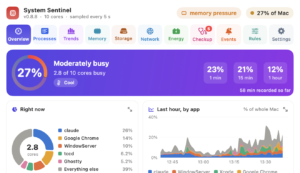
System Sentinel: A Menu Bar Doctor for Your Mac
A free, open source menu bar app that tells you in plain English why your Mac is slow, hot, full or flat, and fixes it with a click. A few months ago my MacBook ran warm and drained its battery for a day and a half before I worked out why. A macOS energy logger […]
Read more →
macOS: Find Which Process Is Using a Specific Port
Below is a useful script when you want to see which processes are using a specific port.
Read more →When macOS Refuses to Open Your Own Markdown File
macOS · Security · Productivity · April 2026 You created a markdown file on your Mac. Maybe you moved it around, received it via Slack, or downloaded it from somewhere. You try to open it in Notepad++ and instead of your content, macOS hands you this: Apple could not verify “App_Vendor_Arch_Review.md” is free of malware […]
Read more →