Open Source & Developer Tooling
Open source software that powers real production systems, and the macOS tooling that keeps high-output engineering teams productive.
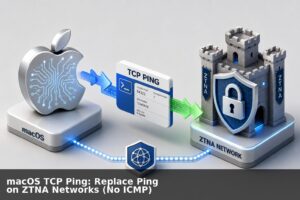
macOS TCP Ping: Replace Ping on ZTNA Networks (No ICMP)
A lot of companies are moving to ZTNA (Zero Trust Network Architecture). This is generally a good thing, it helps cyber posture and it and makes life a lot easier as you no longer need to login to VPN tunnels to manage your cloud environment/s. But one of the few downsides of ZTNA is that […]
Read more →macOS: Disable Clipboard Sharing and Handoff in 1 Step
For the life of me I can never remember where this sits in the settings, all I know is that it irritates me constantly 🙂 So to turn off handoff, run the script below:
Read more →Mac: Find Open Ports and IP Addresses with lsof & netstat
Below is a dump of examples of doing pretty much the same thing differently. I mostly use netstat and lsof, coupled with some bash scripts. You can argue that this is overkill, but below is a simple bash function that you can paste into terminal and call it whenever you want to see which application/process […]
Read more →iTerm2: Clear Scroll Back History with Command + K
I frequently forget this command shortcut, so this post is simply because I am lazy. To clear your history in iTerm press Command + K. Control + L only clears the screen, so as soon as you run the next command you will see the scroll back again. If you want to view your command […]
Read more →
Auto-Toggle Bluetooth on MacBook Lid Open/Close
If you’re like me, little things bother you. When I turn on my bluetooth headset and it connects to my Macbook when its closed/sleeping, I get very frustrated. So I wrote a simple script to fix this behaviour. After running the script below, when you close the lid on your Macbook it will automatically turn […]
Read more →Mac OS X: Find Which Network Interface Routes Traffic
If you have multiple connections on your device (and maybe you have a zero trust client installed); how do you find out which network interface on your device will be used to route the traffic? Below is a route get request for googles DNS service: If you have multiple interfaces enabled, then the first item […]
Read more →Enable Touch ID for sudo on macOS That Survives Updates
Each day that I wake up I try and figure out if I can do less work than yesterday. With this in mind I was playing around to see if there is a way to save me typing my password each time I SUDO. It turns out this is quite a simple change… Open Terminal […]
Read more →
ShedLock and Payments: Every Way It Can Fail, How to Retry Safely, and Every Lock Type Worth Knowing
1. What ShedLock Is and How It Works Spring Boot makes it trivial to schedule a task. You add @EnableScheduling to a configuration class, annotate a method with @Scheduled, and the framework fires it on your chosen cron or interval. The problem surfaces the moment you deploy more than one instance of your application. In […]
Read more →
MacBook Battery Drain: Script to Find Top Processes
If you’re trying to figure out whats draining your macbook, even when the lid is closed – then try the script below (call with “sudo ./battery_drain_analyzer.sh”): If you see windowServer as your top consumer then consider the following: Finer grained optimisations: To optimise the power when the lid is closed, below are some options:
Read more →Model Context Protocol: Enterprise Implementation Guide
The Model Context Protocol (MCP) represents a fundamental shift in how we integrate Large Language Models (LLMs) with external data sources and tools. As enterprises increasingly adopt AI powered applications, understanding MCP’s architecture, operational characteristics, and practical implementation becomes critical for technical leaders building production systems. 1. What is Model Context Protocol? Model Context Protocol […]
Read more →
Java 26: 10 JEPs Explained for Developers
Java 26 landed on 17 March 2026, right on schedule as Oracle’s relentless six month cadence demands. As the first non-LTS release since Java 25, it ships ten JDK Enhancement Proposals, or JEPs. A JEP is the formal unit of change in the Java platform: a numbered design document authored by engineers from Oracle, the […]
Read more →
DNS Lookup with DIG: Query Records & Trace Resolution
DIG is an awesome command line utility to explore DNS. Below is a quick guide to get you started. Query Specific Name Server By default, if no name server is specified, dig will use the servers listed in /etc/resolv.conf file. To view the default server use: You can override the name server against which the query will be executed, […]
Read more →