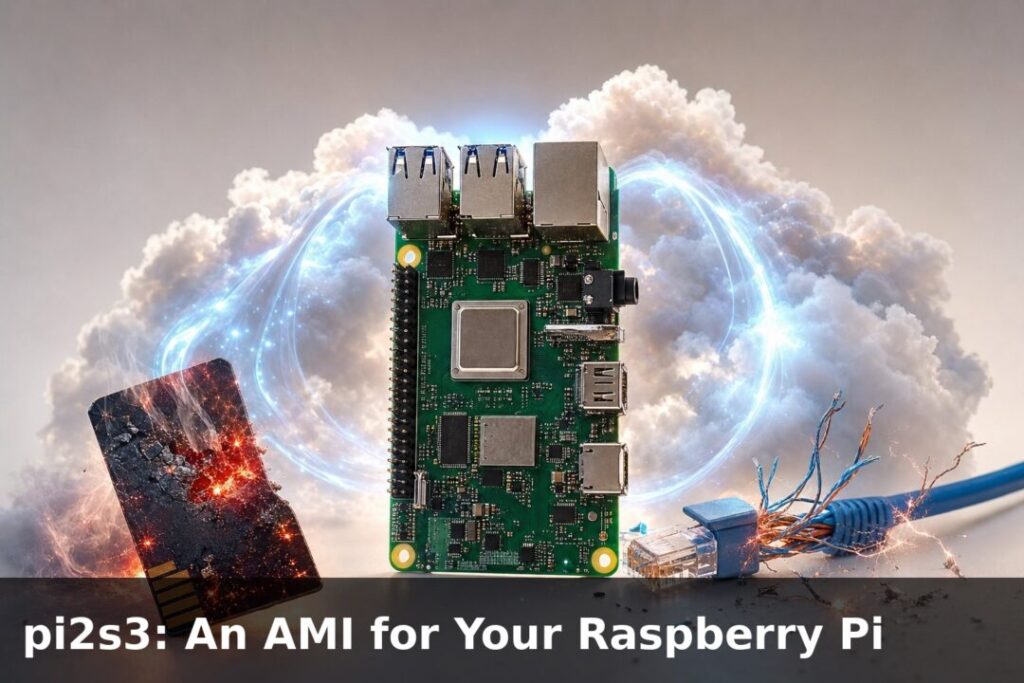
pi2s3: An AMI for Your Raspberry Pi
pi2s3 is a backup tool for Raspberry Pi that works like an AWS AMI, capturing a complete snapshot of your system including installed packages, Docker stacks, configuration files, credentials, and cron jobs and storing it in Amazon S3, so you can fully restore your Pi from scratch in minutes instead of hours.
pi2s3: An AMI for Your Raspberry PiAndrew Baker's Technology Blog Posts, 16/Apr/2026
https://andrewbaker.ninja/2026/04/16/pi2s3-an-ami-for-your-raspberry-pi/

If you have ever had a Raspberry Pi die on you, you know exactly what the recovery process looks like. You flash a new SD card or NVMe, reinstall your packages, rebuild your Docker stacks, reconnect your Cloudflare tunnel, reconfigure nginx, re-enter your credentials, clone your repos, tweak your cron jobs, and spend the better part of an afternoon reconstructing something that took you weeks to tune in the first place. When the Pi is running your personal blog, a homelab service, a self-hosted WordPress instance, or anything that has accumulated configuration debt over months, that lost afternoon turns into a genuinely painful event.
👉pi2s3 exists to eliminate that recovery process entirely. The name says exactly what it does — Pi to S3 — and the framing is deliberate: it works like an AMI for your Pi, producing a complete, bootable image of every partition on your device and storing it in AWS S3. When hardware fails, restoring to a new Pi is a single command that streams the image directly from S3 and puts you back online in under fifteen minutes.
1. Why Not dd?
The obvious tool for imaging a block device is dd, and on the surface it seems fine. You pipe your device through gzip, upload to S3, and you have something you can restore from. The problem emerges the moment your device has any real capacity.
A 954 GB NVMe that is 28% full holds roughly 267 GB of actual data. dd does not know or care about the filesystem allocation map. It reads every sector on the device regardless of whether it contains data, which means it reads the full 954 GB. At the kind of sequential speeds you get on a Pi 5 writing through USB or a direct NVMe connection, that takes somewhere between 60 and 90 minutes. Your site is down for all of it.
pi2s3 uses partclone instead. Partclone reads the filesystem bitmap for each partition, skips every unallocated block, and only transfers used data. On that same 954 GB device at 28% utilisation, it reads 267 GB and finishes in 5 to 15 minutes. The compressed S3 upload lands at 3 to 5 GB instead of 10 GB or more. Site downtime drops from over an hour to something that passes at 2am without anyone noticing.
The comparison is stark enough to be worth spelling out:
dd | pi2s3 (partclone) | |
|---|---|---|
| Reads from device | Every sector (used + empty) | Used blocks only |
| Time on 954 GB NVMe at 28% full | ~60–90 min | ~5–15 min |
| Compressed S3 upload | ~10 GB | ~3–5 GB |
| Restore method | gunzip | dd | partclone per partition |
| Filesystem integrity on restore | No verification | Inline checksum verification |
The inline checksum verification during restore is not a minor detail. Partclone validates block integrity as it writes, so you know immediately if a corruption event occurred during imaging or transit. With dd you find out when the restored system fails to boot.
2. What Gets Captured
A pi2s3 backup is a complete machine image. It captures the GPT or MBR partition table, every partition on the boot device, the boot firmware partition if it lives on a separate SD card, and a JSON manifest describing the backup: hostname, Pi model, OS version, kernel, partition layout, compressed sizes, duration, and the S3 key for every file.
In practical terms this means you get your OS, your kernel, your systemd services including cloudflared and any custom watchdogs, your Docker runtime and every image in your local registry, your Docker volumes which include databases and uploaded media, your .env files and application config, your SSH authorised keys, your cron jobs, your NVMe performance tuning, and your GPT layout all in one operation.
The only exception worth flagging is split-device setups: if your OS boots from an SD card but your Docker data root lives on a separate USB NVMe, those are physically different devices. pi2s3 detects this during preflight and warns you. Setting BACKUP_EXTRA_DEVICE in config.env brings the second device into scope and both get imaged.
3. How the Backup Works
The backup script runs nightly via cron, by default at 2am. The sequence is designed to produce a consistent image with the minimum possible downtime.
Stage 1: Stop Docker containers. This is the only period of genuine service interruption. Containers are stopped so that databases like MariaDB or PostgreSQL can flush all writes to disk before imaging begins. There are no partial transactions, no InnoDB recovery to run, no ambiguous state on restore. The stop timeout is configurable and defaults to 30 seconds, though in practice well-behaved containers stop faster than that.
Stage 2: Flush the filesystem. A sync call flushes dirty pages from the kernel buffer cache to disk, and /proc/sys/vm/drop_caches is written to drop cached pages. At this point the on-disk state is authoritative.
Stage 3: Save the partition table. sfdisk -d dumps the GPT layout of the boot device and streams it directly to S3. This file is applied first during restore, recreating the exact partition structure before any data is written.
Stage 4: Image each partition. For each partition on the boot device, the script selects the correct partclone tool based on the filesystem type: partclone.ext4 for ext4, partclone.vfat for the FAT32 boot firmware partition, partclone.xfs for XFS, and so on. The pipeline is:
partclone. -c -F -s /dev/nvme0n1p2 -o - \
  | pigz -c \
  | aws s3 cp - s3://your-bucket/pi-image-backup/2026-04-16/nvme0n1p2-.img.gz
There is no local intermediate file. The data flows from the partition through partclone, through pigz for parallel compression (which uses all four cores on a Pi 5 and is significantly faster than single-threaded gzip), and directly into S3. Each image is confirmed non-zero in S3 immediately after upload. If an upload lands empty, the script aborts and triggers an alert.
Stage 5: Restart Docker. Once all partitions are imaged, Docker containers are started again. The site is back online.
Stage 6: Upload the manifest. The manifest JSON captures everything needed to identify and restore the backup: partition layout, S3 keys for every file, compressed sizes, duration, and system metadata. The --verify flag uses this manifest to confirm every referenced file exists and is non-zero in S3.
Stage 7: Prune old images. Backups beyond the MAX_IMAGES retention limit are deleted from S3. The default is 60 images, giving a two-month rolling window at roughly 3 to 5 GB per image, which works out to around $3 per month using STANDARD_IA storage in Cape Town’s af-south-1 region.
4. How the Restore Works
Restore is the test that matters. A backup system that produces images nobody can restore from is not a backup system, it is a feelings system.
pi2s3 restores in four stages.
Stage 1: Apply the partition table. The .sfdisk file is downloaded from S3 and piped through sfdisk --force onto the target device. This recreates the GPT layout exactly, including partition boundaries, types, and UUIDs. partprobe is called to update the kernel’s view of the new layout.
Stage 2: Restore each partition. For each partition listed in the manifest, the script maps the source partition name to the equivalent target partition device, waits for the device node to appear, then runs:
aws s3 cp s3://your-bucket/.img.gz - \
  | pv -s  \
  | gunzip \
  | partclone.ext4 -r -s - -o /dev/sda2
The stream flows from S3 through optional pv for a live progress bar, through gunzip, and directly into partclone’s restore mode which writes to the target partition and verifies checksums inline. No local download. No intermediate storage requirement beyond what fits in the pipe buffer.
Stage 3: Handle boot firmware. If the backup includes a separate SD card boot firmware partition, the restore script prompts for the target SD card partition and restores it the same way.
Stage 4: Boot. Insert the storage into the new Pi and power on. Raspberry Pi OS auto-expands the root filesystem to fill the device on first boot. Clear the old SSH host key on your Mac because the restored Pi has the same key as the original, then SSH in.
The restore is Linux-only because sfdisk and partclone are not available on macOS. The workaround for restoring to a bare NVMe from a Mac is to boot the new Pi from a minimal SD card, attach the NVMe, SSH in, clone the repo, and run the restore there. A pre-flash validation script (test-recovery.sh --pre-flash) can be run from the Mac to confirm the S3 image is present, non-zero, and readable before touching any hardware.
5. The Safety Net Infrastructure
A backup system that works quietly in the background needs a few layers of self-monitoring to be trustworthy.
Post-backup container check
The backup script has an on_exit trap that restarts Docker containers if the script crashes mid-imaging. But a crash that takes down the shell entirely can bypass the trap. A separate cron job runs 30 minutes after the backup window and checks whether any containers are still stopped. If they are, it restarts them and sends an alert. This is belt-and-suspenders redundancy for the one scenario where the on-disk state is fine but the service is still down.
Daily heartbeat
An optional daily push notification via ntfy sends uptime, RAM usage, disk usage, and Docker container count every morning at 8am. If the notification stops arriving, the Pi is down or unreachable. This is a simple but effective dead-man’s switch for a device that runs headlessly at home.
Cloudflare tunnel watchdog
For Pis that host public services through a Cloudflare tunnel, the watchdog script runs every five minutes as a root cron job. It checks three things: whether any Docker containers have stopped unexpectedly, whether an HTTP probe on localhost returns a healthy response, and whether the cloudflared process reports active tunnel connections through its metrics endpoint.
If something is wrong, recovery escalates through three phases before giving up:
Phase 1 (attempts 1 through 4, covering the first 20 minutes): restart any stopped containers and restart cloudflared. If health checks pass, send a recovery notification and exit.
Phase 2 (attempts 5 through 8, 20 to 40 minutes in): run a full docker compose down && docker compose up to restart the entire stack from scratch alongside a cloudflared restart. If health checks pass, send recovery notification and exit.
Phase 3 (attempt 9 onwards, beyond 40 minutes): dump a diagnostic bundle to /var/log/pi-mi-watchdog-prediag.log capturing the state of every relevant service, then reboot the Pi. Reboots are rate-limited to once every six hours to prevent a boot loop from hammering the hardware.
Push notifications via ntfy fire at every transition: first detection, each phase escalation, recovery, and the stuck-down alert if the maximum attempt count is reached without resolution.
6. Getting Started
The entire installation is handled by a single script.
git clone https://github.com/andrewbakercloudscale/pi2s3.git ~/pi2s3
cd ~/pi2s3
bash install.sh
The installer prompts for your S3 bucket name, AWS region, and ntfy topic URL, then writes config.env (which is gitignored and never committed), installs partclone, pigz, and AWS CLI v2 if they are not present, verifies credentials and bucket access, sets up an S3 lifecycle policy, creates the log file with correct ownership before cron fires, installs the nightly backup cron job, and runs a dry run to confirm everything works before any data is transferred.
Running a first real backup manually is:
bash ~/pi2s3/pi-image-backup.sh --forceThe --force flag bypasses the duplicate check that prevents double-running on the same calendar day. Without it, a subsequent cron run would be skipped if a backup already exists for today.
From there, the useful operational commands are:
bash ~/pi2s3/pi-image-backup.sh --list      # list all backups in S3 with size and hostname
bash ~/pi2s3/pi-image-backup.sh --verify    # confirm every S3 file is present and non-zero
bash ~/pi2s3/pi-image-restore.sh            # restore interactively to new hardware
bash ~/pi2s3/install.sh --status            # show cron state, log tail, dependency versions
bash ~/pi2s3/install.sh --upgrade           # git pull and redeploy
7. Cost
At 3 to 5 GB compressed per nightly image for a 128 GB NVMe at roughly 25% utilisation, the storage cost in AWS S3 Standard-IA is:
| Retention | Storage | Monthly cost |
|---|---|---|
| 7 images | ~25 GB | Under $1/month |
| 30 images | ~120 GB | ~$2/month |
| 60 images | ~240 GB | ~$3/month |
Prices vary by region. The Cape Town (af-south-1) region is slightly higher than US East. The S3 lifecycle policy installed by the setup step provides a 90-day hard expiry as a safety net beyond the script-managed retention limit.
8. What This Is and What It Is Not
pi2s3 is a disaster recovery tool. It is optimised for the scenario where the hardware fails and you need to get back online on new hardware as fast as possible with zero manual reconstruction. It is not optimised for granular data recovery: restoring a single deleted file, rolling back to a specific database state, or migrating content across OS versions.
The README is honest about this and suggests running an application-layer backup alongside pi2s3: a separate cron job that backs up just the database, uploads directory, and config files to S3 in a lightweight archive. App-layer backups run in seconds, cost under a dollar a month for 60 days of retention, and let you restore a single table or a single upload without touching the machine image. If you are running WordPress on your Pi, the CloudScale Backup and Restore plugin covers that layer with a purpose-built interface for granular restores, database rollbacks, and content migrations. The two approaches are complementary rather than competing.
pi2s3 handles the scenario where your Pi dies completely. The app-layer backup handles everything else.
The project is open source under the MIT licence at pi2s3.com. Pull requests and issues welcome.