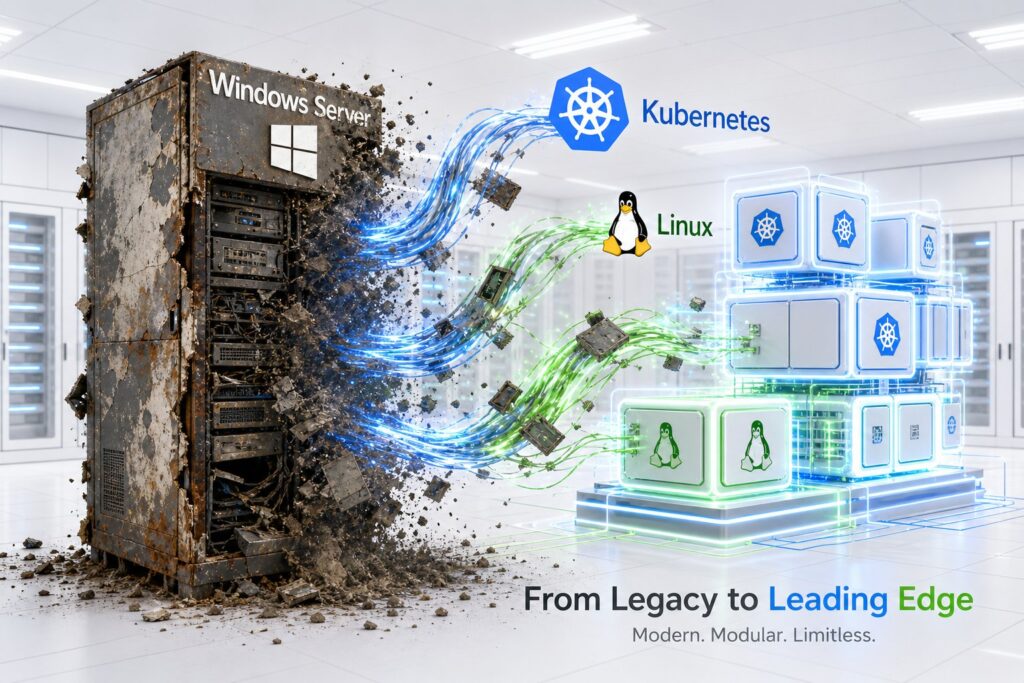
Windows Server Is Ageing Technology, and Even Microsoft Knows It

Windows Server is ageing technology because its traditional rich operating system model adds complexity, cost, and lock in for modern cloud native and containerized infrastructure. Microsoft acknowledges this by prioritizing Azure and container innovation over further enhancing the on premise Windows Server operating system.
For decades, enterprises treated operating system selection as an application requirement: if the application required Windows, you installed Windows, and if it required Linux, you installed Linux. I think that logic has expired. In a modern enterprise built around cloud, elasticity, automated pipelines, containers and disposable infrastructure, the question should not be which server operating system to choose. It should be why we would choose an operating system that makes the server more complicated, more expensive and harder to replace.
That creates three contenders. Windows Server represents the traditional rich enterprise operating system. Enterprise Linux, such as RHEL or Ubuntu, provides a very capable Linux environment with broad hardware, tooling and commercial support. Container Linux, represented by Alpine and the BusyBox philosophy, provides the Linux kernel and only the userspace required to perform the job.
Kubernetes then sits above this rather than competing with them, as the orchestration model that makes small, disposable machines particularly powerful. Once you look at the problem this way, I struggle to understand why Windows Server remains a strategic choice for a new workload, and some of the most interesting evidence for that comes from Microsoft’s own engineering choices over the last decade.
1. The challenges
There are several challenges to the conventional enterprise answer.
First, why should a modern workload require Windows at all? Modern .NET runs on Linux, and so do Java, Go, Rust, Python and Node. Kubernetes, containers, PostgreSQL, Kafka and most of the modern infrastructure ecosystem are Linux native. If the workload requires COM, old .NET Framework, registry dependencies or some ancient Windows only component, we have not discovered a reason why Windows is better. We have discovered technical debt.
Second, why should the operating system have a completely separate lifecycle from the application? And finally, after incidents such as CrowdStrike, why are we so comfortable allowing security and management software to become deeply privileged components capable of affecting the availability of the operating system itself?
These are more interesting questions than whether Windows or Linux has the better administrative GUI.
2. The scorecard
For a modern enterprise architecture, my comparison looks roughly like this:
| Capability | Windows Server | Enterprise Linux | Container Linux |
|---|---|---|---|
| Licensing simplicity | 2/5 | 4/5 | 5/5 |
| Total cost of ownership | 2/5 | 4/5 | 5/5 |
| Legacy compatibility | 5/5 | 4/5 | 2/5 |
| Greenfield architecture | 1/5 | 5/5 | 5/5 |
| Cloud native ecosystem | 2/5 | 5/5 | 5/5 |
| Footprint | 2/5 | 4/5 | 5/5 |
| Immutable infrastructure | 3/5 | 5/5 | 5/5 |
| Containers and Kubernetes | 3/5 | 5/5 | 5/5 |
| eBPF and XDP | 2/5 | 5/5 | 5/5 |
| Advanced storage | 4/5 | 5/5 | 4/5 |
| Human troubleshooting | 5/5 | 5/5 | 3/5 |
| Greenfield reason to choose it | ? | Strong | Strong |
The Windows question mark is deliberate. Windows can do enormous numbers of things, but architecture decisions require a positive reason to introduce a dependency. So what exactly am I gaining by choosing Windows for a new application? That question is surprisingly hard to answer.
3. The operating system should be part of the artefact
A server should be an immutable application artefact, not a pet with an independent lifecycle. That idea runs through size, pipeline and patching all at once.
Start with size. Alpine can be extraordinarily small. Enterprise Linux installations are larger, and Windows Server is dramatically larger again. The usual response is that storage is cheap, but that misses the point. Every package represents code, every daemon represents behaviour, and every library can eventually become a CVE. Every executable is another tool available on the machine, and every installed component becomes something that needs inventory, maintenance and testing. Microsoft itself recognises this principle with Server Core, but container Linux starts from a much stronger position: do not remove unnecessary functionality, do not install it in the first place. A production server does not need a browser, or Calculator, or a desktop environment. A desktop operating system assumes a human may want lots of functionality. A production compute node should assume the exact opposite.
That small, well defined footprint only pays off if the operating system travels through the same pipeline as the application, rather than living a separate life. Traditionally, application upgrades and operating system upgrades happen independently. The application team releases software, infrastructure patches the OS, security changes agents, and runtime teams update Java. Then every few years someone launches an enormous operating system migration programme because thousands of machines are approaching end of support. That entire model should disappear. The actual production artefact is really an application, a runtime, an operating system, a kernel, a security baseline, a container runtime and configuration bundled together, so we should test them together. When the application pipeline moves from one OS release to another, the normal integration tests, performance tests, database tests, network tests and security tests all run against the exact combination that will reach production, and an OS upgrade stops being a giant infrastructure project. It becomes another dependency update. Instead of saying upgrade five thousand servers from operating system X to Y, you say build the next version of each workload against base image Y. That dramatically reduces the blast radius, and OS currency becomes continuous instead of episodic.
Once the OS is part of the pipeline, patching stops being mutation and starts being replacement. Traditional server patching is essentially controlled mutation: take a machine containing years of accumulated state, change hundreds of components, reboot it and hope everything comes back. We have created huge change management processes because the underlying activity is intrinsically risky. Immutable infrastructure changes the problem. Build the patched image, run the application pipeline, deploy a canary, add new nodes, drain the old nodes and delete them. If the new image fails, deploy the previous image. That is fundamentally easier to reason about than reversing changes applied to an existing machine.
The objective should not be to become extraordinarily good at repairing servers. It should be to make servers unimportant.
4. Support is becoming a much weaker argument
Historically, one of the strongest arguments for Windows Server, RHEL and other commercially supported platforms was that we needed somebody to call. That argument deserves revisiting.
Imagine a production Linux host starts behaving strangely. I can install or provide controlled access to an AI diagnostic agent such as Claude and allow it to inspect kernel logs, system logs, package versions, configuration, service state, network state, resource utilisation, recent changes and the application logs sitting directly above the operating system. Within minutes it can correlate information that a traditional support process gathers through multiple rounds of uploading logs, running commands, reproducing the issue and waiting for an escalation to engineering in another timezone. Fifteen minutes with an AI agent that can actually inspect the environment can easily provide more useful diagnostic progress than weeks moving through traditional support tiers.
That does not mean vendor support has no value. If I discover a genuine kernel defect, firmware interaction, storage driver issue or hardware problem, I may still need Red Hat, Canonical, Broadcom, the storage vendor or somebody else who owns the code. But notice what changed. AI increasingly performs diagnosis, and vendor support becomes escalation to the people who can actually change the defective component. That is a much smaller role.
The old support model charged enterprises partly for access to expertise and partly for navigating the vendor organisation until you eventually reached that expertise. AI destroys much of the first problem and exposes how inefficient the second one is.
For commodity compute, I would go further. If the machine is behaving strangely, why am I debugging it at all? Drain it, delete it and replace it, then use AI to determine whether there is a fleet wide issue worth investigating. That is a much more modern support model, and it works far better against a small, well understood Linux image than against a large, stateful Windows install.
5. CrowdStrike and the cost of privileged agents
The July 2024 CrowdStrike outage is especially relevant because the failure path was Windows specific. CrowdStrike distributed Rapid Response Content used by its Windows sensor, and a defect caused an out of bounds memory read in a path involving CrowdStrike’s Windows kernel component. Because that component loaded early in boot, affected systems could crash before returning to normal operation, and rebooting could simply return the machine to the same failure path, which is why recovery sometimes required Safe Mode, recovery environments or manual removal of the offending content.
Linux and macOS did not use that Channel 291 path. Linux can absolutely kernel panic, so the argument should not be that Linux is somehow incapable of crashing, and Linux security products can also run with deep kernel access. There is something wrong with that bargain, though. The July 2024 failure was Windows specific, but the broader lesson is that security architecture should minimise the amount of rapidly changing third party code capable of destabilising the operating system. Linux increasingly provides mechanisms such as eBPF that let us collect deep kernel telemetry without giving every security function an unrestricted kernel module, which is not a Windows problem so much as a reason to prefer an architecture that constrains what privileged agents are allowed to do in the first place.
6. Linux has become the infrastructure platform, and Microsoft’s own choices show it
Linux’s advantage is not merely that the operating system is smaller. The kernel itself has become an extraordinary infrastructure platform. eBPF provides controlled programmability inside the kernel, and XDP allows programs to operate extremely early in packet processing, creating enormous opportunities for high performance networking, telemetry, load balancing, policy enforcement and security. The important point about Alpine or another container Linux environment is that the tiny userspace does not imply a tiny kernel capability. You can have a very small operating environment sitting on top of a sophisticated Linux kernel supporting namespaces, cgroups, eBPF, XDP, modern storage, high performance networking and hardware drivers, and that combination is extremely compelling. Windows is developing its own eBPF for Windows project, and that fact is itself telling. Microsoft is not building a Windows native alternative to eBPF. It is porting the Linux model onto Windows, because the Linux kernel is where this architecture was invented and where it remains most mature.
Container Linux should not become a religion, though. If I am operating a huge stateful database platform connected to specialist NVMe over Fibre Channel infrastructure, I would probably use enterprise Linux instead of Alpine. Linux has strong NVMe transport support, including Fibre Channel, TCP and RDMA, while Windows Server can also support enterprise FC NVMe environments through appropriate vendor drivers. For specialist storage I want certification, mature diagnostic utilities, HBA support, multipathing integration and people who understand obscure failures, and that is exactly where RHEL or another enterprise Linux distribution earns its place. The rule should not be to always use Alpine. It should be to use the smallest Linux environment that satisfies the operational requirement.
What I find most convincing, though, is what Microsoft chooses when it gets to design new cloud native infrastructure from first principles. The Azure host operating system is a purpose built, minimal version of Windows, and the Azure hypervisor is based on Hyper-V, so I am not claiming Azure secretly runs on Linux underneath. But Microsoft also built and maintains its own Linux distribution, Azure Linux, used across more than a hundred Azure services, specifically because a lightweight, security hardened Linux image was the right tool for cloud infrastructure and edge workloads. Windows Subsystem for Linux exists because Microsoft recognised that developers increasingly needed first class access to the Linux environment and Linux tooling even when their desktop operating system was Windows. Modern .NET was rebuilt to run natively and competitively on Linux, including as Linux container images, because Microsoft needed its flagship developer platform to be credible in a container and Kubernetes world that is overwhelmingly Linux native. Nano Server, Microsoft’s own attempt at a minimal Windows Server image, is no longer offered as an installable host OS and has been limited to the container OS role, because it never achieved the footprint or ecosystem fit that Linux could offer.
None of this means Microsoft is abandoning Windows Server. Windows Server 2025 is the current long term servicing release, Microsoft has added substantial functionality to it, and extended support runs until November 2034. Microsoft is still investing heavily in the product, and it remains strategically important because an enormous Windows estate exists. That is a different claim from saying Windows Server is the architecture Microsoft would choose for a brand new cloud native workload. When Microsoft starts from scratch, Linux keeps appearing.
7. So when is Windows Server the right choice?
This is where I have changed my view. The conventional answer would be to use Windows where the workload requires Windows, but I no longer think that is good enough. If a greenfield workload claims to require Windows, challenge the architecture before accepting the requirement. If an existing workload requires Windows, identify the dependency and put an exit strategy around it.
There may still be genuine exceptions: specialist hardware, regulated systems, old industrial platforms or applications where replacement cost massively outweighs the benefit. Fine. But those are legacy containment decisions. They are not evidence that Windows Server belongs in the target architecture.
8. The actual enterprise policy
I would therefore make the policy remarkably simple.
Container Linux is the target for disposable compute. Use it for Kubernetes workers, containerised applications, build agents, gateways and elastic workloads where the individual machine has no value.
Enterprise Linux is the target where you genuinely need more operating system. Use it for databases, specialist storage, complex infrastructure, hardware integration and environments where certification or deep diagnostic tooling matters.
Windows Server is an exception, and every exception should answer what specifically requires Windows, why that dependency cannot be removed, why the cost of retaining Windows is lower than fixing the dependency, and what the exit plan is.
Conclusion: why is Windows still in the race?
Windows Server is an impressive operating system, and that is not really the question. The question is whether being an impressive traditional server operating system still matters for new work, and Microsoft’s own engineering choices suggest that even Microsoft is not fully convinced.
Modern enterprise infrastructure wants something else. It wants machines that are small, reproducible, automatically tested, quickly replaceable and operationally insignificant. It wants the OS upgrade to move through the same pipeline as the application. It wants a kernel with powerful modern networking and security primitives. It wants a failure to result in replacement rather than a three week support ticket. And increasingly, it wants AI to perform the first fifteen minutes of diagnosis with more context than the support engineer will obtain during the first fifteen days.
So I can explain why enterprises still have Windows Server. History. Legacy applications. Sunk cost. What I struggle to explain is why an enterprise designing a new strategic application today should deliberately choose it, particularly when the company that builds Windows Server keeps choosing Linux whenever it designs new infrastructure from first principles.
Enterprise Linux is the pragmatic platform. Container Linux is the architectural destination for disposable compute. Windows Server is ageing technology carrying enormous legacy value and very little claim on the future, unless somebody can prove otherwise.
That is the challenge I would put to every architect approving another Windows machine. What capability are we buying that Linux cannot give us? And if the answer is that the application requires Windows, you have not answered the question. You have identified the problem.