Infrastructure Engineering: Systems, Networking, Databases & the Internet
Network architecture, internet protocols, database and systems design, and the infrastructure engineering decisions that determine whether real production systems hold up under load.

Windows 10: Fix Flashing Desktop Icons in 3 Steps
Just popping this here as I have had this a few times. Have you ever had your desktop icons flash and if you check explorer.exe its using high CPU. If so try: Step 1. Delete the Icon Cache Save the following as a batch file on your desktop and run it as admin: Step 2. […]
Read more →
Know Your System: The Operational Cognition Questionnaire
Most outages are not caused by a single bug. They are caused by teams that have gradually lost a coherent mental model of the system they operate. Kubernetes retries. Queues absorb backpressure. Auto scaling masks inefficiency. Managed services hide infrastructure complexity. Over time, teams begin operating systems they no longer fully understand. Then something breaks. […]
Read more →
Cloudflare Free Tier Review: Why It Works for Enterprise
By Andrew Baker, CIO at Capitec Bank There is a truth that most technology vendors either do not understand or choose to ignore: the best sales pitch you will ever make is letting someone use your product for free. Not a watered-down demo, not a 14-day trial that expires before anyone has figured out the […]
Read more →
Find Max MTU Size on Mac OS X Using Ping (No Fragmentation)
If you have ever tried to use jumbo packets, or trace a weird slowness on the network – one of the things that frequently comes up is packet fragmentation. This is basically where a source machine is sending bigger packets than can be consumed along its pathway to a destination machine. This means the packets […]
Read more →Mac Terminal: Check DNS Nameservers in 2 Commands
To view the list of nameservers your mac is using, simply open Terminal and paste the following: Alternatively, you can copy the DNS servers to clipboard directly from the command line (using pbcopy):
Read more →Monitor LDAP Queries on Domain Controller: PowerShell Guide
The script below monitors LDAP operations on a Domain Controller and logs detailed information about queries that exceed specified thresholds for execution time, CPU usage, or results returned. It helps identify problematic LDAP queries that may be impacting domain controller performance. Parameter: ThresholdSeconds Minimum query duration in seconds to log (default: 5) Parameter: LogPath Path […]
Read more →
Security Vibing: Why Teams Keep Sacrificing to the Risk Gods Instead of Managing Real Risk
Something interesting happens inside large organisations when a new technology appears and nobody is quite sure how dangerous it is: people start sacrificing things. A feature gets disabled, a setting gets locked down, and a capability gets removed. Another approval step gets inserted into the process, or someone quietly updates a policy. Everyone feels slightly […]
Read more →
Test HTTP/2 Max Concurrent Streams: Tools & Guide
1. Introduction Understanding and testing your server’s maximum concurrent stream configuration is critical for both performance tuning and security hardening against HTTP/2 attacks. This guide provides comprehensive tools and techniques to test the SETTINGS_MAX_CONCURRENT_STREAMS parameter on your web servers. This article complements our previous guide on Testing Your Website for HTTP/2 Rapid Reset Vulnerabilities from […]
Read more →
macOS: Find Which Process Is Using a Specific Port
Below is a useful script when you want to see which processes are using a specific port.
Read more →
Fix Raspberry Pi Boot Failures: SD to NVMe in 5 Steps
A real-world guide to making your Pi bulletproof, from SD card corruption to NVMe migration I learned this lesson the hard way. My Raspberry Pi 5 was happily serving a production WordPress site when I rebooted it. Two minutes later there was no SSH, no site, just a solid red light staring back at me. […]
Read more →iperf3 Guide: Top 10 Network Performance Testing Use Cases
When something is “slow” on a network, opinions arrive before evidence. Storage teams blame the network, network teams blame the application, and application teams blame “the cloud”.☁️ iperf3 cuts through that noise by giving you hard, repeatable, protocol-level facts about throughput, latency behavior, and packet loss. This post explains what iperf3 actually measures, how it […]
Read more →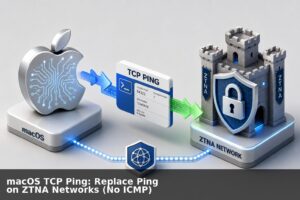
macOS TCP Ping: Replace Ping on ZTNA Networks (No ICMP)
A lot of companies are moving to ZTNA (Zero Trust Network Architecture). This is generally a good thing, it helps cyber posture and it and makes life a lot easier as you no longer need to login to VPN tunnels to manage your cloud environment/s. But one of the few downsides of ZTNA is that […]
Read more →