A Simple Script to Check if Your Page is SEO and AEO Friendly

Search engines no longer operate alone. Your content is now consumed by
Google, Bing, Perplexity, ChatGPT, Claude, Gemini, and dozens of other
AI driven systems that crawl the web and extract answers.

Classic SEO focuses on ranking. Modern discovery also requires AEO (Answer Engine Optimization) which focuses on being understood and extracted by AI systems. A marketing page must therefore satisfy four technical conditions:

  1. It must be crawlable
  2. It must be indexable
  3. It must be structured so machines understand it
  4. It must contain content that AI systems can extract and summarize

Many sites fail before content quality even matters. Robots rules block
crawlers, canonical tags are missing, structured data is absent, or the
page simply contains too little readable content.

The easiest way to diagnose this is to run a single script that inspects
the page like a crawler would.

The following Bash script performs a quick diagnostic to check whether
your page is friendly for both search engines and AI answer systems.

The script focuses only on technical discoverability, not marketing copy
quality.

2. What the Script Checks

The script inspects the following signals.

Crawlability

  • robots.txt presence
  • sitemap.xml presence
  • HTTP response status

Indexability

  • canonical tag
  • robots meta directives
  • noindex detection

Search Metadata

  • title tag
  • meta description
  • OpenGraph tags

Structured Data

  • JSON LD schema detection

Content Structure

  • heading structure
  • word count
  • lists and FAQ signals

AI Extraction Signals

  • presence of lists
  • FAQ style content
  • paragraph density

This combination gives a quick technical indication of whether a page is
discoverable and understandable by both crawlers and AI systems.

3. Installation Script

Run the following command once on your Mac.\
It will create the diagnostic script and make it executable.

cat << 'EOF' > ~/seo-aeo-check.sh
#!/usr/bin/env bash

set -euo pipefail

URL="${1:-}"

if [[ -z "$URL" ]]; then
  echo "Usage: seo-aeo-check.sh https://example.com/page"
  exit 1
fi

UA="Mozilla/5.0 (compatible; SEO-AEO-Inspector/1.0)"

TMP=$(mktemp -d)
BODY="$TMP/body.html"
HEAD="$TMP/headers.txt"

cleanup() { rm -rf "$TMP"; }
trap cleanup EXIT

pass=0
warn=0
fail=0

p(){ echo "PASS  $1"; pass=$((pass+1)); }
w(){ echo "WARN  $1"; warn=$((warn+1)); }
f(){ echo "FAIL  $1"; fail=$((fail+1)); }

echo
echo "========================================"
echo "SEO / AEO PAGE ANALYSIS"
echo "========================================"
echo

curl -sSL -A "$UA" -D "$HEAD" "$URL" -o "$BODY"

status=$(grep HTTP "$HEAD" | tail -1 | awk '{print $2}')
ctype=$(grep -i content-type "$HEAD" | awk '{print $2}')

echo "URL: $URL"
echo "Status: $status"
echo "Content type: $ctype"
echo

if [[ "$status" =~ ^2 ]]; then
  p "Page returns successful HTTP status"
else
  f "Page does not return HTTP 200"
fi

title=$(grep -i "<title>" "$BODY" | sed -e 's/<[^>]*>//g' | head -1)

if [[ -n "$title" ]]; then
  p "Title tag present"
  echo "Title: $title"
else
  f "Missing title tag"
fi

desc=$(grep -i 'meta name="description"' "$BODY" || true)

if [[ -n "$desc" ]]; then
  p "Meta description present"
else
  w "Meta description missing"
fi

canon=$(grep -i 'rel="canonical"' "$BODY" || true)

if [[ -n "$canon" ]]; then
  p "Canonical tag found"
else
  f "Canonical tag missing"
fi

robots=$(grep -i 'meta name="robots"' "$BODY" || true)

if [[ "$robots" == *noindex* ]]; then
  f "Page contains noindex directive"
else
  p "No index blocking meta tag"
fi

og=$(grep -i 'property="og:title"' "$BODY" || true)

if [[ -n "$og" ]]; then
  p "OpenGraph tags present"
else
  w "OpenGraph tags missing"
fi

schema=$(grep -i 'application/ld+json' "$BODY" || true)

if [[ -n "$schema" ]]; then
  p "JSON-LD structured data detected"
else
  w "No structured data detected"
fi

h1=$(grep -i "<h1" "$BODY" | wc -l | tr -d ' ')

if [[ "$h1" == "1" ]]; then
  p "Single H1 detected"
elif [[ "$h1" == "0" ]]; then
  f "No H1 found"
else
  w "Multiple H1 tags"
fi

words=$(sed 's/<[^>]*>/ /g' "$BODY" | wc -w | tr -d ' ')

echo "Word count: $words"

if [[ "$words" -gt 300 ]]; then
  p "Page contains enough textual content"
else
  w "Thin content detected"
fi

domain=$(echo "$URL" | awk -F/ '{print $1"//"$3}')
robots_url="$domain/robots.txt"

if curl -s -A "$UA" "$robots_url" | grep -q "User-agent"; then
  p "robots.txt detected"
else
  w "robots.txt missing"
fi

sitemap="$domain/sitemap.xml"

if curl -s -I "$sitemap" | grep -q "200"; then
  p "Sitemap detected"
else
  w "No sitemap.xml found"
fi

faq=$(grep -i "FAQ" "$BODY" || true)

if [[ -n "$faq" ]]; then
  p "FAQ style content detected"
else
  w "No FAQ style content"
fi

lists=$(grep -i "<ul" "$BODY" || true)

if [[ -n "$lists" ]]; then
  p "Lists present which helps answer extraction"
else
  w "No lists found"
fi

echo
echo "========================================"
echo "RESULT"
echo "========================================"
echo "Pass: $pass"
echo "Warn: $warn"
echo "Fail: $fail"

total=$((pass+warn+fail))
score=$((pass*100/total))

echo "SEO/AEO Score: $score/100"
echo
echo "Done."
EOF

chmod +x ~/seo-aeo-check.sh

4. Running the Diagnostic

You can now check any page with a single command.

~/seo-aeo-check.sh https://yourdomain.com/page

Example:

~/seo-aeo-check.sh https://andrewbaker.ninja

The script will print a simple report showing pass signals, warnings,
failures, and an overall score.

5. How to Interpret the Results

Failures normally indicate hard blockers such as:

  • missing canonical tags
  • no H1 heading
  • noindex directives
  • HTTP errors

Warnings normally indicate optimization opportunities such as:

  • missing structured data
  • thin content
  • lack of lists or FAQ style sections
  • missing OpenGraph tags

For AI answer systems, the most important structural signals are:

  • clear headings
  • structured lists
  • question based sections
  • FAQ schema
  • sufficient readable text

Without these signals many AI systems struggle to extract meaningful
answers.

6. Why This Matters More in the AI Era

Search engines index pages. AI systems extract answers.

That difference means structure now matters as much as keywords. Pages that perform well for AI discovery tend to include:

  • clear headings
  • structured content blocks
  • lists and steps
  • explicit questions and answers
  • schema markup

When these signals exist, your content becomes much easier for AI
systems to interpret and reference. In other words, good AEO makes your content easier for machines to read, summarize, and cite. And in an AI driven discovery ecosystem, that visibility increasingly
determines whether your content is seen at all.

Why Capitec Pulse Is a World First and Why You Cannot Just Copy It

By Andrew Baker, Chief Information Officer, Capitec Bank

The Engineering Behind Capitec Pulse

1. Introduction

I have had lots of questions about how we are “reading our clients minds”. This is a great question, but the answer is quite complex – so I decided to blog it. The article below really focuses on the heavy lifting required to make agentic solutions first class citizens of your architecture. I dont go down to box diagrams in this article, but it should give you enough to frame the shape of your architecture and the choices you have.

When Capitec launched Pulse this week, the coverage focused on the numbers. An AI powered contact centre tool that reduces call handling time by up to 18%, delivering a 26% net performance improvement across the pilot group, with agents who previously took 7% longer than the contact centre average closing that gap entirely after adoption. Those are meaningful numbers, and they are worth reporting. But they are not the interesting part of the story.

The interesting part is the engineering that makes Pulse possible at all, and why the “world first” claim, which drew measured scepticism from TechCentral and others who pointed to existing vendor platforms with broadly similar agent assist capabilities, is more defensible than the initial coverage suggested. The distinction between having a concept and being able to deploy it in production, at banking scale, against a real estate of 25 million clients, is not a marketing question. It is a physics question. This article explains why.

2. What Pulse Actually Does

To understand why Pulse is difficult to build, it helps to understand precisely what it is being asked to do. When a Capitec client contacts the support centre through the banking app, Pulse fires. Before the agent picks up the call, the system assembles a real time contextual picture of that client’s recent account activity, drawing on signals from across the bank’s systems: declined transactions, app diagnostics, service interruptions, payment data and risk indicators. All of that context is surfaced to the agent before the first word is exchanged, so that the agent enters the conversation already knowing, or at least having a high confidence hypothesis about, why the client is calling.

The goal, as I described it in the launch statement, is not simply faster resolution. It is an effortless experience for clients at the moment they are most frustrated. The removal of the repetitive preamble, the “can you tell me the last four digits of your card” and “when did the problem start” that precedes every contact centre interaction, is what makes the experience qualitatively different, not just marginally faster. The 18% reduction in handling time is a consequence of that. It is not the objective.

What makes this hard is not the user interface, or the machine learning, or the integration with Amazon Connect. What makes it hard is getting the right data, for the right client, in the right form, in the window of time between the client tapping “call us” and the agent picking up. That window is measured in seconds. The data in question spans the entire operational footprint of a major retail bank.

3. Why Anyone Can Build Pulse in a Meeting Room, But Not in Production

When TechCentral noted that several major technology vendors offer agent assist platforms with broadly similar real time context capabilities, they were correct on the surface. Genesys, Salesforce, Amazon Connect itself and a number of specialised contact centre AI vendors all offer products that can surface contextual information to agents during calls. The concept of giving an agent more information before they speak to a customer is not new, and Capitec has never claimed it is.

The “world first” claim is more specific than that. It is a claim about delivering real time situational understanding at the moment a call is received, built entirely on live operational data rather than batch replicated summaries, without impacting the bank’s production transaction processing. That specificity is what the coverage largely missed, and it is worth unpacking in detail, because the reason no comparable system exists is not that nobody thought of it. It is that the engineering path to deploying it safely is extremely narrow, and it requires a degree of control over the underlying data architecture that almost no bank in the world currently possesses.

To see why, it helps to understand the two approaches any bank or vendor would naturally reach for, and why both of them fail at scale.

4. Option 1: Replicate Everything Into Pulse Before the Call Arrives

The first and most intuitive approach is to build a dedicated data store for Pulse and replicate all relevant client data into it continuously. Pulse then queries its own local copy of the data when a call comes in, rather than touching production systems at all. The production estate is insulated, the data is pre assembled, and the agent gets a fast response because Pulse is working against its own index rather than firing live queries into transactional databases.

This approach has significant appeal on paper, and it is the model that most vendor platforms implicitly rely on. The problem is what happens to it at banking scale, in a real production environment, under real time load.

Most banks run their data replication through change data capture (CDC) pipelines. A CDC tool watches the database write ahead log, the sequential record of every committed transaction, and streams those changes downstream to consuming systems: the data warehouse, the fraud platform, the reporting layer, the risk systems. These pipelines are already under substantial pressure in large scale banking environments. They are not idle infrastructure with spare capacity waiting to be allocated. Adding a new, high priority, low latency replication consumer for contact centre data means competing with every other downstream consumer for CDC throughput, and the replication lag that results from that contention can easily reach the point where the data Pulse is working with is minutes or tens of minutes old rather than seconds.

For some of our core services, due to massive volumes, CDC replication is not an option, so these key services would not be eligible for Pulse if we adopted a replication architecture approach.

The more fundamental problem, though, is one of scope. You cannot wait for a call to come in before deciding what to replicate. By the time the client has initiated the support session, there is no longer enough time to go and fetch all the data for currently over 60 databases and log stores. The replication into the Pulse data store has to be continuous, complete and current for all 25 million clients, not just the ones currently on calls. That means maintaining sub second freshness across the entire operational footprint of the bank, continuously, around the clock. The storage footprint of that at scale is large. The write amplification, where every transaction is written twice, once to the source system and once to the Pulse replica, effectively doubles the IOPS demand on an already loaded infrastructure. And the cost of provisioning enough I/O capacity to maintain that freshness reliably, without tail latency spikes that would degrade the contact centre experience, is substantial and recurring.

All of our core services have to be designed for worst case failure states. During an outage, when all our systems are already under huge scale out pressures, contact centre call volumes are obviously at their peak as well. If Pulse replication added pressure during that scenario to the point where we could not recover our services, or had to turn it off precisely when it was most valuable, the architectural trade off would be untenable.

Option 1 works on paper. In production, against a real banking client base of the size Capitec serves, it is expensive, architecturally fragile and, in practice, not reliably fresh enough for the use case it is meant to serve.

5. Option 2: Query the Live Production Databases as the Call Comes In

The second approach is more direct: abandon the replication model entirely and let Pulse query the live production databases at the moment the call arrives. There is no replication lag, because there is no replication. The data Pulse reads is the same data the bank’s transactional systems are working with right now, because Pulse is reading from the same source. Freshness is guaranteed by definition.

This approach also fails at scale, and the failure mode is more dangerous than the one in Option 1, because it does not manifest as stale data. It manifests as degraded payment processing.

To understand why, it is necessary to understand how relational databases handle concurrent reads and writes. Almost every OLTP (online transaction processing) database, including Oracle, SQL Server, MySQL, and PostgreSQL in its standard read committed isolation configuration, uses shared locks, also called read locks, to manage concurrent access to rows and pages. When a query reads a row, it acquires a shared lock on that row for the duration of the read. A shared lock is compatible with other shared locks, so multiple readers can access the same row simultaneously without blocking each other. But a shared lock is not compatible with an exclusive lock, which is what a write operation requires. A write must wait until all shared locks on the target row have been released before it can proceed. This is the fundamental concurrency model of most production relational databases, and it exists for a good reason: it ensures that readers see a consistent view of data that is not mid modification. The cost of that consistency guarantee is that reads and writes are not fully independent.

In a low concurrency environment, this trade off is rarely visible. Reads complete quickly, locks are released, writes proceed with negligible delay. In a high throughput banking environment, where thousands of transactions per second are competing for access to the same set of account rows, adding a new class of read traffic directly into that contention pool has measurable consequences. Every time a Pulse query reads a client’s account data to prepare a contact centre briefing, it acquires shared locks on the rows it touches. Every write transaction targeting those same rows, whether a payment completing, a balance updating, or a fraud flag being set, must wait until those shared locks are released. At Capitec’s scale, with a large number of contact centre calls arriving simultaneously, the aggregate lock contention introduced by Pulse queries onto the production write path would generate a consistent and material increase in transaction tail latency. That is not a theoretical risk. It is a predictable consequence of the locking model that virtually every production RDBMS uses, and it is a consequence that cannot be engineered away without changing the database platform itself.

Option 2 solves the data freshness problem while introducing a write path degradation problem that, in a regulated banking environment, is not an acceptable trade off. The integrity and predictability of payment processing is not something that can be compromised in exchange for better contact centre context.

6. Option 3: Redesign the Foundations

Capitec arrived at a third path, and it was available to us for a reason that has nothing to do with being smarter than the engineers at other banks or at the vendor platforms. It was available because Capitec owns its source code. The entire banking stack, from the core transaction engine to the client facing application layer, is built internally. There is no third party core banking platform, no licensed system with a vendor controlled schema and a contractual restriction on architectural modification. When we decided that real time operational intelligence was worth getting right at a foundational level, we had the ability to act on that decision across the entire estate.

The central architectural choice was to build every database in the bank on Amazon Aurora PostgreSQL, with Aurora read replicas provisioned with dedicated IOPS rather than relying on Aurora’s default autoscaling burst IOPS model (with conservative min ACUs). Aurora’s architecture is important here because it separates the storage layer from the compute layer in a way that most traditional relational databases do not. In a conventional RDBMS, a read replica is a physically separate copy of the database that receives a stream of changes from the primary and applies them sequentially. Replication lag in a conventional model accumulates when write throughput on the primary outpaces the replica’s ability to apply changes. In Aurora, the primary and all read replicas share the same underlying distributed storage layer. A write committed on the primary is immediately visible to all replicas, because they are all reading from the same storage volume. The replica lag in Aurora PostgreSQL under normal operational load is measured in single digit milliseconds rather than seconds or minutes, and that difference is what makes the contact centre use case viable.

Pulse has access exclusively to the read replicas. By design and by access control, it cannot touch the write path at all. This is the critical architectural guarantee. The read replicas are configured with access patterns, indexes and query plans optimised specifically for the contact centre read profile, which is structurally different from the transactional write profile the primary instances are optimised for. Because Aurora’s read replicas use PostgreSQL’s MVCC (multi version concurrency control) architecture, reads on the replica never acquire shared locks that could interfere with writes on the primary. MVCC works by maintaining multiple versions of each row simultaneously, one for each concurrent transaction that needs to see a consistent snapshot of the data. When Pulse queries a read replica, PostgreSQL serves it a snapshot of the data as it existed at the moment the query started, without acquiring any row level locks whatsoever. There is no mechanism by which Pulse’s read traffic can cause a write on the primary to wait.

Beyond the relational data layer, all operational log files across the platform are coalesced into Amazon OpenSearch, giving Pulse a single, indexed view of the bank’s entire log estate without requiring it to fan out queries to dozens of individual service logs scattered across the infrastructure. App diagnostics, service health events, error patterns and system signals are all searchable through a single interface, and OpenSearch’s inverted index architecture means that the kinds of pattern matching and signal correlation queries that Pulse needs to produce a useful agent briefing execute in milliseconds against a well tuned cluster, rather than in seconds against raw log streams.

The result of these architectural choices taken together is a system in which Pulse reads genuinely current data, through a read path that is completely isolated from the write path, with effectively no replication lag, no lock contention and no impact on the transaction processing that is the bank’s core operational obligation.

7. Why a Vendor Could Not Have Delivered This

This is the part of the “world first” argument that the sceptics most consistently miss, and it is worth addressing directly. The question is not whether vendors are capable of building the software components that Pulse uses. Of course they are. Amazon, Salesforce, Genesys and others have engineering teams that are among the best in the industry. The question is whether any vendor could have deployed a Pulse equivalent system successfully against a real world banking estate, and the answer to that question is almost certainly no, for reasons that have nothing to do with engineering capability and everything to do with the constraints that vendors face when they deploy into environments they did not build.

A vendor arriving at a major bank with a Pulse equivalent product would encounter a technology estate built on a core banking platform they do not control, with a CDC replication architecture that is already at or near capacity, and with OLTP databases running a locking model that is baked into the platform and cannot be modified without the platform vendor’s involvement. They would be presented with exactly the choice described in sections 4 and 5 of this article: replicate everything and accept the lag and IOPS cost, or query production and accept the locking risk. Neither of those options produces a system that works reliably at the scale and performance level that a contact centre use case demands, and a vendor has no ability to change the underlying estate to create the third option.

The only path to the architecture described in section 6 is to control the source code of the underlying banking systems and to have made the decision to build the data infrastructure correctly from the beginning, before the specific use case of contact centre AI was on anyone’s roadmap. That is a decision Capitec made, and it is a decision that most banks, running licensed core banking platforms with limited architectural flexibility, are not in a position to make regardless of budget or intent.

8. Pulse Is the First Output of a Broader Capability

It would be a mistake to read Pulse purely as a contact centre initiative, because that is not what it is. It is the first publicly visible output of a platform capability that Capitec has been building for several years, and that capability was designed to serve a much broader set of real time operational decisions than contact centre agent briefings.

The traditional data architecture in banking separates the transactional estate from the analytical estate. The OLTP systems process transactions in real time. A subset of that data is replicated, usually overnight, into a data warehouse or data lake, where it is available to analytical tools and operational decision systems. Business intelligence, fraud models, credit decisioning engines and risk systems are typically built on top of this batch refreshed analytical layer. It is a well understood model and it works reliably, but its fundamental limitation is that every decision made on the analytical layer is made on data that is, at minimum, hours old.

For fraud prevention, that delay is increasingly unacceptable. Fraud patterns evolve in minutes, and a fraud signal that is twelve hours old is, in many cases, a signal that arrived after the damage was done. For credit decisions that should reflect a client’s current financial position rather than yesterday’s snapshot, Capitec Advances is one example where the decision should reflect income received this morning rather than income received last month, and the batch model introduces systematic inaccuracy that translates directly into worse outcomes for clients. For contact centre interactions, it means agents are working with context that may not reflect the last several hours of a client’s experience, which is precisely the window in which the problem they are calling about occurred. Capitec’s investment in the real time data infrastructure that underpins Pulse was motivated by all three of these use cases simultaneously, and Pulse is simply the first system to emerge from that investment in a publicly deployable form. It will not be the last.

9. The Hallucination Trap

So you have liberated your data and AI can access everything. Congratulations. Here is your next problem, and it is one that almost nobody talks about openly: your schema needs a cryptologist to understand it.

I have seen vendor systems where retrieving a simple transaction history for a client across all their accounts requires over four thousand lines of SQL. Four thousand lines. Not because the query is sophisticated. Because the schema has been abused so systematically over so many years that it has become genuinely incomprehensible. Field A means one thing for product type 1 and something entirely different for product type 2. The same column carries different semantics depending on a discriminator flag three joins away that half the team has forgotten exists. The schema was not designed this way deliberately. It accumulated this way, one pragmatic shortcut at a time, over a decade of releases where the path of least resistance was always to reuse an existing column rather than add a new one.

When you point an AI at a schema like this and ask it to answer questions about client behaviour, you are not testing the AI. You are testing whether the AI can reverse-engineer fifteen years of undocumented modelling decisions from first principles, in real time, while a client is waiting on the line. The model is not hallucinating. You have simply given it no chance. The garbage is in the schema, not in the model.

The instinctive response is to fix the schema. That instinct is correct and also career-limiting. A schema remediation project of that scope touches every upstream writer and every downstream consumer simultaneously. It takes years, it breaks things in ways that are difficult to predict and expensive to test, and it competes for the same engineering capacity that is meant to be delivering the AI capabilities the business is waiting for. In practice, it does not happen. The schema persists, the SQL grows longer, and the AI continues to produce answers that are subtly wrong in ways that are difficult to trace back to their root cause.

The better answer is to stop trying to fix the past and build a clean projection of it instead. You take the ugly SQL, you encapsulate it in a service, and you publish the output onto a Kafka topic with a logical schema that any engineer can read without a glossary. A transaction is a transaction. An account is an account. The field names mean what they say, consistently, regardless of product type. The complexity of the source system is hidden behind the service boundary, versioned, tested and owned by a team that understands it deeply rather than distributed invisibly across every system that needs to query it.

This approach has compounding benefits that go well beyond making AI queries more reliable. A client’s five year transaction history, retrieved for a tax enquiry, no longer runs as a live query against your core banking database at the worst possible moment. It is read from the Kafka topic, which was built precisely for that read profile and carries no locking risk whatsoever against the transaction processing path. Every change to the underlying logic is isolated to the service, regression tested independently, and deployed without touching the consumers. The operational complexity that used to be everyone’s problem becomes the well-defined responsibility of a single team.

And then, once you have a clean logical schema flowing through a reliable event stream, something shifts. The AI stops guessing. The queries become short and readable. The answers become trustworthy. You stop spending half your prompt engineering budget compensating for schema ambiguity and start asking the questions that actually matter. You can anticipate why a client is calling before they tell you. You can see the shape of their financial life clearly enough to offer them something useful rather than just resolving their immediate complaint. These details are not glamorous. They do not appear in product launch coverage. But they are the actual reason Pulse works, and they are genuinely hard to get right. Get them right, and the AI does not just answer questions. It starts to read your clients’ minds.

The broader lesson here is one that the industry keeps learning the hard way. You do not need to train and retrain models endlessly to compensate for the complexity you have accumulated. You do not need exotic prompt engineering to paper over a schema that was never coherent to begin with. You need to go on a complexity diet and get fit. Simplify the data, clean the contracts, publish logical schemas, and then let the model do what it was actually built to do. The banks that are chasing their tails retraining models to handle their own internal chaos are solving the wrong problem at enormous cost. The ones that do the unglamorous work of cleaning up the foundations find that the model does not need to be retrained at all. It just works. That is the difference between an AI strategy and an AI bill.

10. Where the Insights Come From

Once the data architecture described in section 6 is in place, the inference layer that actually produces the agent briefing is, relatively speaking, the easy part. The decisions Pulse makes — the synthesis of declined transactions, app diagnostics, payment signals and risk indicators into a coherent hypothesis about why a client is calling — are generated by Amazon Bedrock, predominantly using Claude as the underlying model. The assembled context is passed to Claude as a structured prompt, and Claude returns a natural language briefing that the agent reads before picking up. There is no hand-coded decision tree, no brittle rules engine, and no model trained from scratch on Capitec-specific data. The reasoning is emergent from the context, which is exactly what a large language model is designed to do well.

What is worth noting for engineers who have not yet worked with Bedrock at production scale is that the AI layer, once the data problem is solved, introduces almost none of the architectural complexity that the preceding sections describe. Claude reads context, produces a summary, and it does so with a consistency and quality that would have been implausible from any commercially available model even two years ago. The model does not need to be fine-tuned for this use case. It needs to be given good inputs, and the entire engineering effort described in this article is, in a sense, the work required to produce those good inputs reliably and at speed.

The one genuinely frustrating constraint at the AI layer has nothing to do with model capability. AWS accounts are provisioned with default throughput limits on Bedrock — tokens per minute and requests per minute caps that are set conservatively for new or low-volume accounts. At contact centre scale, those defaults are insufficient, and lifting them requires a support request to AWS that, in practice, takes approximately a day to process. For a team trying to move quickly from pilot to production, that is an unexpected bottleneck: the data architecture performs, the model performs, and progress stalls on an account configuration ticket. It is a solvable problem, but it is worth naming because it catches teams off guard when everything else is working.

11. The World First Verdict

The “world first” claim, properly understood, is this: no comparable system delivers real time situational understanding to contact centre agents at the moment a call is received, built on live operational data with sub second freshness, at the scale of a 25 million client retail banking estate, without any impact on the bank’s production write path. That is a precise claim, and it is defensible precisely because the engineering path that leads to it requires a combination of architectural decisions, including full internal ownership of source code, Aurora PostgreSQL with dedicated read replicas across the entire estate, MVCC based read isolation, and OpenSearch log aggregation, that very few organisations in the world have made, and that could not have been retrofitted to an existing banking estate by a third party vendor regardless of their capability.

Any bank can describe Pulse in a presentation. The vast majority of them cannot deploy it, because they do not control the foundations it depends on. The distinction between the idea and the working system is what the claim is actually about, and on that basis it stands.

References

TechCentral, “Capitec’s new AI tool knows your problem before you explain it”, 5 March 2026. https://techcentral.co.za/capitecs-new-ai-tool-knows-your-problem-before-you-explain-it/278635/

BizCommunity, “Capitec unveils AI system to speed up client support”, 5 March 2026. https://www.bizcommunity.com/article/capitec-unveils-ai-system-to-speed-up-client-support-400089a

MyBroadband, “Capitec launches new system that can almost read customers’ minds”, 2026. https://mybroadband.co.za/news/banking/632029-capitec-launches-new-system-that-can-almost-reads-customers-minds.html

Amazon Web Services, “Amazon Aurora PostgreSQL read replicas and replication”, AWS Documentation. https://docs.aws.amazon.com/AmazonRDS/latest/AuroraUserGuide/Aurora.Replication.html

Amazon Web Services, “Amazon Connect, cloud contact centre”, AWS Documentation. https://aws.amazon.com/connect/

PostgreSQL Global Development Group, “Chapter 13: Concurrency Control and Multi Version Concurrency Control”, PostgreSQL 16 Documentation. https://www.postgresql.org/docs/current/mvcc.html

Amazon Web Services, “What is Amazon OpenSearch Service?”, AWS Documentation. https://docs.aws.amazon.com/opensearch-service/latest/developerguide/what-is.html

Capitec Bank, “Interim Results for the six months ended 31 August 2025”, 1 October 2025. https://www.capitecbank.co.za/blog/news/2025/interim-results/

The Hitchhikers Guide to Fixing Why a Thumbnail Image Does Not Show for Your Article on WhatsApp, LinkedIn, Twitter or Instagram

When you share a link on WhatsApp, LinkedIn, X, or Instagram and nothing appears except a bare URL, it feels broken in a way that is surprisingly hard to diagnose. The page loads fine in a browser, the image exists, the og:image tag is there, yet the preview is blank. This post gives you a single unified diagnostic script that checks every known failure mode, produces a categorised report, and flags the specific fix for each issue it finds. It then walks through each failure pattern in detail so you understand what the output means and what to do about it.

1. How Link Preview Crawlers Work

When you paste a URL into WhatsApp, LinkedIn, X, or Instagram, the platform does not wait for you to send it. A background process immediately dispatches a headless HTTP request to that URL and this request looks like a bot because it is one. It reads the page’s <head> section, extracts Open Graph meta tags, fetches the og:image URL, and caches the result. The preview you see is assembled entirely from that cached crawl with no browser rendering involved at any point.

Every platform runs its own crawler with its own user agent string, its own image dimension requirements, its own file size tolerance, and its own sensitivity to HTTP response headers. If anything in that chain fails, the preview either shows no image, shows the wrong image, or does not render at all. The key insight is that your website must serve correct, accessible, standards-compliant responses not to humans in browsers but to automated crawlers that look nothing like browsers. Security rules that protect against bots can inadvertently block the very crawlers you need.

2. Platform Requirements at a Glance

PlatformCrawler User AgentRecommended og:image SizeMax File SizeAspect Ratio
WhatsAppWhatsApp/2.x, facebookexternalhit/1.1, Facebot1200 x 630 px~300 KB1.91:1
LinkedInLinkedInBot/1.01200 x 627 px5 MB1.91:1
X (Twitter)Twitterbot/1.01200 x 675 px5 MB1.91:1
Instagramfacebookexternalhit/1.11200 x 630 px8 MB1.91:1
Facebookfacebookexternalhit/1.11200 x 630 px8 MB1.91:1
iMessagefacebookexternalhit/1.1, Facebot, Twitterbot/1.01200 x 630 px5 MB1.91:1

The minimum required OG tags across all platforms are the same five properties and every page you want to share should carry all of them:

<meta property="og:title" content="Your Page Title" />
<meta property="og:description" content="A brief description" />
<meta property="og:image" content="https://example.com/image.jpg" />
<meta property="og:url" content="https://example.com/page" />
<meta property="og:type" content="article" />

X additionally requires two Twitter Card tags to render the large image preview format. Without these, X falls back to a small summary card with no prominent image:

<meta name="twitter:card" content="summary_large_image" />
<meta name="twitter:image" content="https://example.com/image.jpg" />

3. Why WhatsApp Is the Most Sensitive Platform

WhatsApp imposes constraints that none of the other major platforms enforce as strictly and most of them are undocumented. The first and most commonly missed is the image file size limit. Facebook supports og:image files up to 8 MB and LinkedIn up to 5 MB, but WhatsApp silently drops the thumbnail if the image exceeds roughly 300 KB. There is no error anywhere in your logs, no HTTP error code, no indication in Cloudflare analytics, and the preview simply renders without an image. WhatsApp also caches that failure, which means users who share the link shortly after you publish will see a bare URL even after you fix the underlying image.

A single WhatsApp link share can trigger requests from three distinct Meta crawler user agents: WhatsApp/2.x, facebookexternalhit/1.1, and Facebot. If your WAF or bot protection blocks any one of them the preview fails. Cloudflare’s Super Bot Fight Mode treats facebookexternalhit as an automated bot by default and will challenge or block it unless you have explicitly created an exception. Unlike LinkedIn’s bot which retries on challenge pages, WhatsApp’s crawler has no retry mechanism and if it gets a 403, a challenge page, or a slow response, it caches the failure immediately.

Response time compounds this further because WhatsApp’s crawler has an aggressive timeout, and if your origin server takes more than a few seconds to respond the crawl times out before it can read any OG tags at all. This matters most on cold start servers or on cache miss paths where your origin has to run full PHP to generate the page. Redirect chains make things worse still because each hop consumes time against WhatsApp’s timeout budget and a chain of three or four redirects on a slow origin can tip a borderline-fast site over the threshold. The diagnostic script follows every hop and prints each one with its timing so you can see exactly where the time is going.

4. The Unified Diagnostic Script

This is the only script you need. Run it against any URL and it produces a full categorised report covering all known failure modes. It tests everything in a single pass: OG tags, image size and dimensions, redirect chains, TTFB, Cloudflare detection, WAF bypass verification, CSP image blocking, meta refresh redirects, robots.txt crawler directives, and all five major crawler user agents.

The install wrapper below writes the script to disk and makes it executable in one paste. Run it as bash install-diagnose-social-preview.sh and it creates diagnose-social-preview.sh ready to use. Then point it at any URL with bash diagnose-social-preview.sh https://yoursite.com/your-post/.

cat > check-social-preview.sh << 'EOF'
#!/usr/bin/env bash
# check-social-preview.sh
# Usage: bash check-social-preview.sh <url>
# Runs a full diagnostic against social preview crawler requirements.
# Tests: OG tags, image size, HTTPS, CSP, X-Content-Type-Options,
#        response time, robots.txt, and crawler accessibility.

set -uo pipefail

TARGET_URL="${1:-}"

if [[ -z "$TARGET_URL" ]]; then
  echo "Usage: bash check-social-preview.sh <url>"
  exit 1
fi

RED='\033[0;31m'
GREEN='\033[0;32m'
YELLOW='\033[1;33m'
CYAN='\033[0;36m'
BOLD='\033[1m'
RESET='\033[0m'

PASS=0
WARN=0
FAIL=0

pass() { echo -e "  ${GREEN}[PASS]${RESET} $1"; PASS=$(( PASS + 1 )); }
warn() { echo -e "  ${YELLOW}[WARN]${RESET} $1"; WARN=$(( WARN + 1 )); }
fail() { echo -e "  ${RED}[FAIL]${RESET} $1"; FAIL=$(( FAIL + 1 )); }
section() { echo -e "\n${BOLD}${CYAN}--- $1 ---${RESET}"; }

WA_UA="WhatsApp/2.23.24.82 A"
FB_UA="facebookexternalhit/1.1 (+http://www.facebook.com/externalhit_uatext.php)"
LI_UA="LinkedInBot/1.0 (compatible; Mozilla/5.0; Apache-HttpClient +http://www.linkedin.com)"
TW_UA="Twitterbot/1.0"

TMP=$(mktemp -d)
trap 'rm -rf "$TMP"' EXIT

echo -e "\n${BOLD}=============================================="
echo -e "  Social Preview Health Check"
echo -e "  $TARGET_URL"
echo -e "==============================================${RESET}\n"

# -------------------------------------------------------
section "1. HTTPS"

if [[ "$TARGET_URL" =~ ^https:// ]]; then
  pass "URL uses HTTPS"
else
  fail "URL uses HTTP. WhatsApp requires HTTPS for previews."
fi

# -------------------------------------------------------
section "2. HTTP Response (WhatsApp UA)"

HTTP_STATUS=$(curl -o /dev/null -s -w "%{http_code}" -A "$WA_UA" -L --max-time 10 "$TARGET_URL" || echo "000")
if [[ "$HTTP_STATUS" == "200" ]]; then
  pass "HTTP 200 OK for WhatsApp user agent"
elif [[ "$HTTP_STATUS" == "301" || "$HTTP_STATUS" == "302" ]]; then
  warn "Redirect ($HTTP_STATUS). Crawler follows redirects but this adds latency."
else
  fail "Non-200 response: $HTTP_STATUS. Crawler may not read page content."
fi

# -------------------------------------------------------
section "3. Response Time"

TOTAL_TIME=$(curl -o /dev/null -s -w "%{time_total}" -A "$WA_UA" -L --max-time 15 "$TARGET_URL" || echo "0")
TTFB=$(curl -o /dev/null -s -w "%{time_starttransfer}" -A "$WA_UA" -L --max-time 15 "$TARGET_URL" || echo "0")
echo "  Total: ${TOTAL_TIME}s  TTFB: ${TTFB}s"

# Convert float to integer milliseconds using awk (no bc dependency)
TOTAL_MS=$(echo "$TOTAL_TIME" | awk '{printf "%d", $1 * 1000}')
if [ "$TOTAL_MS" -lt 3000 ] 2>/dev/null; then
  pass "Response time under 3s"
elif [ "$TOTAL_MS" -lt 5000 ] 2>/dev/null; then
  warn "Response time between 3 and 5s. WhatsApp crawler may timeout."
else
  fail "Response time over 5s. Crawler will likely timeout before reading OG tags."
fi

# -------------------------------------------------------
section "4. Open Graph Tags"

HTML=$(curl -s -A "$WA_UA" -L --max-time 10 "$TARGET_URL" 2>/dev/null || echo "")

check_og_tag() {
  local tag="$1"
  local label="$2"
  local val
  val=$(echo "$HTML" | grep -oiE "property=\"${tag}\"[^>]+content=\"[^\"]+\"" \
    | grep -oiE 'content="[^"]+"' | sed 's/content="//;s/"//' | head -1 || echo "")
  if [[ -z "$val" ]]; then
    val=$(echo "$HTML" | grep -oiE "content=\"[^\"]+\"[^>]+property=\"${tag}\"" \
      | grep -oiE 'content="[^"]+"' | sed 's/content="//;s/"//' | head -1 || echo "")
  fi
  if [[ -n "$val" ]]; then
    pass "${label}: $val" >&2
  else
    fail "${label} missing" >&2
  fi
  echo "$val"
}

OG_TITLE=$(check_og_tag "og:title" "og:title")
OG_DESC=$(check_og_tag "og:description" "og:description")
OG_IMAGE=$(check_og_tag "og:image" "og:image")
OG_URL=$(check_og_tag "og:url" "og:url")
OG_TYPE=$(check_og_tag "og:type" "og:type")

TW_CARD=$(echo "$HTML" | grep -oiE 'name="twitter:card"[^>]+content="[^"]+"' \
  | grep -oiE 'content="[^"]+"' | sed 's/content="//;s/"//' | head -1 || echo "")
TW_IMAGE=$(echo "$HTML" | grep -oiE 'name="twitter:image"[^>]+content="[^"]+"' \
  | grep -oiE 'content="[^"]+"' | sed 's/content="//;s/"//' | head -1 || echo "")

if [[ -n "$TW_CARD" ]]; then
  pass "twitter:card: $TW_CARD"
else
  warn "twitter:card missing. X/Twitter will not render large image cards."
fi

if [[ -n "$TW_IMAGE" ]]; then
  pass "twitter:image: $TW_IMAGE"
else
  warn "twitter:image missing. X/Twitter falls back to og:image, which usually works."
fi

# -------------------------------------------------------
section "5. og:image Analysis"

if [[ -z "$OG_IMAGE" ]]; then
  fail "Cannot analyse og:image because the tag is missing."
else
  IMG_STATUS=$(curl -o /dev/null -s -w "%{http_code}" -A "$WA_UA" -L --max-time 10 "$OG_IMAGE" || echo "000")
  if [[ "$IMG_STATUS" == "200" ]]; then
    pass "og:image URL returns HTTP 200"
  else
    fail "og:image URL returns HTTP $IMG_STATUS. Image is inaccessible to the crawler."
  fi

  if [[ "$OG_IMAGE" =~ ^https:// ]]; then
    pass "og:image uses HTTPS"
  else
    fail "og:image uses HTTP. WhatsApp requires HTTPS images."
  fi

  IMG_CT=$(curl -sI -A "$WA_UA" -L --max-time 10 "$OG_IMAGE" \
    | grep -i "^content-type:" | head -1 | cut -d: -f2- | xargs 2>/dev/null || echo "")
  if [[ "$IMG_CT" =~ image/ ]]; then
    pass "og:image Content-Type: $IMG_CT"
  else
    warn "og:image Content-Type unexpected: '$IMG_CT'. WhatsApp may reject non-image MIME types."
  fi

  IMG_FILE="${TMP}/ogimage"
  curl -s -A "$WA_UA" -L --max-time 15 -o "$IMG_FILE" "$OG_IMAGE" 2>/dev/null || true
  if [[ -f "$IMG_FILE" ]]; then
    SIZE_BYTES=$(wc -c < "$IMG_FILE" | tr -d ' ')
    SIZE_KB=$(echo "$SIZE_BYTES" | awk '{printf "%.1f", $1 / 1024}')
    if [ "$SIZE_BYTES" -gt 307200 ] 2>/dev/null; then
      fail "Image is ${SIZE_KB} KB and exceeds WhatsApp's undocumented ~300 KB limit. This is the most common cause of missing WhatsApp thumbnails."
    elif [ "$SIZE_BYTES" -gt 204800 ] 2>/dev/null; then
      warn "Image is ${SIZE_KB} KB and is approaching the WhatsApp 300 KB limit. Consider optimising."
    else
      pass "Image size: ${SIZE_KB} KB (well within the 300 KB WhatsApp limit)"
    fi

    if command -v identify &>/dev/null; then
      DIMS=$(identify -format '%wx%h' "$IMG_FILE" 2>/dev/null || echo "unknown")
      W=$(echo "$DIMS" | cut -dx -f1 || echo "0")
      H=$(echo "$DIMS" | cut -dx -f2 || echo "0")
      echo "  Image dimensions: ${DIMS}px"
      if [ "$W" -ge 1200 ] && [ "$H" -ge 630 ] 2>/dev/null; then
        pass "Image dimensions meet the 1200x630 minimum recommendation"
      elif [ "$W" -ge 600 ] 2>/dev/null; then
        warn "Image is ${DIMS}px. Minimum 1200x630 is recommended for large card previews."
      else
        fail "Image is ${DIMS}px and is too small for reliable previews on most platforms."
      fi
    else
      warn "ImageMagick not installed so image dimensions could not be checked. Install with: brew install imagemagick"
    fi
  else
    warn "Could not download image for size check"
  fi
fi

# -------------------------------------------------------
section "6. HTTP Security Headers (Crawler Compatibility)"

HEADERS=$(curl -sI -A "$WA_UA" -L --max-time 10 "$TARGET_URL" || echo "")

CSP=$(echo "$HEADERS" | grep -i "^content-security-policy:" | head -1 | cut -d: -f2- || echo "")
if [[ -n "$CSP" ]]; then
  echo "  CSP present: $CSP"
  if echo "$CSP" | grep -qi "img-src"; then
    # Pass if img-src contains https: wildcard or * (allows all HTTPS images)
    if echo "$CSP" | grep -qi "img-src[^;]*https:"; then
      pass "CSP img-src allows all HTTPS images. og:image will be accessible to crawlers."
    elif echo "$CSP" | grep -qi "img-src[^;]* \*"; then
      pass "CSP img-src uses wildcard. og:image will be accessible to crawlers."
    else
      warn "CSP has a restrictive img-src directive. Verify it includes your image CDN domain."
    fi
  else
    pass "CSP does not restrict img-src"
  fi
else
  warn "No Content-Security-Policy header present. Recommended for security, though not required for previews."
fi

XCTO=$(echo "$HEADERS" | grep -i "^x-content-type-options:" | head -1 || echo "")
if [[ -n "$XCTO" ]]; then
  pass "X-Content-Type-Options present: $XCTO"
else
  warn "X-Content-Type-Options missing. Add nosniff for security."
fi

# -------------------------------------------------------
section "7. Crawler Accessibility (Multiple User Agents)"

# check_ua fetches the full HTML body for each crawler UA.
# It passes if HTTP 200 is returned AND og:image is present in the response.
# It notes if Cloudflare Bot Fight Mode has injected a challenge-platform script
# alongside readable OG tags — this is benign cached residue, not an active block.
# It fails if og:image is absent regardless of challenge injection, or if HTTP != 200.
check_ua() {
  local label="$1"
  local ua="$2"
  local tmpfile="${TMP}/ua_$(echo "$label" | tr ' ' '_')"

  local code
  code=$(curl -s -o "$tmpfile" -w "%{http_code}" -A "$ua" -L --max-time 10 "$TARGET_URL" 2>/dev/null || echo "000")

  if [[ "$code" != "200" ]]; then
    fail "$label: HTTP $code. This crawler is being blocked or challenged."
    return
  fi

  local has_og
  has_og=$(grep -oiE 'property="og:image"' "$tmpfile" 2>/dev/null | head -1 || echo "")

  local has_challenge
  has_challenge=$(grep -c "challenge-platform" "$tmpfile" 2>/dev/null || echo "0")

  if [[ -n "$has_og" ]]; then
    if [ "$has_challenge" -gt 0 ] 2>/dev/null; then
      pass "$label: HTTP 200, og:image present. Bot Fight Mode script in HTML but OG tags are readable. WAF Skip rule is working correctly."
    else
      pass "$label: HTTP 200, og:image present. No challenge injection detected."
    fi
  else
    if [ "$has_challenge" -gt 0 ] 2>/dev/null; then
      fail "$label: HTTP 200 but Bot Fight Mode is injecting challenge scripts and og:image is absent. WAF Skip rule is not working for this user agent."
    else
      fail "$label: HTTP 200 but og:image is absent. The page may not be rendering OG tags for this crawler."
    fi
  fi
}

check_ua "WhatsApp UA"          "$WA_UA"
check_ua "facebookexternalhit"  "$FB_UA"
check_ua "LinkedInBot"          "$LI_UA"
check_ua "Twitterbot"           "$TW_UA"

# -------------------------------------------------------
section "8. robots.txt"

BASE_URL=$(echo "$TARGET_URL" | grep -oE '^https?://[^/]+' || echo "")
ROBOTS=$(curl -s --max-time 5 "${BASE_URL}/robots.txt" 2>/dev/null || echo "")

if [[ -z "$ROBOTS" ]]; then
  warn "robots.txt not found or empty"
else
  for bot in facebookexternalhit WhatsApp Facebot LinkedInBot Twitterbot; do
    if echo "$ROBOTS" | grep -qi "User-agent: ${bot}"; then
      if echo "$ROBOTS" | grep -A2 -i "User-agent: ${bot}" | grep -qi "Disallow: /$"; then
        fail "robots.txt blocks $bot. This will prevent all previews from that platform."
      else
        pass "robots.txt references $bot but does not block it."
      fi
    else
      pass "robots.txt has no restrictions for $bot"
    fi
  done
fi

# -------------------------------------------------------
section "9. Cloudflare Detection"

CF_RAY=$(echo "$HEADERS" | grep -i "^cf-ray:" | head -1 || echo "")
CF_CACHE=$(echo "$HEADERS" | grep -i "^cf-cache-status:" | head -1 || echo "")

if [[ -n "$CF_RAY" ]]; then
  echo "  Cloudflare detected: $CF_RAY"
  [[ -n "$CF_CACHE" ]] && echo "  $CF_CACHE"
  pass "Cloudflare is present. If all crawler UA checks above passed, your WAF Skip rule is configured correctly."
else
  pass "No Cloudflare detected. WAF skip rule not required."
fi

# -------------------------------------------------------
echo -e "\n${BOLD}=============================================="
echo -e "  Results Summary"
echo -e "  ${GREEN}PASS: $PASS${RESET}  ${YELLOW}WARN: $WARN${RESET}  ${RED}FAIL: $FAIL${RESET}"
echo -e "==============================================${RESET}\n"

if [ "$FAIL" -gt 0 ]; then
  echo -e "${RED}${BOLD}Action required: $FAIL critical issue(s) found.${RESET}"
elif [ "$WARN" -gt 0 ]; then
  echo -e "${YELLOW}${BOLD}Review warnings: $WARN potential issue(s) found.${RESET}"
else
  echo -e "${GREEN}${BOLD}All checks passed. Social previews should work correctly.${RESET}"
fi
echo 
EOF
chmod +x check-social-preview.sh

Example results below:

==============================================
  Social Preview Health Check
  https://andrewbaker.ninja/2026/03/01/the-silent-killer-in-your-aws-architecture-iops-mismatches/
==============================================

--- 1. HTTPS ---
  [PASS] URL uses HTTPS

--- 2. HTTP Response (WhatsApp UA) ---
  [PASS] HTTP 200 OK for WhatsApp user agent

--- 3. Response Time ---
  Total: 0.247662s  TTFB: 0.155405s
  [PASS] Response time under 3s

--- 4. Open Graph Tags ---
  [PASS] twitter:card: summary_large_image
  [PASS] twitter:image: https://andrewbaker.ninja/wp-content/uploads/2026/03/StorageVsInstanceSize-1200x630.jpg

--- 5. og:image Analysis ---
  [PASS] og:image URL returns HTTP 200
  [PASS] og:image uses HTTPS
  [PASS] og:image Content-Type: image/jpeg
  [PASS] Image size: 127,5 KB (well within the 300 KB WhatsApp limit)
  [WARN] ImageMagick not installed so image dimensions could not be checked. Install with: brew install imagemagick

--- 6. HTTP Security Headers (Crawler Compatibility) ---
  CSP present:  default-src 'self' https: data: 'unsafe-inline' 'unsafe-eval'; img-src 'self' data: https: blob:; font-src 'self' https: data:; script-src 'self' 'unsafe-inline' 'unsafe-eval' https:; style-src 'self' 'unsafe-inline' https:; frame-src 'self' https:; connect-src 'self' https:;
  [PASS] CSP img-src allows all HTTPS images. og:image will be accessible to crawlers.
  [PASS] X-Content-Type-Options present: X-Content-Type-Options: nosniff

--- 7. Crawler Accessibility (Multiple User Agents) ---
  [PASS] WhatsApp UA: HTTP 200, og:image present. Bot Fight Mode script in HTML but OG tags are readable. WAF Skip rule is working correctly.
  [PASS] facebookexternalhit: HTTP 200, og:image present. Bot Fight Mode script in HTML but OG tags are readable. WAF Skip rule is working correctly.
  [PASS] LinkedInBot: HTTP 200, og:image present. Bot Fight Mode script in HTML but OG tags are readable. WAF Skip rule is working correctly.
  [PASS] Twitterbot: HTTP 200, og:image present. Bot Fight Mode script in HTML but OG tags are readable. WAF Skip rule is working correctly.

--- 8. robots.txt ---
  [PASS] robots.txt has no restrictions for facebookexternalhit
  [PASS] robots.txt has no restrictions for WhatsApp
  [PASS] robots.txt has no restrictions for Facebot
  [PASS] robots.txt has no restrictions for LinkedInBot
  [PASS] robots.txt has no restrictions for Twitterbot

--- 9. Cloudflare Detection ---
  Cloudflare detected: CF-RAY: 9d80a8bc4ee8e6de-LIS
  cf-cache-status: HIT
  [PASS] Cloudflare is present. If all crawler UA checks above passed, your WAF Skip rule is configured correctly.

==============================================
  Results Summary
  PASS: 21  WARN: 1  FAIL: 0
==============================================

Review warnings: 1 potential issue(s) found.

5. Understanding the Report: Known Issue Patterns

Each numbered section below corresponds to a failure pattern the script detects. When you see a FAIL or WARN, this is what it means and exactly what to do.

5.1 Image Over 300 KB (WhatsApp Silent Failure)

The script reports [FAIL] og:image size 412KB exceeds WhatsApp 300KB hard limit. WhatsApp silently drops the thumbnail if the og:image file exceeds roughly 300 KB and there is no error in your logs, no HTTP error code, and no indication in Cloudflare analytics. The preview simply renders without an image and WhatsApp also caches that failure, so users who share the link before you fix the image will continue to see a bare URL until WhatsApp’s cache expires, typically around 7 days and not under your control. This is the single most common cause of missing WhatsApp thumbnails. Facebook supports images up to 8 MB and LinkedIn up to 5 MB, so developers publishing a large hero image have no idea anything is wrong until they test specifically on WhatsApp.

The fix is to compress the image to under 250 KB to leave a safe margin. At 1200×630 pixels, JPEG quality 80 will almost always achieve this. After recompressing, force a cache refresh using the Facebook Sharing Debugger and then retest with diagnose-social-preview.sh.

convert input.jpg -resize 1200x630 -quality 80 -strip output.jpg
jpegoptim --size=250k --strip-all image.jpg
cwebp -q 80 input.png -o output.webp

5.2 Cloudflare Blocking Meta Crawlers (Super Bot Fight Mode)

The script reports [FAIL] facebookexternalhit: HTTP 200 but Cloudflare challenge page detected. This is the second most common failure on WordPress sites behind Cloudflare. Cloudflare’s Super Bot Fight Mode classifies facebookexternalhit as an automated bot and serves it a JavaScript challenge page. The challenge returns HTTP 200 with an HTML body that looks like a normal page, the crawler reads it, finds no OG tags, and caches a blank preview. This is particularly insidious because your monitoring will show HTTP 200 and you will have no idea why previews are broken. A single WhatsApp link preview can trigger requests from three distinct Meta crawler user agents, specifically WhatsApp/2.x, facebookexternalhit/1.1, and Facebot, and all three must be allowed. If any one is challenged, previews fail intermittently depending on which crawler fires first. The fix is to create a Cloudflare WAF Custom Rule as described in Section 6.

5.3 Slow TTFB Causing Crawler Timeout

The script reports [FAIL] TTFB 4.2s. This will cause WhatsApp crawler timeouts on cache miss. WhatsApp’s crawler has an aggressive HTTP timeout and if your origin takes more than a few seconds to deliver the first bytes of HTML, the crawl times out before any OG tags are read. This is most common on cold start servers, WordPress sites with no page cache where every crawler request hits the database, and servers under load where the crawler request queues behind real user traffic. Your CDN cache may be serving humans fine while every crawler request is a cache miss, because crawlers send unique user agent strings that your cache rules do not recognise. Ensure your page cache serves all user agent strings and not just browser user agents. In Cloudflare, verify that your cache rules are not excluding non-browser UAs. The target is a TTFB under 800ms.

5.4 Redirect Chain

The script reports [FAIL] 4 redirect(s) in chain. Very likely causing WhatsApp crawler timeouts. Each redirect hop consumes time against WhatsApp’s timeout budget and a chain of four hops at 200ms each costs 800ms before the origin even begins delivering HTML. Common causes include an HTTP to HTTPS redirect followed by a www to non-www redirect followed by a trailing slash normalisation redirect, old permalink structures redirecting to new ones, and canonical URL enforcement with multiple intermediate redirects. The goal is zero redirects for the canonical URL and your og:url tag should match the exact final URL with no redirects between them.

5.5 CSP Blocking the Image URL

The script reports [FAIL] CSP img-src may block your og:image domain (cdn.example.com). A Content-Security-Policy header with a restrictive img-src directive can interfere with WhatsApp’s internal image rendering pipeline in certain client versions and if your CSP blocks the image URL in the browser context used for preview rendering, the preview will show the title and description but not the image. Add your image CDN domain to the img-src directive:

Content-Security-Policy: img-src 'self' https://your-cdn-domain.com https://s3.af-south-1.amazonaws.com;

5.6 Meta Refresh Redirect

The script reports [FAIL] Meta refresh redirect found in HTML. Meta refresh tags are HTML-level redirects that social crawlers do not execute. The crawler reads the page at the original URL, finds the meta refresh, ignores it, and attempts to extract OG tags from the pre-redirect page. If the pre-redirect page has no OG tags the preview is blank. This appears in some WordPress themes, landing page plugins, and maintenance mode plugins. Replace meta refresh redirects with proper HTTP 301 or 302 redirects at the server or Cloudflare redirect rule level.

6. The Cloudflare WAF Skip Rule

If the diagnostic script detects a Cloudflare challenge page for any Meta crawler user agent, this is exactly how to fix it. Navigate to your Cloudflare dashboard, select your domain, and go to Security then WAF then Custom Rules and click Create rule. Set the rule name to WhatsappThumbnail, switch to Edit expression mode, and paste the following expression:

(http.user_agent contains "WhatsApp") or
(http.user_agent contains "facebookexternalhit") or
(http.user_agent contains "Facebot")

Set the action to Skip. Under WAF components to skip, enable all rate limiting rules, all managed rules, and all Super Bot Fight Mode Rules, but leave all remaining custom rules unchecked. This ensures your Fail2ban IP block list still applies even to these user agents because real attackers spoofing a Meta user agent cannot bypass your IP blocklist while legitimate Meta crawlers get through. Turn Log matching requests off because these are high-frequency crawls and logging every one will consume your event quota quickly.

Cloudflare firewall rule allowing Meta bot crawlers for WhatsApp thumbnails
Screenshot

On rule priority, ensure this rule sits below your primary edge rule (eg a Fail2ban Block List rule) because Cloudflare evaluates WAF rules top to bottom and the IP blocklist must fire first. The reason all three user agents are required is that a single WhatsApp link preview can trigger requests from each of them independently and if any one is missing from the skip rule, previews will fail intermittently.

7. WordPress Specific: Posts with Missing Featured Images

If you are running WordPress and the diagnostic script is passing all checks but some posts still have no og:image, the likely cause is that those posts have no featured image set. Most WordPress SEO plugins generate the og:image tag from the featured image and if it is not set, there is no tag. This script SSHs into your WordPress server and audits which published posts are missing a featured image. Update the four variables at the top before running, then run it as bash audit-wp-og.sh audit or bash audit-wp-og.sh fix <post-id>.

cat > audit-wp-og.sh << 'EOF'
#!/usr/bin/env bash
# audit-wp-og.sh
# Usage: bash audit-wp-og.sh audit|fix [post-id]
# Audits WordPress posts for missing og:image via WP-CLI on remote EC2.
#
# Update the four variables below before running.

set -euo pipefail

MODE="${1:-audit}"
SPECIFIC_POST="${2:-}"

EC2_HOST="[email protected]"
SSH_KEY="$HOME/.ssh/your-key.pem"
WP_PATH="/var/www/html"
SITE_URL="https://yoursite.com"

RED='\033[0;31m'
GREEN='\033[0;32m'
YELLOW='\033[1;33m'
CYAN='\033[0;36m'
BOLD='\033[1m'
RESET='\033[0m'

echo -e "\n${BOLD}${CYAN}WordPress OG Tag Auditor${RESET}"
echo -e "Mode: ${BOLD}$MODE${RESET}\n"

if [[ "$MODE" == "audit" ]]; then
  echo -e "${YELLOW}Fetching published posts with no featured image...${RESET}\n"

  ssh -i "$SSH_KEY" -o StrictHostKeyChecking=no "$EC2_HOST" bash <<'REMOTE'
echo "Posts with no featured image (og:image will be missing for these):"
wp post list \
  --post_type=post \
  --post_status=publish \
  --fields=ID,post_title,post_date \
  --format=table \
  --meta_query='[{"key":"_thumbnail_id","compare":"NOT EXISTS"}]' \
  --path=/var/www/html \
  --allow-root \
  2>/dev/null || echo "(WP-CLI not available or no posts found)"

echo ""
echo "Total published posts:"
wp post list \
  --post_type=post \
  --post_status=publish \
  --format=count \
  --path=/var/www/html \
  --allow-root \
  2>/dev/null

echo ""
echo "Posts with featured image set:"
wp post list \
  --post_type=post \
  --post_status=publish \
  --format=count \
  --meta_key=_thumbnail_id \
  --path=/var/www/html \
  --allow-root \
  2>/dev/null
REMOTE

  echo -e "\n${YELLOW}Spot-checking live og:image tags on recent posts...${RESET}\n"
  WA_UA="WhatsApp/2.23.24.82 A"
  URLS=$(curl -s "${SITE_URL}/post-sitemap.xml" \
    | grep -oE '<loc>[^<]+</loc>' \
    | sed 's|<loc>||;s|</loc>||' \
    | head -10)

  if [[ -z "$URLS" ]]; then
    echo -e "${YELLOW}Could not fetch sitemap at ${SITE_URL}/post-sitemap.xml${RESET}"
  else
    printf "%-70s %s\n" "URL" "og:image"
    printf "%-70s %s\n" "---" "--------"
    while IFS= read -r url; do
      html=$(curl -s -A "$WA_UA" -L --max-time 8 "$url" 2>/dev/null)
      og_img=$(echo "$html" \
        | grep -oiE 'property="og:image"[^>]+content="[^"]+"' \
        | grep -oiE 'content="[^"]+"' \
        | sed 's/content="//;s/"//' \
        | head -1)
      if [[ -n "$og_img" ]]; then
        printf "%-70s ${GREEN}%s${RESET}\n" "$(echo "$url" | sed "s|${SITE_URL}||")" "PRESENT"
      else
        printf "%-70s ${RED}%s${RESET}\n" "$(echo "$url" | sed "s|${SITE_URL}||")" "MISSING"
      fi
    done <<< "$URLS"
  fi

elif [[ "$MODE" == "fix" ]]; then
  if [[ -z "$SPECIFIC_POST" ]]; then
    echo -e "${RED}Provide a post ID: bash audit-wp-og.sh fix <post-id>${RESET}"
    exit 1
  fi

  ssh -i "$SSH_KEY" -o StrictHostKeyChecking=no "$EC2_HOST" bash <<REMOTE
echo "Available media attachments (most recent 10):"
wp post list \
  --post_type=attachment \
  --posts_per_page=10 \
  --fields=ID,post_title,guid \
  --format=table \
  --path=$WP_PATH \
  --allow-root \
  2>/dev/null
REMOTE

  echo -e "\n${YELLOW}To assign a featured image to post $SPECIFIC_POST:${RESET}"
  echo "  ssh -i $SSH_KEY $EC2_HOST \\"
  echo "    wp post meta set $SPECIFIC_POST _thumbnail_id <ATTACHMENT_ID> --path=$WP_PATH --allow-root"
  echo ""
  echo "Then retest: bash diagnose-social-preview.sh ${SITE_URL}/?p=${SPECIFIC_POST}"

else
  echo -e "${RED}Unknown mode: $MODE. Use 'audit' or 'fix'.${RESET}"
  exit 1
fi
EOF

chmod +x audit-wp-og.sh
echo "Written and made executable: audit-wp-og.sh"

8. The Diagnostic Checklist

Before you create a Cloudflare rule or start modifying OG tags, run diagnose-social-preview.sh against your URL. It will work through every item below in under 30 seconds and flag exactly which one is failing. The script verifies that the URL uses HTTPS, that there is no redirect chain or the chain is two hops or fewer, that there are no meta refresh redirects in the HTML, that TTFB is under 800ms and total response time is under 3s, that og:title, og:description, og:image, og:url, and og:type are all present and non-empty, that twitter:card is present for the X/Twitter large image format, that the og:image URL returns HTTP 200 with the correct MIME type and uses HTTPS, that the og:image file size is under 300 KB, that og:image dimensions are at least 1200×630 px, that CSP img-src does not block the og:image domain, that robots.txt does not disallow facebookexternalhit, WhatsApp, or Facebot, and that all five crawler user agents return HTTP 200 with no challenge page detected.

The two most common failures on WordPress sites behind Cloudflare are Super Bot Fight Mode blocking facebookexternalhit and an og:image file exceeding 300 KB. Both are invisible in your logs and immediately visible when you run the script.

How to Use Google to Find Who Is Talking About You Without Your Own Site Getting in the Way

If you publish online, you should periodically search for yourself, not out of ego but out of discipline. The internet is an echo system, and if you do not measure where your ideas travel, you are operating blind. You want to know who is linking to you, who is quoting you, who is criticising you, who is republishing you, and where your arguments are quietly spreading beyond your own domain.

The obvious approach fails immediately. If you Google your own site, Google mostly returns your own site. That tells you nothing. The signal you want is everything except you.

Below are simple search operators that remove the noise and expose what actually matters.

1. Find Mentions of Your Site While Excluding Your Site

If your domain is:

andrewbaker.ninja

Use this search:

"andrewbaker.ninja" -site:andrewbaker.ninja

The quotation marks force an exact match, which means Google will only return pages that explicitly reference your domain. The minus site operator removes your own website from the results. What remains is far more interesting. You will see forum discussions, citations, blog references, scraped content, and unexpected backlinks. This single query often reveals more than expensive SEO dashboards because it exposes raw mentions rather than curated metrics.

2. Exclude LinkedIn to Remove Platform Dominance

If you publish heavily on LinkedIn, it will quickly dominate search results. That makes it harder to see independent mentions. To remove that bias, extend the query:

"andrewbaker.ninja" -site:andrewbaker.ninja -site:linkedin.com

Now Google excludes both your own site and LinkedIn. What remains is third party visibility. This is where genuine amplification lives. It is also where unattributed copying and aggregation frequently hide.

3. Search for Your Name Without Your Domain

Sometimes people reference you without linking your website. To find those mentions, search your name and exclude your domain:

"Andrew Baker" -site:andrewbaker.ninja

If LinkedIn again overwhelms results, refine it further:

"Andrew Baker" -site:andrewbaker.ninja -site:linkedin.com

This approach surfaces podcast appearances, guest posts, conference listings, scraped biographies, and commentary threads where your ideas are being debated without your direct participation.

4. Detect Scraping by Searching Unique Sentences

If you suspect that an article has been copied, take a distinctive sentence from it and search for that exact phrase in quotation marks:

"Core banking is a terrible idea. It always was."

Then exclude your domain:

"Core banking is a terrible idea. It always was." -site:andrewbaker.ninja

If that sentence appears elsewhere, you will find it immediately. This method is brutally effective because scrapers rarely rewrite deeply; they copy verbatim. One well chosen sentence is often enough to expose replication networks.

5. Approximate Backlink Discovery

Google deprecated the link operator years ago, but you can still approximate backlink discovery by searching for full URLs:

"https://andrewbaker.ninja/2026/02/24/core-banking-is-a-terrible-idea-it-always-was/" -site:andrewbaker.ninja

This reveals pages that reference that exact article URL. It will not capture everything, but it frequently uncovers discussions and citations that automated tools overlook.

6. Use This as a Weekly Discipline

You do not need specialist monitoring software to understand your footprint. You need quotation marks for precision, the minus site operator for exclusion, and the habit of checking regularly. Once a week is sufficient. The goal is not obsession; it is awareness.

Most creators never perform these searches. As a result, they miss evidence of influence, silent supporters, quiet critics, and outright content theft. A simple set of structured queries changes that dynamic. Google is not merely a discovery engine for information. It is a diagnostic instrument for understanding where you exist and how your work propagates across the web.

Net Time to First Byte (NTTFB): The Metric TTFB Should Have Been

Andrew Baker · February 2026 · andrewbaker.ninja

1 The Problem with TTFB

Time to First Byte has been the go to diagnostic for server responsiveness since the early days of web performance engineering. Google’s own web.dev guidance describes TTFB as measuring the elapsed time between the start of navigation and when the first byte of the response arrives. That measurement captures redirect time, service worker startup, DNS lookup, TCP and TLS negotiation, and the server processing time up to the point the first byte leaves the origin.

The fundamental problem with TTFB is that it mixes together things you can control with things you cannot. Your application code, your database queries, your cache hit rates, your template rendering: those are within your control. The physical distance between the client and your server, the speed of light through fibre, the number of network hops between two points on the internet: those are not. TTFB treats them as one number, which means the metric is often just telling you something you already know.

Consider the reality of most internet services. Not every product is a global hyperscaler with edge nodes on six continents. The vast majority of services are deliberately hosted in a single region because that is where their customers are, where their data residency requirements are met, or where their budget allows. A South African bank runs out of South Africa. A Brazilian logistics platform runs out of Sao Paulo. A Nordic SaaS product runs out of Stockholm. These are conscious, correct architectural decisions.

Now imagine someone in China runs a TTFB test against that South African banking service and gets 650ms. What does that number tell you? It tells you that China is far from South Africa. You already knew that. It tells you nothing about whether the application is fast, whether the database is healthy, whether the caching layer is working, or whether there is any optimisation opportunity at all. The TTFB is dominated by uncontrollable latency (the round trip across the planet) and the signal you actually care about (server processing time) is buried inside it.

This is not a niche problem. At Capitec, our services are built for South African customers on South African infrastructure. When we look at TTFB dashboards that include users connecting from across the continent or beyond, the numbers are noisy and misleading. A user in Nairobi will always have a higher TTFB than a user in Cape Town hitting the same perfectly healthy server. Chasing that number leads to phantom regressions and wasted engineering effort. The metric is measuring geography, not performance.

2 Introducing NTTFB: Net Time to First Byte

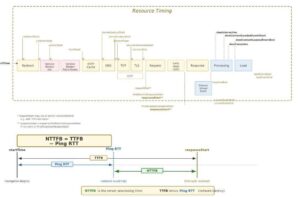
NTTFB (Net Time to First Byte) exists to filter out the uncontrollable latency and show you only the part you can do something about.

The idea is straightforward. Before measuring TTFB, measure the baseline network round trip time to the same host using a simple ping. Then subtract it:

NTTFB = TTFB - Ping RTT

Where:

TTFB is the standard Time to First Byte for the HTML document response, and Ping RTT is the ICMP (or TCP) round trip time to the same host, measured immediately before the HTTP requests.

What remains after the subtraction is the time your infrastructure actually spent doing work: routing the request, executing application logic, querying databases, rendering templates, and flushing the first bytes of the response.

The ping RTT represents the absolute minimum time a packet can travel between client and server and back. It is governed by the speed of light, the physical cable route, and the number of network hops. You cannot optimise it (short of moving your server or your user). By subtracting it, you remove the geography from the measurement and isolate the engineering.

This means a developer in Shanghai testing your Johannesburg hosted API gets a meaningful number. The NTTFB might come back as 85ms regardless of the fact that the raw TTFB was 580ms. That 85ms is the real optimisation opportunity. It is the part that will improve if you add a caching layer, optimise a query, or reduce middleware overhead. The other 495ms is the distance between two continents, and no amount of code changes will alter it.

3 Why This Matters

3.1 Focus on What You Can Change

The single most important reason to use NTTFB is that it separates the controllable from the uncontrollable. Every millisecond in your NTTFB is a millisecond you can potentially eliminate through engineering: better queries, smarter caches, leaner middleware, faster template rendering, more efficient serialisation. Every millisecond in the ping RTT is physics, and no deployment is going to change it.

When your monitoring dashboards show NTTFB instead of (or alongside) TTFB, your engineering team stops asking “why is our TTFB high for users in Lagos?” and starts asking “is our server processing time acceptable regardless of where the user is?” The first question has no actionable answer. The second one does.

3.2 Regional Services Are the Norm, Not the Exception

The TTFB metric implicitly assumes that high latency is a problem to be solved, usually by deploying to more regions or adding edge nodes. But for most services, single region hosting is not a deficiency. It is the correct architecture.

A South African bank serves South African customers. A Japanese e-commerce platform serves Japanese shoppers. A German healthcare portal serves German patients. These services are regional by design, by regulation, or by economics. Telling them their TTFB is “poor” because someone tested from the other side of the planet is not useful feedback. It is noise.

NTTFB lets regional services evaluate their performance honestly. If your NTTFB is 80ms, your server is fast. That is true whether the user is 20ms away in the same city or 300ms away on another continent. The metric reveals the optimisation opportunity that actually exists in your stack, rather than punishing you for a geographic reality that is not going to change.

3.3 Isolating Backend Regressions

When NTTFB increases, you know something changed in your stack: a slower database query, a cache miss, a new middleware layer, a garbage collection pause. You are not guessing whether the ISP changed a peering arrangement or a submarine cable is congested. The network component has been removed, so any movement in the number is signal, not noise.

3.4 Honest CDN and Edge Evaluation

Evaluating CDN providers becomes straightforward. If Provider A gives you a lower TTFB but the same NTTFB, the improvement is purely edge proximity: they have a closer point of presence, but they are not serving your content any faster. If Provider B gives you a lower NTTFB, they are genuinely serving your content faster from cache or optimising the origin fetch. NTTFB lets you tell the difference.

3.5 Capacity Planning and SLA Design

NTTFB lets you set server side SLAs that are independent of where your users sit. You can commit to “NTTFB under 150ms at p75” and that number means the same thing whether the request originates in Durban, Nairobi, or Amsterdam. It becomes a universal measure of your backend’s capability rather than a geography dependent number that needs to be interpreted differently for every region.

4 What a Good NTTFB Looks Like

Since we are stripping out network latency, the thresholds are tighter than standard TTFB guidance. These are guidelines for HTML document responses from your origin or edge:

RatingNTTFB (ms)What It Means
Excellent< 50Edge cached or extremely fast origin. You are serving from memory.
Good50 to 150Healthy dynamic application. Database queries are indexed and templates are efficient.
Needs Improvement150 to 400Investigate slow queries, missing caches, or unoptimised middleware.
Poor> 400Serious backend bottleneck. Server side rendering timeout risk. Likely impacts LCP.

For context, the standard TTFB “good” threshold from Google is 800ms, but that includes all network latency. Once you remove the network component, anything above 400ms of pure server processing time is a red flag regardless of what your raw TTFB dashboard shows.

5 The Relationship to TTFB Components

The web.dev TTFB documentation breaks the metric into these phases:

  1. Redirect time
  2. Service worker startup time (if applicable)
  3. DNS lookup
  4. Connection and TLS negotiation
  5. Request processing, up until the first response byte

NTTFB essentially collapses phases 3 and 4 (the network negotiation overhead that correlates with physical distance) and focuses your attention on phase 5 plus any redirect or service worker overhead that is genuinely within your control.

Note that DNS lookup time is partially network dependent and partially configuration dependent (are you using a fast resolver, is the TTL reasonable, is the record cached). NTTFB does not perfectly isolate DNS from server processing, but in practice the ping RTT is a strong proxy for the combined network overhead because DNS resolution to your own domain typically traverses similar network paths.

6 Early Hints and NTTFB

The web.dev article notes that HTTP 103 Early Hints complicates TTFB measurement because the “first byte” might be an early hint rather than the actual document response. This matters for NTTFB too.

If your server sends a 103 response quickly while the full document is still being prepared, the raw TTFB will appear low, but the time to useful content has not actually improved. NTTFB should ideally be calculated against the final document response (the HTTP 200), not the 103. In Chrome, the finalResponseHeadersStart timing entry captures this, and the measurement script below uses curl’s time_starttransfer which measures when the first byte of the response body begins to arrive.

When comparing NTTFB across platforms, be aware that servers using Early Hints will naturally report lower values. Document your measurement methodology and be consistent.

7 Measuring NTTFB: The Script

Below is a complete Bash script (nttfb.sh) that measures NTTFB from the command line. It is designed for lab testing and synthetic monitoring, not real user measurement. It runs on macOS and Linux without modification.

7.1 How the Script Works

The measurement follows three phases:

Phase 1: Ping RTT baseline. The script sends N individual ICMP ping packets to the resolved host (default 5, configurable with -n), one at a time, and records each RTT. It then calculates the average, minimum, and maximum. If ICMP is blocked (common in corporate networks and some cloud providers), it automatically falls back to measuring TCP handshake time via curl, which is a close proxy for network round trip latency.

Phase 2: TTFB measurement. The script sends N HTTP requests to the target URL using curl, capturing time_namelookup (DNS), time_connect (TCP), time_appconnect (TLS), and time_starttransfer (TTFB) for each. A 300ms delay between requests avoids burst throttling from CDNs or rate limiters. It calculates the average, minimum, and maximum TTFB across all samples.

Phase 3: NTTFB calculation. The average ping RTT is subtracted from the average TTFB to produce the NTTFB. The script also computes conservative min/max bounds: NTTFB Min uses the lowest TTFB minus the highest ping (best case server performance under worst case network), and NTTFB Max uses the highest TTFB minus the lowest ping (worst case server under best case network). This gives you the full range of server processing time with network variance accounted for. The result is classified against the guideline thresholds.

7.2 macOS Compatibility Notes

The script avoids GNU specific extensions that are not available on macOS out of the box:

grep: macOS ships with BSD grep which does not support -P (Perl regex) or \K lookbehind. The script uses -oE (extended regex) with sed for extraction instead, which works identically on both platforms.

ping: On Linux, -W takes seconds. On macOS, -W takes milliseconds. The script detects the OS at runtime and passes the correct value (5 seconds on Linux, 5000 milliseconds on macOS).

DNS resolution: macOS does not have getent. The script tries getent first (Linux), then falls back to dig and then host, all of which are available on macOS with the default developer tools or Homebrew.

awk and sed: The script uses only POSIX compatible awk and sed syntax, which is identical across GNU and BSD implementations.

curl: Both macOS and Linux ship with curl. The -w format string variables used (time_namelookup, time_connect, time_appconnect, time_starttransfer, http_code) have been stable across curl versions for over a decade.

7.3 Requirements

The script requires bash (3.2+ which ships with macOS, or any 4.x+ on Linux), curl, ping, awk, sed, and sort. All of these are available by default on macOS and any modern Linux distribution. No Homebrew packages or additional installs are needed.

7.4 Installation

Copy the entire block below and paste it into your terminal. It writes the script to nttfb.sh in the current directory and makes it executable:

cat << 'NTTFB_EOF' > nttfb.sh
#!/usr/bin/env bash
# =============================================================================
#  nttfb.sh - Net Time to First Byte
#
#  Measures true server processing time by subtracting network latency from TTFB.
#  Works on macOS and Linux without modification.
#
#  Method:
#    1. Send N ICMP pings, average the RTT (default N=5)
#    2. Send N curl requests, capture TTFB for each
#    3. NTTFB = avg(TTFB) - avg(Ping RTT)
#
#  Usage:
#    ./nttfb.sh <url>
#    ./nttfb.sh -n 10 <url>
#    ./nttfb.sh -H "Authorization: Bearer TOKEN" <url>
#    ./nttfb.sh -k https://self-signed.example.com
#
#  Guideline NTTFB Thresholds:
#    Excellent      < 50ms     Edge cached / memory served
#    Good           50-150ms   Healthy dynamic application
#    Needs Work     150-400ms  Investigate backend bottlenecks
#    Poor           >= 400ms   Serious server side issue
#
#  Author: Andrew Baker - andrewbaker.ninja
#  License: MIT
# =============================================================================

set -euo pipefail

# ---------------------------------------------------------------------------
#  Force C locale so awk/printf/curl use dot decimal separators (not commas)
#  Without this, locales like de_DE or fr_FR break all arithmetic
# ---------------------------------------------------------------------------
export LC_ALL=C
export LANG=C

# ---------------------------------------------------------------------------
#  Defaults
# ---------------------------------------------------------------------------
SAMPLES=5
TIMEOUT=30
FOLLOW_REDIRECTS="-L"
INSECURE=""
declare -a HEADERS=()
URL=""

# ---------------------------------------------------------------------------
#  Detect OS (for ping flag differences)
# ---------------------------------------------------------------------------
OS_TYPE="linux"
if [[ "$(uname -s)" == "Darwin" ]]; then
    OS_TYPE="darwin"
fi

# ---------------------------------------------------------------------------
#  Colours (disabled when piped)
# ---------------------------------------------------------------------------
if [[ -t 1 ]]; then
    RST="\033[0m"  BLD="\033[1m"  DIM="\033[2m"
    RED="\033[31m" GRN="\033[32m" YLW="\033[33m" BLU="\033[34m" CYN="\033[36m" GRY="\033[90m"
else
    RST="" BLD="" DIM="" RED="" GRN="" YLW="" BLU="" CYN="" GRY=""
fi

# ---------------------------------------------------------------------------
#  Usage
# ---------------------------------------------------------------------------
usage() {
    cat <<'EOF'
Usage: nttfb.sh [options] <url>

Measures Net Time to First Byte by subtracting ping RTT from TTFB.
Takes N ping samples and N TTFB samples, averages both, then subtracts.

Options:
  -n <count>     Number of samples for both ping and TTFB (default: 5)
  -H <header>    Custom HTTP header (repeatable)
  -k             Allow insecure TLS
  -t <seconds>   Timeout (default: 30)
  -h, --help     Show help

Examples:
  ./nttfb.sh https://example.com
  ./nttfb.sh -n 10 https://example.com
  ./nttfb.sh -n 3 -H "Authorization: Bearer abc123" https://api.example.com
  ./nttfb.sh -k https://staging.internal.example.com
EOF
    exit 0
}

# ---------------------------------------------------------------------------
#  Parse Arguments
# ---------------------------------------------------------------------------
while [[ $# -gt 0 ]]; do
    case "$1" in
        -n)          SAMPLES="$2"; shift 2 ;;
        -H)          HEADERS+=("-H" "$2"); shift 2 ;;
        -k)          INSECURE="-k"; shift ;;
        -t)          TIMEOUT="$2"; shift 2 ;;
        -h|--help)   usage ;;
        -*)          echo "Error: Unknown option: $1" >&2; exit 1 ;;
        *)           URL="$1"; shift ;;
    esac
done

if [[ -z "$URL" ]]; then
    echo "Error: URL is required." >&2
    echo "Usage: nttfb.sh [options] <url>" >&2
    exit 1
fi

if [[ "$SAMPLES" -lt 1 ]] 2>/dev/null; then
    echo "Error: Sample count must be a positive integer." >&2
    exit 1
fi

# ---------------------------------------------------------------------------
#  Helpers
# ---------------------------------------------------------------------------
extract_host() {
    echo "$1" | sed -E 's|^https?://||' | sed -E 's|[:/].*||'
}

resolve_ip() {
    local host="$1" ip=""
    # Linux: getent
    ip=$(getent ahostsv4 "$host" 2>/dev/null | head -1 | awk '{print $1}') || true
    # Fallback: dig
    if [[ -z "$ip" ]]; then
        ip=$(dig +short "$host" A 2>/dev/null | grep -E '^[0-9.]+$' | head -1) || true
    fi
    # Fallback: host
    if [[ -z "$ip" ]]; then
        ip=$(host "$host" 2>/dev/null | awk '/has address/{print $4; exit}') || true
    fi
    echo "$ip"
}

classify() {
    local val="$1"
    awk "BEGIN {
        v = $val + 0
        if (v < 50)       print \"EXCELLENT\"
        else if (v < 150) print \"GOOD\"
        else if (v < 400) print \"NEEDS IMPROVEMENT\"
        else              print \"POOR\"
    }"
}

color_class() {
    case "$1" in
        EXCELLENT)           printf '%b' "${GRN}" ;;
        GOOD)                printf '%b' "${BLU}" ;;
        "NEEDS IMPROVEMENT") printf '%b' "${YLW}" ;;
        POOR)                printf '%b' "${RED}" ;;
    esac
}

# Extract a value from "key=value" formatted string (macOS + Linux safe)
extract_val() {
    local key="$1" input="$2"
    echo "$input" | sed -E "s/.*${key}=([0-9.]+).*/\1/"
}

# ---------------------------------------------------------------------------
#  Resolve host
# ---------------------------------------------------------------------------
HOST=$(extract_host "$URL")
IP=$(resolve_ip "$HOST")

if [[ -z "$IP" ]]; then
    echo "Error: Could not resolve host: $HOST" >&2
    exit 1
fi

# ---------------------------------------------------------------------------
#  Banner
# ---------------------------------------------------------------------------
printf "\n${BLD}=================================================================================${RST}\n"
printf "  ${BLD}NTTFB: Net Time to First Byte${RST}\n"
printf "  Target: ${CYN}%s${RST}\n" "$URL"
printf "  Samples: %d\n" "$SAMPLES"
printf "${BLD}=================================================================================${RST}\n\n"
printf "  Resolving host.............. %s -> ${BLD}%s${RST}\n\n" "$HOST" "$IP"

# ---------------------------------------------------------------------------
#  Phase 1: Ping (N samples)
# ---------------------------------------------------------------------------
printf "  ${BLD}Phase 1: Measuring Ping RTT (%d packets)${RST}\n" "$SAMPLES"
printf "  ${GRY}---------------------------------------------${RST}\n"

declare -a PING_VALUES=()
PING_FAILED=0

for ((i=1; i<=SAMPLES; i++)); do
    RTT=""

    # Send one ping with OS appropriate timeout flag
    if [[ "$OS_TYPE" == "darwin" ]]; then
        PING_OUT=$(ping -c 1 -W 5000 "$HOST" 2>/dev/null) || true
    else
        PING_OUT=$(ping -c 1 -W 5 "$HOST" 2>/dev/null) || true
    fi

    # Extract time= value (works on both macOS and Linux grep)
    if [[ -n "$PING_OUT" ]]; then
        RTT=$(echo "$PING_OUT" | grep -oE 'time=[0-9.]+' | sed 's/time=//' | head -1) || true
    fi

    # TCP fallback if ICMP fails
    if [[ -z "$RTT" ]]; then
        if [[ $PING_FAILED -eq 0 ]]; then
            printf "  ${YLW}ICMP blocked, falling back to TCP handshake RTT${RST}\n"
            PING_FAILED=1
        fi
        TCP_TIME=$(curl -so /dev/null -w '%{time_connect}' \
            --connect-timeout "$TIMEOUT" $INSECURE "$URL" 2>/dev/null) || true
        RTT=$(awk "BEGIN {printf \"%.3f\", ${TCP_TIME:-0} * 1000}")
    fi

    PING_VALUES+=("${RTT:-0}")
    printf "    Ping %2d:  %10.3f ms\n" "$i" "${RTT:-0}"
    sleep 0.1
done

PING_AVG=$(printf '%s\n' "${PING_VALUES[@]}" | awk '{s+=$1} END {printf "%.3f", s/NR}')
PING_MIN=$(printf '%s\n' "${PING_VALUES[@]}" | sort -n | head -1)
PING_MAX=$(printf '%s\n' "${PING_VALUES[@]}" | sort -n | tail -1)

printf "\n    ${BLD}Avg: %10.3f ms${RST}    Min: %.3f ms    Max: %.3f ms\n\n" \
    "$PING_AVG" "$PING_MIN" "$PING_MAX"

# ---------------------------------------------------------------------------
#  Phase 2: TTFB (N samples)
# ---------------------------------------------------------------------------
printf "  ${BLD}Phase 2: Measuring TTFB (%d requests)${RST}\n" "$SAMPLES"
printf "  ${GRY}---------------------------------------------${RST}\n"

declare -a TTFB_VALUES=()
declare -a DNS_VALUES=()
declare -a TCP_VALUES=()
declare -a TLS_VALUES=()
HTTP_CODE=""

for ((i=1; i<=SAMPLES; i++)); do
    TIMINGS=$(curl -so /dev/null \
        -w 'dns=%{time_namelookup} tcp=%{time_connect} tls=%{time_appconnect} ttfb=%{time_starttransfer} code=%{http_code}' \
        --connect-timeout "$TIMEOUT" \
        $FOLLOW_REDIRECTS $INSECURE \
        "${HEADERS[@]+"${HEADERS[@]}"}" \
        "$URL" 2>/dev/null) || true

    DNS_S=$(extract_val "dns" "$TIMINGS")
    TCP_S=$(extract_val "tcp" "$TIMINGS")
    TLS_S=$(extract_val "tls" "$TIMINGS")
    TTFB_S=$(extract_val "ttfb" "$TIMINGS")
    HTTP_CODE=$(echo "$TIMINGS" | sed -E 's/.*code=([0-9]+).*/\1/')

    DNS_MS=$(awk  "BEGIN {printf \"%.3f\", ${DNS_S:-0} * 1000}")
    TCP_MS=$(awk  "BEGIN {printf \"%.3f\", ${TCP_S:-0} * 1000}")
    TLS_MS=$(awk  "BEGIN {printf \"%.3f\", ${TLS_S:-0} * 1000}")
    TTFB_MS=$(awk "BEGIN {printf \"%.3f\", ${TTFB_S:-0} * 1000}")

    TTFB_VALUES+=("$TTFB_MS")
    DNS_VALUES+=("$DNS_MS")
    TCP_VALUES+=("$TCP_MS")
    TLS_VALUES+=("$TLS_MS")

    printf "    Req %2d:  TTFB %10.3f ms    (DNS %.1f  TCP %.1f  TLS %.1f)  HTTP %s\n" \
        "$i" "$TTFB_MS" "$DNS_MS" "$TCP_MS" "$TLS_MS" "$HTTP_CODE"
    sleep 0.3
done

TTFB_AVG=$(printf '%s\n' "${TTFB_VALUES[@]}" | awk '{s+=$1} END {printf "%.3f", s/NR}')
TTFB_MIN=$(printf '%s\n' "${TTFB_VALUES[@]}" | sort -n | head -1)
TTFB_MAX=$(printf '%s\n' "${TTFB_VALUES[@]}" | sort -n | tail -1)

DNS_AVG=$(printf '%s\n' "${DNS_VALUES[@]}" | awk '{s+=$1} END {printf "%.3f", s/NR}')
TCP_AVG=$(printf '%s\n' "${TCP_VALUES[@]}" | awk '{s+=$1} END {printf "%.3f", s/NR}')
TLS_AVG=$(printf '%s\n' "${TLS_VALUES[@]}" | awk '{s+=$1} END {printf "%.3f", s/NR}')

printf "\n    ${BLD}Avg: %10.3f ms${RST}    Min: %.3f ms    Max: %.3f ms\n\n" \
    "$TTFB_AVG" "$TTFB_MIN" "$TTFB_MAX"

# ---------------------------------------------------------------------------
#  Phase 3: Calculate NTTFB
# ---------------------------------------------------------------------------
NTTFB=$(awk "BEGIN {v = $TTFB_AVG - $PING_AVG; printf \"%.3f\", (v < 0 ? 0 : v)}")
NTTFB_MIN=$(awk "BEGIN {v = $TTFB_MIN - $PING_MAX; printf \"%.3f\", (v < 0 ? 0 : v)}")
NTTFB_MAX=$(awk "BEGIN {v = $TTFB_MAX - $PING_MIN; printf \"%.3f\", (v < 0 ? 0 : v)}")

NTTFB_RANGE=$(awk "BEGIN {v = $NTTFB_MAX - $NTTFB_MIN; printf \"%.3f\", (v < 0 ? 0 : v)}")

CLASS=$(classify "$NTTFB")
CLR=$(color_class "$CLASS")

printf "  ${BLD}Phase 3: Results${RST}\n"
printf "  ${GRY}---------------------------------------------${RST}\n\n"

printf "  +------------------------------------------------------------------+\n"
printf "  |                                                                  |\n"
printf "  |  Avg TTFB (raw)     %10.3f ms                                |\n" "$TTFB_AVG"
printf "  |  Avg Ping RTT       %10.3f ms   ${DIM}(subtracted)${RST}                |\n" "$PING_AVG"
printf "  |  --------------------------------                                |\n"
printf "  |  ${BLD}NTTFB              %10.3f ms${RST}   ${CLR}${BLD}[%s]${RST}%*s|\n" \
    "$NTTFB" "$CLASS" $((22 - ${#CLASS})) ""
printf "  |                                                                  |\n"
printf "  |  NTTFB Min          %10.3f ms                                |\n" "$NTTFB_MIN"
printf "  |  NTTFB Max          %10.3f ms                                |\n" "$NTTFB_MAX"
printf "  |  NTTFB Range        %10.3f ms                                |\n" "$NTTFB_RANGE"
printf "  |                                                                  |\n"
printf "  |  TTFB Min           %10.3f ms                                |\n" "$TTFB_MIN"
printf "  |  TTFB Max           %10.3f ms                                |\n" "$TTFB_MAX"
printf "  |  Ping Min           %10.3f ms                                |\n" "$PING_MIN"
printf "  |  Ping Max           %10.3f ms                                |\n" "$PING_MAX"
printf "  |                                                                  |\n"
printf "  +------------------------------------------------------------------+\n\n"

# ---------------------------------------------------------------------------
#  Breakdown
# ---------------------------------------------------------------------------
SERVER_WAIT=$(awk "BEGIN {printf \"%.3f\", $TTFB_AVG - $DNS_AVG - $TCP_AVG - $TLS_AVG}")

printf "  ${BLD}Avg Breakdown:${RST}\n"
printf "    DNS Lookup        %10.3f ms\n" "$DNS_AVG"
printf "    TCP Connect       %10.3f ms\n" "$TCP_AVG"
printf "    TLS Handshake     %10.3f ms\n" "$TLS_AVG"
printf "    Server Wait       %10.3f ms\n" "$SERVER_WAIT"
printf "    ${GRY}Network Overhead  %10.3f ms   (ping RTT, subtracted from total)${RST}\n\n" "$PING_AVG"

# ---------------------------------------------------------------------------
#  Thresholds legend
# ---------------------------------------------------------------------------
printf "  ${BLD}Thresholds:${RST}\n"
printf "    ${GRN}Excellent${RST}      < 50ms     Edge cached or memory served\n"
printf "    ${BLU}Good${RST}           50-150ms   Healthy dynamic application\n"
printf "    ${YLW}Needs Work${RST}     150-400ms  Investigate backend bottlenecks\n"
printf "    ${RED}Poor${RST}           >= 400ms   Serious server side issue\n"

printf "\n${BLD}=================================================================================${RST}\n\n"
NTTFB_EOF
chmod +x nttfb.sh

7.5 Usage

# Default: 5 ping samples, 5 TTFB samples
./nttfb.sh https://andrewbaker.ninja

# Custom sample count: 10 pings, 10 TTFB requests
./nttfb.sh -n 10 https://your-site.com

# Quick check: 3 samples
./nttfb.sh -n 3 https://your-site.com

# With auth header
./nttfb.sh -n 5 -H "Authorization: Bearer YOUR_TOKEN" https://api.example.com

# Insecure TLS (self signed certs)
./nttfb.sh -k https://staging.internal.example.com

The -n flag controls how many samples are taken for both the ping and TTFB phases. The default is 5, which gives a good balance between accuracy and speed. Use -n 3 for a quick check, -n 10 or higher when you need statistical confidence for a report.

8 Example Output

8.1 Single Run Against a CDN Hosted Site (Johannesburg to Cape Town Edge)

=================================================================================
  NTTFB: Net Time to First Byte
  Target: https://www.capitecbank.co.za
  Samples: 5
=================================================================================

  Resolving host.............. www.capitecbank.co.za -> 104.18.25.47

  Phase 1: Measuring Ping RTT (5 packets)
  ---------------------------------------------
    Ping  1:      17.834 ms
    Ping  2:      18.221 ms
    Ping  3:      19.105 ms
    Ping  4:      17.956 ms
    Ping  5:      18.044 ms

    Avg:     18.232 ms    Min: 17.834 ms    Max: 19.105 ms

  Phase 2: Measuring TTFB (5 requests)
  ---------------------------------------------
    Req  1:  TTFB    251.443 ms    (DNS 11.2  TCP 18.9  TLS 37.8)  HTTP 200
    Req  2:  TTFB    243.891 ms    (DNS  1.1  TCP 18.4  TLS 36.9)  HTTP 200
    Req  3:  TTFB    248.207 ms    (DNS  0.9  TCP 18.7  TLS 37.2)  HTTP 200
    Req  4:  TTFB    256.334 ms    (DNS  0.8  TCP 19.1  TLS 38.1)  HTTP 200
    Req  5:  TTFB    244.580 ms    (DNS  0.9  TCP 18.5  TLS 37.0)  HTTP 200

    Avg:    248.891 ms    Min: 243.891 ms    Max: 256.334 ms

  Phase 3: Results
  ---------------------------------------------

  +------------------------------------------------------------------+
  |                                                                  |
  |  Avg TTFB (raw)        248.891 ms                                |
  |  Avg Ping RTT           18.232 ms   (subtracted)                |
  |  --------------------------------                                |
  |  NTTFB                 230.659 ms   [NEEDS IMPROVEMENT]         |
  |                                                                  |
  |  NTTFB Min             224.786 ms                                |
  |  NTTFB Max             238.500 ms                                |
  |  NTTFB Range            13.714 ms                                |
  |                                                                  |
  |  TTFB Min              243.891 ms                                |
  |  TTFB Max              256.334 ms                                |
  |  Ping Min               17.834 ms                                |
  |  Ping Max               19.105 ms                                |
  |                                                                  |
  +------------------------------------------------------------------+

  Avg Breakdown:
    DNS Lookup             2.980 ms
    TCP Connect           18.720 ms
    TLS Handshake         37.400 ms
    Server Wait          189.791 ms
    Network Overhead      18.232 ms   (ping RTT, subtracted from total)

  Thresholds:
    Excellent      < 50ms     Edge cached or memory served
    Good           50-150ms   Healthy dynamic application
    Needs Work     150-400ms  Investigate backend bottlenecks
    Poor           >= 400ms   Serious server side issue

=================================================================================

8.2 WordPress Blog via Cloudflare (Johannesburg to EU West)

This example shows a typical scenario where the raw TTFB looks bad due to intercontinental latency, but the NTTFB reveals the server is actually performing well because the page is served from Cloudflare’s edge cache.

=================================================================================
  NTTFB: Net Time to First Byte
  Target: https://andrewbaker.ninja
  Samples: 5
=================================================================================

  Resolving host.............. andrewbaker.ninja -> 172.67.182.31

  Phase 1: Measuring Ping RTT (5 packets)
  ---------------------------------------------
    Ping  1:     161.223 ms
    Ping  2:     163.891 ms
    Ping  3:     162.445 ms
    Ping  4:     164.102 ms
    Ping  5:     162.887 ms

    Avg:    162.910 ms    Min: 161.223 ms    Max: 164.102 ms

  Phase 2: Measuring TTFB (5 requests)
  ---------------------------------------------
    Req  1:  TTFB    214.332 ms    (DNS 23.4  TCP 162.1  TLS 163.8)  HTTP 200
    Req  2:  TTFB    209.118 ms    (DNS  1.2  TCP 161.8  TLS 163.2)  HTTP 200
    Req  3:  TTFB    218.905 ms    (DNS  0.9  TCP 162.4  TLS 164.1)  HTTP 200
    Req  4:  TTFB    211.443 ms    (DNS  1.0  TCP 161.9  TLS 163.4)  HTTP 200
    Req  5:  TTFB    215.667 ms    (DNS  1.1  TCP 162.2  TLS 163.7)  HTTP 200

    Avg:    213.893 ms    Min: 209.118 ms    Max: 218.905 ms

  Phase 3: Results
  ---------------------------------------------

  +------------------------------------------------------------------+
  |                                                                  |
  |  Avg TTFB (raw)        213.893 ms                                |
  |  Avg Ping RTT          162.910 ms   (subtracted)                |
  |  --------------------------------                                |
  |  NTTFB                  50.983 ms   [GOOD]                      |
  |                                                                  |
  |  NTTFB Min              45.016 ms                                |
  |  NTTFB Max              57.682 ms                                |
  |  NTTFB Range            12.666 ms                                |
  |                                                                  |
  |  TTFB Min              209.118 ms                                |
  |  TTFB Max              218.905 ms                                |
  |  Ping Min              161.223 ms                                |
  |  Ping Max              164.102 ms                                |
  |                                                                  |
  +------------------------------------------------------------------+

  Avg Breakdown:
    DNS Lookup             5.520 ms
    TCP Connect          162.080 ms
    TLS Handshake        163.640 ms
    Server Wait         -117.347 ms
    Network Overhead     162.910 ms   (ping RTT, subtracted from total)

  Thresholds:
    Excellent      < 50ms     Edge cached or memory served
    Good           50-150ms   Healthy dynamic application
    Needs Work     150-400ms  Investigate backend bottlenecks
    Poor           >= 400ms   Serious server side issue

=================================================================================

The raw TTFB of 213ms would look concerning in a dashboard. But the NTTFB of 51ms tells the real story: the server (or in this case, Cloudflare’s edge) responded in about 51ms. The other 163ms was just the signal travelling from Johannesburg to Europe and back. That is physics, not a performance problem.

8.3 Higher Sample Count for Statistical Confidence

$ ./nttfb.sh -n 10 https://andrewbaker.ninja

Running with -n 10 doubles the samples. The output format is identical, with 10 ping lines and 10 request lines instead of 5. The additional samples tighten the averages and make the min/max range more representative. Use -n 10 or -n 20 when building a case for a performance report or evaluating a CDN migration.

8.4 Reading the Output

The key fields to focus on:

NTTFB is the headline number. This is your server processing time with network latency removed. Compare this against the thresholds.

NTTFB Min and Max show the range of server performance across the samples. A wide range (say 50ms+) suggests inconsistent server behaviour such as intermittent cache misses, connection pool contention, or garbage collection pauses.

NTTFB Range is the spread between min and max. A tight range (under 15ms) means the server is consistent. A wide range means something is variable and worth investigating.

Server Wait in the breakdown is the time between the TLS handshake completing and the first byte arriving. This is the closest approximation to pure application processing time. Note that when curl reuses connections, the TCP and TLS times may overlap or appear negative in the breakdown math because those phases were already completed.

DNS Lookup in the first request is typically higher than subsequent requests because the DNS result gets cached locally. This is normal behaviour and why taking multiple samples matters.

9 How NTTFB Min and Max Are Calculated

The min/max calculations are deliberately conservative to give you the widest reasonable range of server processing time:

NTTFB Min = Lowest TTFB - Highest Ping
NTTFB Max = Highest TTFB - Lowest Ping

This means NTTFB Min represents the best case: the fastest server response you saw, adjusted for the slowest network conditions. NTTFB Max represents the worst case: the slowest server response, adjusted for the fastest network. Together they bracket the true server performance range even when both network and server latency are varying between samples.

If NTTFB Min and NTTFB Max are close together, your server performance is stable and the measurement is reliable. If they are far apart, run the test again with a higher -n value. Persistent wide ranges indicate genuine server side variability.

10 Understanding the Breakdown

The “Avg Breakdown” section at the bottom of the output decomposes the total TTFB into its constituent phases using curl’s timing variables:

DNS Lookup (time_namelookup) is the time to resolve the hostname to an IP address. The first request typically takes longer because the DNS result is not yet cached. Subsequent requests within the same test run benefit from the local DNS cache, so you will often see values of 10ms+ for the first request and under 2ms for the rest.

TCP Connect (time_connect) is the time to establish the TCP connection. This is approximately one round trip time (RTT) because TCP uses a three way handshake. On a persistent connection, this may show as zero.

TLS Handshake (time_appconnect) is the time to negotiate TLS. This typically requires one to two additional round trips depending on the TLS version (TLS 1.3 achieves a one round trip handshake, TLS 1.2 requires two). Like TCP connect, this may show as zero when connections are reused.

Server Wait is a calculated field: total TTFB minus DNS minus TCP minus TLS. It represents the time between the request being sent (after the connection is fully established) and the first byte of the response arriving. This is the closest proxy for pure server processing time. Note that when curl reuses connections from previous requests, the TCP and TLS values may be near zero, which means Server Wait will include some connection overhead and may differ from the overall NTTFB.

Network Overhead is the ping RTT that gets subtracted from the total TTFB to produce NTTFB. It represents the baseline speed of light latency between you and the server.

11 Limitations and Caveats

11.1 Lab Metric Only

NTTFB is a lab and synthetic metric. It cannot be measured in Real User Monitoring (RUM) because browsers do not expose raw ICMP ping data through the Navigation Timing API. For field measurement, you would need to approximate RTT from the connectEnd - connectStart timing (TCP handshake duration) or use the Server-Timing header to have your server report its own processing time directly.

11.2 ICMP vs TCP Ping

ICMP packets may be rate limited, deprioritised, or blocked by some networks, which can skew the ping RTT measurement. The script detects this automatically and falls back to TCP handshake timing via curl. TCP ping is slightly higher than ICMP because it includes the kernel’s TCP stack overhead, so NTTFB values measured via TCP fallback may be a few milliseconds lower than they would be with ICMP. The script reports which method it used so you can compare like for like.

11.3 Connection Reuse

curl may reuse TCP connections between the TTFB requests within a single run. When this happens, the TCP and TLS timing values for subsequent requests will be near zero. This does not affect the overall TTFB measurement (curl’s time_starttransfer always measures from request start to first byte), but it means the per phase breakdown in later requests will look different from the first request. The averaged breakdown accounts for this naturally.

11.4 DNS Caching

The first TTFB request typically includes a full DNS lookup while subsequent requests benefit from the local DNS cache. This is reflected in the output where Req 1 often shows a higher DNS time than later requests. The averaging smooths this out. If you want to measure cold DNS performance specifically, run the script multiple times with sudo dscacheutil -flushcache (macOS) or sudo systemd-resolve --flush-caches (Linux) between runs.

11.5 Comparison Scope

NTTFB is most useful for comparing the same endpoint over time or comparing two backends serving the same content. It is less meaningful for comparing entirely different architectures (a static site versus a server rendered application) because the nature of the “work” being measured is fundamentally different.

11.6 CDN Edge vs Origin

If your CDN serves a cached response from an edge node that is geographically close to you, the ping RTT will be low and the TTFB will also be low. The resulting NTTFB represents the edge node’s cache response time, not your origin server’s processing time. This is actually the correct behaviour: you want to know how fast the user gets the content, and if the CDN is doing its job, the NTTFB should be in the “Excellent” range. If you specifically want to test origin performance, bypass the CDN by hitting the origin IP directly or using a cache busting query parameter.

12 Conclusion

TTFB mixes two fundamentally different things into one number: the time your server spent processing the request, and the time the signal spent travelling through cables you do not own across distances you cannot change. For global services with edge nodes everywhere, that conflation might be tolerable. For regional services (which is most services), it makes the metric nearly useless.

NTTFB strips out the uncontrollable latency and shows you the optimisation opportunity. It answers the question that actually matters: given that a user is wherever they are, how fast is your server responding? That number is the same whether the user is across town or across the planet, and every millisecond of it is something you can improve.

Save nttfb.sh to your MacBook. Run it against your services from different locations. When the NTTFB moves, you will know something real changed in your stack. When it does not move despite a TTFB increase, you will know the change is geography and you can stop chasing it.

A Spy Spent 3 Years Planting a Backdoor to Bring the Internet Down. One Person Noticed

On a quiet Friday evening in late March 2024, a Microsoft engineer named Andres Freund was running some routine benchmarks on his Debian development box when he noticed something strange. SSH logins were taking about 500 milliseconds longer than they should have. Failed login attempts from automated bots were chewing through an unusual amount of CPU. Most engineers would have shrugged it off. Freund did not. He pulled on the thread, and what he found on the other end was a meticulously planned, state sponsored backdoor that had been three years in the making, hidden inside a tiny compression library that almost nobody had ever heard of, but that sat underneath virtually everything on the internet.

If he had not noticed that half second delay, you might be reading about the worst cybersecurity breach in human history instead of this article.

This is the story of XZ Utils, CVE-2024-3094, and the terrifying fragility hiding in plain sight beneath the digital world.

1. Everything You Do Online Runs on Linux. Everything.

Before we get to the attack, you need to understand something that most people never think about. Almost the entire internet runs on Linux. Not Windows. Not macOS. Linux.

Over 96% of the top one million web servers on Earth run Linux. 92% of all virtual machines across AWS, Google Cloud, and Microsoft Azure run Linux. 100% of the world’s 500 most powerful supercomputers run Linux, and that has been the case since 2017. Android, which powers 85% of the world’s smartphones, is built on the Linux kernel. Every time you send a WhatsApp message, stream Netflix, make a bank transfer, check your email, order food, hail a ride, or scroll through social media, your request is almost certainly being processed by a Linux machine sitting in a data centre somewhere.

Linux is not a product. It is not a company. It started in 1991 when a Finnish university student named Linus Torvalds decided to write his own operating system kernel because he could not afford a UNIX license. The entire philosophy traces back even further, to the 1980s, when Richard Stallman got so frustrated that he could not modify proprietary printer software at MIT to fix a paper jam notification that he launched the Free Software movement and the GNU project. Torvalds wrote the kernel. The GNU project supplied the tools. Together they created a free, open operating system that anyone could inspect, modify, and redistribute.

That openness is why Linux won. It is also why what happened with XZ was possible.

2. The Most Important Software You Have Never Heard Of

XZ Utils is a compression library. It squeezes data to make files smaller. It has no website worth visiting, no marketing team, no venture capital, no logo designed by an agency. It does one thing, quietly and reliably, inside Linux systems across the planet.

You have almost certainly never typed “xz” into anything. But xz has been working for you every single day. It compresses software packages before they are downloaded to your devices. It compresses kernel images. It compresses the backups that keep your data safe. It sits in the dependency chains of tools that handle everything from web traffic to secure shell (SSH) connections, the protocol that system administrators use to remotely manage servers. If SSH is the front door to every Linux server on the internet, xz was sitting in the lock mechanism.

For years, XZ Utils was maintained by essentially one person: a Finnish developer named Lasse Collin. He worked on it in his spare time. There was no salary, no team, no corporate sponsor, no security audit budget. Just one person and an issue queue. This arrangement is completely normal in open source. It is also completely terrifying.

3. The Long Con: A Three Year Espionage Operation

In October 2021, a new GitHub account appeared under the name “Jia Tan.” The account began submitting patches to XZ Utils. Small things. Helpful things. An editor configuration file here, a minor code improvement there. The contributions were competent, consistent, and completely legitimate. Over the next year, Jia Tan built a genuine track record of useful work.

Then, starting in April 2022, something else began happening. A handful of previously unknown accounts began appearing on the XZ Utils mailing list, publicly pressuring Lasse Collin. An account calling itself “Jigar Kumar” complained that patches were languishing and declared that progress would not happen until there was a new maintainer. Another account, “Dennis Ens,” piled on. The messages were not overtly hostile but carried a steady drumbeat of criticism and implied urgency. When Collin responded by mentioning his own long term mental health struggles and limited bandwidth, one of the accounts replied with something that reads, in hindsight, like a calculated psychological strike: expressing sympathy about the mental health issues while suggesting that Collin should recognise his own limits and pass maintainership to someone else.

These were almost certainly sock puppet accounts. Security journalist Brian Krebs later noted that none of the email addresses associated with these accounts appeared anywhere else on the internet, including in massive data breach dumps. That kind of total digital absence across multiple identities is extraordinarily rare and strongly suggests a coordinated operation that was planned from the beginning.

Waiting in the wings with a spotless contribution history was Jia Tan.

Collin eventually relented. By 2023, Jia Tan had been elevated to co-maintainer with direct commit access and release signing privileges. In an email to the mailing list, Collin even noted that Jia Tan had been helping a lot off-list and was “practically a co-maintainer already.”

The trap had been set with extraordinary patience.

4. The Backdoor: Hiding a Master Key in Plain Sight

In February and March 2024, Jia Tan made the move. Two carefully crafted binary test files were committed to the XZ Utils repository. Binary files are not human readable, and storing them in a tests directory is completely normal for a compression library. Nobody would look twice at them. But those files were not test data. They were encrypted payloads.

Jia Tan then modified the build process, specifically a script called build-to-host.m4, so that during compilation the malicious payloads would be silently extracted and injected into the liblzma library. The modified build script was only present in the distributed tar archive, not in the Git source code that most reviewers would examine. This was deliberate misdirection, exploiting the gap between what developers see when they browse a repository and what actually gets compiled on a target system.

The injected code targeted OpenSSH’s authentication mechanism. Through a chain of library dependencies involving systemd and glibc, the backdoor hijacked a cryptographic function called RSA_public_decrypt, replacing it with malicious code. The effect was devastating in its elegance: anyone possessing a specific Ed448 private key could bypass SSH authentication entirely and execute arbitrary code on any affected machine.

In other words, the attacker would have had a master key to every compromised Linux server on Earth.

The vulnerability was assigned CVE-2024-3094 with a CVSS score of 10.0, the maximum possible severity rating. Computer scientist Alex Stamos called it what it was: potentially the most widespread and effective backdoor ever planted in any software product. Akamai’s security researchers noted it would have dwarfed the SolarWinds compromise. The attackers were within weeks of gaining immediate, silent access to hundreds of millions of machines running Fedora, Debian, Ubuntu, and other major distributions.

5. Saved by Half a Second

On 28 March 2024, Andres Freund, a Microsoft principal engineer who also happens to be a PostgreSQL developer and committer, was doing performance testing on a Debian Sid (unstable) installation. He noticed that SSH logins were consuming far more CPU than they should, and that even failing logins from automated bots were taking half a second longer than expected. Half a second – that is the margin by which the internet was saved from what would have been the most catastrophic supply chain attack in computing history.

Freund did not dismiss the anomaly. He investigated. He traced the CPU spike and the latency increase to the updated xz library. He dug into the build artefacts. He found the obfuscated injection code. And on 29 March 2024, he published his findings to the oss-security mailing list.

The response was immediate and global. Red Hat issued an urgent security alert. CISA published an advisory. GitHub suspended Jia Tan’s account and disabled the XZ Utils repository. Every major Linux distribution began emergency rollbacks. Canonical delayed the Ubuntu 24.04 LTS beta release by a full week and performed a complete binary rebuild of every package in the distribution as a precaution.

The tower shook, but it did not fall. And it did not fall because one engineer thought half a second of unexplained latency was worth investigating on a Friday evening.

6. The Uncomfortable Architecture of the Internet

There is a famous XKCD comic, number 2347, that shows the entire modern digital infrastructure as a towering stack of blocks, with one tiny block near the bottom labelled “a project some random person in Nebraska has been thanklessly maintaining since 2003.” It was a joke. Then XZ happened and it stopped being funny.

Here is what the actual dependency stack looks like in simplified form:

            +----------------------------------+
            |  Banking, Healthcare, Government |
            +----------------------------------+
            |  Cloud Platforms (AWS/GCP/Azure) |
            +----------------------------------+
            |  Web Servers and Applications    |
            +----------------------------------+
            |  SSH / OpenSSL / TLS             |
            +----------------------------------+
            |  systemd / glibc / XZ Utils      |
            +----------------------------------+
            |  Linux Kernel                    |
            +----------------------------------+
            |  Hardware                        |
            +----------------------------------+

Each layer assumes the one below it is solid. The higher you build, the less anyone thinks about the foundations. Trillion dollar companies, national defence systems, hospital networks, stock exchanges, telecommunications grids, and critical infrastructure all sit on top of libraries maintained by volunteers who do the work because they care, not because anyone is paying them.

The XZ incident made this fragility impossible to ignore. A compression utility that most people have never heard of turned out to be sitting in the authentication pathway for remote access to Linux systems deployed globally. A single exhausted maintainer was socially engineered into handing the keys to an adversary. And the whole thing nearly went undetected.

7. The Ghost in the Machine

We still do not know who Jia Tan actually is. Analysis of commit timestamps suggests the attacker worked office hours in a UTC+2 or UTC+3 timezone. They worked through Lunar New Year but took off Eastern European holidays including Christmas and New Year. The name “Jia Tan” suggests East Asian origin, possibly Chinese or Hokkien, but the work pattern does not align with that geography. The operational security was exceptional. Every associated email address was created specifically for this campaign and has never appeared in any data breach. Every IP address was routed through proxies.

The consensus among security researchers, including teams at Kaspersky, SentinelOne, Akamai, and CrowdStrike, is that this was almost certainly a state sponsored operation. The patience (three years), the sophistication (the build system injection, the encrypted payloads hidden in test binaries, the deliberate gap between the Git source and the release tarball), and the multi-identity social engineering campaign all point to a resourced intelligence operation, not a lone actor.

SentinelOne’s analysis found evidence that further backdoors were being prepared. Jia Tan had also submitted a commit that quietly disabled Landlock, a Linux kernel sandboxing feature that restricts process privileges. That change was committed under Lasse Collin’s name, suggesting the commit metadata may have been forged. The XZ backdoor, in other words, was likely just the first move in a longer campaign.

8. The Billion Dollar Assumption

Here is the maths that should keep every CIO awake at night. Linux powers an estimated 90% of cloud infrastructure. The global cloud market generates hundreds of billions of dollars in annual revenue. Financial services, healthcare, telecommunications, logistics, defence, and government services all depend on it. SAP reports that 78.5% of its enterprise clients deploy on Linux. The Linux kernel itself contains over 34 million lines of code contributed by more than 11,000 developers across 1,780 organisations.

And yet, deep in the foundations of this ecosystem, critical libraries are maintained by individuals working in their spare time, with no security budget, no formal audit process, no staffing, and no funding proportional to the economic value being extracted from their work.

The companies building on top of this stack generate trillions in aggregate revenue. The people maintaining the foundations often receive nothing. The gap between the value extracted and the investment returned is not a rounding error. It is a structural vulnerability, and the XZ incident proved that adversaries know exactly how to exploit it.

9. Why This Will Happen Again

The uncomfortable truth is that the open source model that made the modern internet possible also created a systemic single point of failure that cannot be patched with a software update.

Social engineering attacks are getting more sophisticated. Large language models can now generate convincing commit histories, craft personalised pressure campaigns adapted to a maintainer’s psychological profile, and manage multiple fake identities simultaneously at a scale that would have been impossible even two years ago. What took the XZ attackers three years of patient reputation building could potentially be compressed into months using AI driven automation.

Meanwhile, the number of single maintainer critical projects has not decreased. The funding landscape has improved marginally through initiatives like the Open Source Security Foundation and GitHub Sponsors, but the investment remains a fraction of what the problem demands. The fundamental dynamic, companies worth billions depending on code maintained by individuals worth nothing to those companies, has not changed.

The XZ backdoor was caught because one curious engineer refused to ignore half a second of unexplained latency. That is not a security strategy. That is luck.

10. What Needs to Change

The Jenga tower still stands, but the XZ incident demonstrated exactly how fragile it is. The blocks at the bottom, the invisible libraries, the thankless utilities, the compression tools nobody has heard of, are the ones holding everything up. And they are precisely the ones receiving the least attention.

The solution is not to abandon open source. The solution is to treat it like the critical infrastructure it actually is. That means sustained corporate investment in the projects companies depend on, not charitable donations but genuine funded maintenance and security audit commitments. It means governance models that can detect and resist social engineering campaigns targeting burnt out solo maintainers. It means recognising that the person maintaining a compression library in their spare time is not a hobbyist. They are, whether they intended it or not, a load bearing wall in the architecture of the global economy.

Richard Stallman started this whole thing because he could not fix a printer. Half a century later, the philosophy of openness he championed underpins nearly every digital interaction on Earth. That is an extraordinary achievement. But the scale has outgrown the model, and the adversaries have noticed.

The next Andres Freund might not be running benchmarks on a Friday evening. The next half second might not get noticed.

11. References

Title / DescriptionTypeLink
he Internet Was Weeks Away From Disaster and No One KnewYouTubehttps://www.youtube.com/watch?v=aoag03mSuXQ
XZ Utils Backdoor — Everything You Need to Know, and What You Can Do (Akamai security research)Technical analysishttps://www.akamai.com/blog/security-research/critical-linux-backdoor-xz-utils-discovered-what-to-know
The XZ Utils backdoor (CVE-2024-3094): Everything you need to know (Datadog security labs)Technical details & timelinehttps://securitylabs.datadoghq.com/articles/xz-backdoor-cve-2024-3094/
Threat Brief: XZ Utils Vulnerability (CVE-2024-3094) (Unit42)Threat summary & mitigationhttps://unit42.paloaltonetworks.com/threat-brief-xz-utils-cve-2024-3094/
The Mystery of ‘Jia Tan,’ the XZ Backdoor Mastermind (Wired)Investigative reporting on attacker personahttps://www.wired.com/story/jia-tan-xz-backdoor/
CVE-2024-3094: Backdoor Attack Against xz and liblzma (Sonatype)Detailed supply-chain attack explanationhttps://www.sonatype.com/blog/cve-2024-3094-the-targeted-backdoor-supply-chain-attack-against-xz-and-liblzma
XZ Backdoor Attack CVE-2024-3094: All You Need To Know (JFrog blog)Analysis & updateshttps://jfrog.com/blog/xz-backdoor-attack-cve-2024-3094-all-you-need-to-know/
AT&T confirms data … Otto Kekäläinen on xz compression library attack (Techmeme summary)Context / discovery detailshttps://www.techmeme.com/240330/p9
Wolves in the Repository: XZ Utils Supply Chain Attack (arXiv paper)Academic analysis of attack mechanismshttps://arxiv.org/abs/2504.17473
On the critical path to implant backdoors… Early learnings from XZ (arXiv)Early academic research on mitigationhttps://arxiv.org/abs/2404.08987

Website Optimisation: Stop Waiting for Fonts

Stop Waiting for Fonts

Quick Guide to font-display: swap on macOS

Your website might be secretly blocking page renders while it waits for fancy custom fonts to load. This invisible delay tanks your Core Web Vitals and frustrates users. The fix is simple: font-display: swap.

Here’s how to audit your sites and fix it in minutes.

The Problem: FOIT

FOIT stands for Flash of Invisible Text. Here’s what happens:

By default, browsers do this:

  1. User navigates to your site
  2. Browser downloads HTML and CSS
  3. Browser sees @font-face rule for custom font (Montserrat, etc.)
  4. Browser blocks all text rendering and requests the custom font file
  5. Browser waits… waits… waits for the font file to download
  6. Font finally arrives, text renders

The problem? During steps 4-5, your page is completely blank. Users see nothing.

Timeline Example (Default Behavior)

0ms   - User clicks link
100ms - HTML loads, browser sees font request
110ms - Font download starts
500ms - [BLANK SCREEN - User sees nothing]
1000ms - Font arrives
1100ms - Text finally appears

On 4G or slow networks, fonts can take 2-3 seconds or longer. Your users are staring at a blank page. They think the site is broken. They click back. You lose them.

The Hidden Cost

This isn’t just about user experience. Google’s Core Web Vitals algorithm measures:

  • LCP (Largest Contentful Paint): How long until the largest visible element renders
  • If your fonts block rendering, your LCP score tanks
  • Bad LCP = lower search rankings

So FOIT costs you traffic, engagement, and SEO. All because of one missing CSS line.

The Solution: font-display: swap

With font-display: swap, the browser does this instead:

  1. Browser shows fallback font immediately (system font like Arial)
  2. Custom font loads in background (no blocking)
  3. Font swaps in when ready (silently, no jank)

Users see content immediately. Custom font upgrades happen silently. Everyone wins.

Timeline Example (With font-display: swap)

0ms   - User clicks link
100ms - HTML loads with fallback font (Arial)
150ms - TEXT APPEARS IMMEDIATELY ✓
200ms - Custom font download starts in background
1000ms - Custom font arrives
1050ms - Font swaps in (user barely notices)

Your page is readable in 150ms instead of 1100ms. That’s 7x faster.

Real User Impact

Without swap:

  • Blank screen for 1-3 seconds
  • Users think site is broken
  • Bounce rate spikes
  • LCP score: bad

With swap:

  • Text visible in 100-200ms using fallback
  • Custom font swaps in silently
  • No waiting, no jank
  • LCP score: good
  • Users stay

Audit Your Sites with a CLI Tool

Download the font-loader-checker tool to scan any website. It parses the HTML, extracts @font-face rules, and tells you exactly which fonts are optimized and which ones are blocking.

Let’s install and run it:

Step 1: Setup on macOS

Open Terminal and paste this entire block. It creates the checker script and makes it executable:

cat > font-loader-checker.js << 'EOF'
#!/usr/bin/env node

const https = require('https');
const http = require('http');

class FontLoaderChecker {
  constructor(options = {}) {
    this.timeout = options.timeout || 10000;
    this.verbose = options.verbose || false;
  }

  async check(targetUrl) {
    try {
      const urlObj = new URL(targetUrl);
      const html = await this.fetchPage(urlObj);
      const report = await this.analyzeHtml(html, urlObj);
      return report;
    } catch (error) {
      return {
        url: targetUrl,
        status: 'error',
        error: error.message
      };
    }
  }

  fetchPage(urlObj) {
    return new Promise((resolve, reject) => {
      const protocol = urlObj.protocol === 'https:' ? https : http;
      const options = {
        hostname: urlObj.hostname,
        path: urlObj.pathname + urlObj.search,
        method: 'GET',
        timeout: this.timeout,
        headers: {
          'User-Agent': 'Mozilla/5.0 (Windows NT 10.0; Win64; x64) AppleWebKit/537.36'
        }
      };

      const request = protocol.request(options, (response) => {
        let data = '';

        response.on('data', (chunk) => {
          data += chunk;
          if (data.length > 5 * 1024 * 1024) {
            request.destroy();
            reject(new Error('Response too large'));
          }
        });

        response.on('end', () => {
          if (response.statusCode !== 200) {
            reject(new Error(`HTTP ${response.statusCode}`));
          } else {
            resolve(data);
          }
        });
      });

      request.on('timeout', () => {
        request.destroy();
        reject(new Error('Request timeout'));
      });

      request.on('error', reject);
      request.end();
    });
  }

  async analyzeHtml(html, baseUrl) {
    const fontLinks = this.extractFontLinks(html);
    const inlineStyles = this.extractInlineFontFaces(html);
    const externalFontContent = {};

    // Fetch and analyze external font CSS files
    for (const link of fontLinks) {
      try {
        const fullUrl = this.resolveUrl(link.url, baseUrl);
        const cssContent = await this.fetchPage(new URL(fullUrl));
        const fontFaces = this.extractFontFacesFromCss(cssContent);
        
        externalFontContent[link.url] = {
          fullUrl,
          fontFaces,
          hasFontDisplay: fontFaces.some(f => f.hasFontDisplay),
          optimizedCount: fontFaces.filter(f => f.isOptimized).length,
          totalCount: fontFaces.length,
          isDeferredMedia: link.media === 'print' || !!link.onload
        };
      } catch (e) {
        externalFontContent[link.url] = {
          error: e.message
        };
      }
    }

    const fontDeclarations = this.extractFontDeclarations(html);
    const hasOptimizedFonts = fontDeclarations.some(f => f.optimized) || 
                              Object.values(externalFontContent).some(c => c.hasFontDisplay);
    const unoptimizedCount = fontDeclarations.filter(f => !f.optimized).length +
                            Object.values(externalFontContent)
                              .filter(c => !c.error)
                              .reduce((sum, c) => sum + (c.totalCount - c.optimizedCount), 0);
    const totalFontFaces = inlineStyles.length + 
                          Object.values(externalFontContent)
                            .filter(c => !c.error)
                            .reduce((sum, c) => sum + c.totalCount, 0);

    return {
      url: baseUrl.href,
      status: 'success',
      summary: {
        totalFontDeclarations: totalFontFaces,
        optimizedFonts: totalFontFaces - unoptimizedCount,
        unoptimizedFonts: unoptimizedCount,
        hasFontDisplay: fontDeclarations.some(f => f.fontDisplay) || hasOptimizedFonts,
        isOptimized: hasOptimizedFonts && unoptimizedCount === 0,
        totalFontLinks: fontLinks.length,
        deferredFontLinks: fontLinks.filter(l => l.media === 'print' || l.onload).length
      },
      fontLinks: fontLinks,
      fontDeclarations: fontDeclarations,
      inlineStyles: inlineStyles,
      externalFontContent: externalFontContent,
      recommendations: this.generateRecommendations(fontDeclarations, fontLinks, externalFontContent, inlineStyles)
    };
  }

  extractFontDeclarations(html) {
    const fontDisplayPattern = /font-display\s*:\s*(swap|fallback|optional|auto|block)/gi;
    const matches = [];
    let match;

    while ((match = fontDisplayPattern.exec(html)) !== null) {
      const value = match[1].toLowerCase();
      const isOptimized = value === 'swap' || value === 'fallback' || value === 'optional';
      matches.push({
        value,
        optimized: isOptimized,
        fontDisplay: true
      });
    }

    return matches;
  }

  extractFontLinks(html) {
    const linkPattern = /<link[^>]+rel=["']?stylesheet["']?[^>]*>/gi;
    const hrefPattern = /href=["']?([^"'\s>]+)["']?/i;
    const mediaPattern = /media=["']?([^"'\s>]+)["']?/i;
    const onloadPattern = /onload=["']?([^"'\s>]+)["']?/i;
    
    const fonts = [];

    let match;
    while ((match = linkPattern.exec(html)) !== null) {
      const link = match[0];
      if (link.includes('font') || link.includes('googleapis') || link.includes('merriweather') || link.includes('montserrat')) {
        const hrefMatch = hrefPattern.exec(link);
        if (hrefMatch) {
          const href = hrefMatch[1];
          const mediaMatch = mediaPattern.exec(link);
          const onloadMatch = onloadPattern.exec(link);
          const isCrossOrigin = link.includes('googleapis') || link.includes('fonts.gstatic.com');
          
          fonts.push({
            url: href,
            isExternal: isCrossOrigin,
            media: mediaMatch ? mediaMatch[1] : 'all',
            onload: onloadMatch ? onloadMatch[1] : null,
            fullHtml: link
          });
        }
      }
    }

    return fonts;
  }

  resolveUrl(relativeUrl, baseUrl) {
    if (relativeUrl.startsWith('http://') || relativeUrl.startsWith('https://')) {
      return relativeUrl;
    }
    if (relativeUrl.startsWith('/')) {
      return `${baseUrl.protocol}//${baseUrl.host}${relativeUrl}`;
    }
    return new URL(relativeUrl, baseUrl).href;
  }

  extractInlineFontFaces(html) {
    const stylePattern = /<style[^>]*>([\s\S]*?)<\/style>/gi;
    const fontFacePattern = /@font-face\s*\{([^}]*)\}/gi;
    const fontFaces = [];

    let styleMatch;
    while ((styleMatch = stylePattern.exec(html)) !== null) {
      const styleContent = styleMatch[1];
      let fontMatch;
      
      while ((fontMatch = fontFacePattern.exec(styleContent)) !== null) {
        const fontFaceContent = fontMatch[1];
        const fontFamily = fontFaceContent.match(/font-family\s*:\s*['"]*([^'";\n]+)/i);
        const fontDisplay = fontFaceContent.match(/font-display\s*:\s*(swap|fallback|optional|auto|block)/i);
        
        fontFaces.push({
          fontFamily: fontFamily ? fontFamily[1].trim() : 'unknown',
          fontDisplay: fontDisplay ? fontDisplay[1].toLowerCase() : 'auto (blocking)',
          isOptimized: fontDisplay && (fontDisplay[1].toLowerCase() === 'swap' || fontDisplay[1].toLowerCase() === 'fallback' || fontDisplay[1].toLowerCase() === 'optional')
        });
      }
    }

    return fontFaces;
  }

  extractFontFacesFromCss(cssContent) {
    const fontFacePattern = /@font-face\s*\{([^}]*)\}/gi;
    const fontFaces = [];

    let match;
    while ((match = fontFacePattern.exec(cssContent)) !== null) {
      const content = match[1];
      const fontFamily = content.match(/font-family\s*:\s*['"]*([^'";\n]+)/i);
      const fontWeight = content.match(/font-weight\s*:\s*([^;]+)/i);
      const fontStyle = content.match(/font-style\s*:\s*([^;]+)/i);
      const fontDisplay = content.match(/font-display\s*:\s*(swap|fallback|optional|auto|block)/i);
      
      fontFaces.push({
        fontFamily: fontFamily ? fontFamily[1].trim() : 'unknown',
        weight: fontWeight ? fontWeight[1].trim() : '400',
        style: fontStyle ? fontStyle[1].trim() : 'normal',
        fontDisplay: fontDisplay ? fontDisplay[1].toLowerCase() : 'MISSING',
        hasFontDisplay: !!fontDisplay,
        isOptimized: fontDisplay && ['swap', 'fallback', 'optional'].includes(fontDisplay[1].toLowerCase())
      });
    }

    return fontFaces;
  }

  generateRecommendations(fontDeclarations, fontLinks, externalFontContent, inlineStyles) {
    const recommendations = [];

    // Check inline styles
    const unoptimizedInline = inlineStyles.filter(f => !f.isOptimized);
    if (unoptimizedInline.length > 0) {
      recommendations.push(`${unoptimizedInline.length} inline @font-face block(s) not optimized. Add font-display: swap.`);
    }

    // Check external font files
    let totalExternal = 0;
    let unoptimizedExternal = 0;
    for (const url in externalFontContent) {
      const content = externalFontContent[url];
      if (!content.error) {
        totalExternal += content.totalCount;
        unoptimizedExternal += content.totalCount - content.optimizedCount;
      }
    }

    if (totalExternal > 0 && unoptimizedExternal > 0) {
      recommendations.push(`${unoptimizedExternal} external @font-face block(s) not optimized. Add font-display: swap to CSS files.`);
    }

    // Check if fonts are deferred
    const deferredLinks = fontLinks.filter(l => l.media === 'print' || l.onload);
    const notDeferredLinks = fontLinks.filter(l => l.media !== 'print' && !l.onload);
    if (notDeferredLinks.length > 0) {
      recommendations.push(`${notDeferredLinks.length} font link(s) are render-blocking. Load with media="print" onload="this.media='all'" to defer.`);
    }

    // Check for preloading
    if (fontLinks.length > 0) {
      recommendations.push(`Consider adding rel="preload" as="style" to critical font links to improve performance.`);
    }

    if (recommendations.length === 0) {
      recommendations.push('Font loading appears well optimized!');
    }

    return recommendations;
  }
}

function formatReport(report) {
  if (report.status === 'error') {
    return `
Error checking ${report.url}
${report.error}
`;
  }

  const { summary, fontLinks, fontDeclarations, inlineStyles, externalFontContent, recommendations } = report;

  let output = `
━━━━━━━━━━━━━━━━━━━━━━━━━━━━━━━━━━━━━━━━━━━━━━━━━━━━━━━━━━━━━━━━━━━━━━
Font Loading Optimization Report
━━━━━━━━━━━━━━━━━━━━━━━━━━━━━━━━━━━━━━━━━━━━━━━━━━━━━━━━━━━━━━━━━━━━━━
URL: ${report.url}

Summary:
  Status: ${summary.isOptimized ? '✓ OPTIMIZED' : '✗ NOT OPTIMIZED'}
  Total Font Declarations: ${summary.totalFontDeclarations}
  Optimized: ${summary.optimizedFonts}
  Unoptimized: ${summary.unoptimizedFonts}
  Font Links Deferred: ${summary.deferredFontLinks}/${summary.totalFontLinks}
`;

  if (fontLinks.length > 0) {
    output += `
Font Links: ${fontLinks.length}
`;
    fontLinks.forEach((fl) => {
      const deferStatus = fl.media === 'print' || fl.onload ? '✓' : '✗';
      const deferText = fl.media === 'print' ? ' [media=print]' : (fl.onload ? ' [onload]' : ' [RENDER-BLOCKING]');
      output += `  ${deferStatus} ${fl.url}${deferText}\n`;
    });
  }

  if (inlineStyles.length > 0) {
    output += `
Inline Font Faces: ${inlineStyles.length}
`;
    inlineStyles.forEach((ff) => {
      const status = ff.isOptimized ? '✓' : '✗';
      output += `  ${status} ${ff.fontFamily}: ${ff.fontDisplay}\n`;
    });
  }

  if (Object.keys(externalFontContent).length > 0) {
    output += `
External Font CSS Files: ${Object.keys(externalFontContent).length}
`;
    for (const url in externalFontContent) {
      const content = externalFontContent[url];
      if (content.error) {
        output += `  ✗ ${url} - Error: ${content.error}\n`;
      } else {
        const status = content.optimizedCount === content.totalCount ? '✓' : '✗';
        const deferStatus = content.isDeferredMedia ? '✓' : '✗';
        output += `  ${status} ${url}\n`;
        output += `     Fonts: ${content.optimizedCount}/${content.totalCount} optimized\n`;
        output += `     Deferred: ${deferStatus}\n`;
        
        if (content.fontFaces.length > 0) {
          content.fontFaces.forEach((ff) => {
            const optStatus = ff.isOptimized ? '✓' : '✗';
            output += `       ${optStatus} ${ff.fontFamily} ${ff.weight}/${ff.style}: ${ff.fontDisplay}\n`;
          });
        }
      }
    }
  }

  if (recommendations.length > 0) {
    output += `
Recommendations:
`;
    recommendations.forEach((rec, index) => {
      output += `  ${index + 1}. ${rec}\n`;
    });
  }

  output += `
━━━━━━━━━━━━━━━━━━━━━━━━━━━━━━━━━━━━━━━━━━━━━━━━━━━━━━━━━━━━━━━━━━━━━━
`;

  return output;
}

async function main() {
  const args = process.argv.slice(2);

  if (args.length === 0) {
    console.log(`
Font Loader Checker - Verify font-display optimization and deferring

Usage:
  ./font-test.sh <URL> [URL2] [URL3] ...
  ./font-test.sh https://example.com
  ./font-test.sh https://example.com https://another.com

Features:
  ✓ Checks inline @font-face blocks
  ✓ Fetches external CSS files and analyzes font-face blocks
  ✓ Detects font-display: swap declarations
  ✓ Checks if fonts are deferred (media="print" or onload)
  ✓ Shows detailed recommendations

Examples:
  ./font-test.sh https://andrewbaker.ninja
  ./font-test.sh https://example.com https://test.com
`);
    process.exit(0);
  }

  const urls = args.filter(arg => arg.startsWith('http://') || arg.startsWith('https://'));

  if (urls.length === 0) {
    console.error('Error: No valid URLs provided');
    process.exit(1);
  }

  const checker = new FontLoaderChecker();

  console.log(`\nChecking ${urls.length} site(s) for font optimization...\n`);

  for (const targetUrl of urls) {
    const report = await checker.check(targetUrl);
    console.log(formatReport(report));
  }
}

main().catch(console.error);
EOF
chmod +x font-loader-checker.js

Done. The tool uses only Node.js built-ins, no dependencies needed.

Step 2: Check Your Site

Test any website:

node font-loader-checker.js https://andrewbaker.ninja

Example output:

━━━━━━━━━━━━━━━━━━━━━━━━━━━━━━━━━━━━━━━━━━━━━━━━━━━━━━━━━━━━━━━━━━━━━━
Font Loading Optimization Report
━━━━━━━━━━━━━━━━━━━━━━━━━━━━━━━━━━━━━━━━━━━━━━━━━━━━━━━━━━━━━━━━━━━━━━
URL: https://andrewbaker.ninja/

Summary:
  Status: ✓ OPTIMIZED
  Total Font Declarations: 43
  Optimized: 43
  Unoptimized: 0
  Font Links Deferred: 1/1

Font Links: 1
  ✓ https://andrewbaker.ninja/wp-content/themes/twentysixteen/fonts/merriweather-plus-montserrat-plus-inconsolata.css [media=print]

External Font CSS Files: 1
  ✓ https://andrewbaker.ninja/wp-content/themes/twentysixteen/fonts/merriweather-plus-montserrat-plus-inconsolata.css
     Fonts: 43/43 optimized
     Deferred: ✓
       ✓ Merriweather 400/normal: fallback
       ✓ Merriweather 400/normal: fallback
       ✓ Merriweather 400/normal: fallback
       ✓ Merriweather 400/normal: fallback
       ✓ Merriweather 400/normal: fallback
       ✓ Merriweather 700/normal: fallback
       ✓ Merriweather 700/normal: fallback
       ✓ Merriweather 700/normal: fallback
       ✓ Merriweather 700/normal: fallback
       ✓ Merriweather 700/normal: fallback
       ✓ Merriweather 900/normal: fallback
       ✓ Merriweather 900/normal: fallback
       ✓ Merriweather 900/normal: fallback
       ✓ Merriweather 900/normal: fallback
       ✓ Merriweather 900/normal: fallback
       ✓ Merriweather 400/italic: fallback
       ✓ Merriweather 400/italic: fallback
       ✓ Merriweather 400/italic: fallback
       ✓ Merriweather 400/italic: fallback
       ✓ Merriweather 400/italic: fallback
       ✓ Merriweather 700/italic: fallback
       ✓ Merriweather 700/italic: fallback
       ✓ Merriweather 700/italic: fallback
       ✓ Merriweather 700/italic: fallback
       ✓ Merriweather 700/italic: fallback
       ✓ Merriweather 900/italic: fallback
       ✓ Merriweather 900/italic: fallback
       ✓ Merriweather 900/italic: fallback
       ✓ Merriweather 900/italic: fallback
       ✓ Merriweather 900/italic: fallback
       ✓ Montserrat 400/normal: fallback
       ✓ Montserrat 400/normal: fallback
       ✓ Montserrat 400/normal: fallback
       ✓ Montserrat 400/normal: fallback
       ✓ Montserrat 400/normal: fallback
       ✓ Montserrat 700/normal: fallback
       ✓ Montserrat 700/normal: fallback
       ✓ Montserrat 700/normal: fallback
       ✓ Montserrat 700/normal: fallback
       ✓ Montserrat 700/normal: fallback
       ✓ Inconsolata 400/normal: fallback
       ✓ Inconsolata 400/normal: fallback
       ✓ Inconsolata 400/normal: fallback

Recommendations:
  1. Consider adding rel="preload" as="style" to critical font links to improve performance.

━━━━━━━━━━━━━━━━━━━━━━━━━━━━━━━━━━━━━━━━━━━━━━━━━━━━━━━━━━━━━━━━━━━━━━

Green checkmarks = you’re good. Users won’t wait for fonts.

Step 3: Audit Multiple Sites

Check your entire portfolio in one command:

node font-loader-checker.js \
  https://andrewbaker.ninja \
  https://example.com \
  https://mysite.io \
  https://client-site.com

Expected output for unoptimized fonts:

━━━━━━━━━━━━━━━━━━━━━━━━━━━━━━━━━━━━━━━━━━━━━━━━━━━━━━━━━━━━━━━━━━━━━━
Font Loading Optimization Report
━━━━━━━━━━━━━━━━━━━━━━━━━━━━━━━━━━━━━━━━━━━━━━━━━━━━━━━━━━━━━━━━━━━━━━
URL: https://example.com

Summary:
  Status: ✗ NOT OPTIMIZED
  Total Font Declarations: 2
  Optimized: 0
  Unoptimized: 2

Font Faces Found: 2
  ✗ Lato: auto (blocking)
  ✗ Playfair Display: auto (blocking)

Recommendations:
1. 2 font declaration(s) are not optimized. Use font-display: swap instead of auto or block.
2. Consider preloading 2 font link(s) with <link rel="preload" as="style">
━━━━━━━━━━━━━━━━━━━━━━━━━━━━━━━━━━━━━━━━━━━━━━━━━━━━━━━━━━━━━━━━━━━━━━

Red X = your fonts are blocking. Fix them next.

Step 4: Fix Unoptimized Fonts

If your site has custom fonts, add swap to the @font-face rules. Find your CSS and change:

@font-face {
  font-family: 'MyFont';
  src: url('myfont.woff2') format('woff2');
  font-display: auto;  /* BAD: blocks rendering */
}

To:

@font-face {
  font-family: 'MyFont';
  src: url('myfont.woff2') format('woff2');
  font-display: swap;  /* GOOD: shows fallback immediately */
}

Also handle external fonts (Google Fonts, etc.). Add preload headers to your HTML or server config.

Step 5: Re-run the Checker

After fixing, re-run the tool to confirm:

node font-loader-checker.js https://yoursite.com

All green checkmarks = problem solved.

Real World Example

Check multiple sites and save the report:

node font-loader-checker.js \
  https://example.com \
  https://test.com \
  https://another.com > font-report.txt
cat font-report.txt

This gives you a baseline. Share the report with your team. Track which sites need fixes.

Why This Matters

Font loading affects three critical metrics:

Largest Contentful Paint (LCP): Fonts block rendering. Swap avoids it.

Cumulative Layout Shift (CLS): Font swap can cause layout jank if not tuned. Preload helps.

First Input Delay (FID): Fonts don’t block interactivity, but they do block paint.

All three together = your Core Web Vitals score. Google weighs this heavily in search rankings.

Wrap Up

Font loading is invisible to end users, but it has huge impact on performance. With font-display: swap and a quick audit, you can:

  • Show text immediately using fallback fonts
  • Upgrade to custom fonts silently in the background
  • Improve Core Web Vitals
  • Boost SEO rankings

Check out the following for other similar tests: https://pagespeed.web.dev/

Start today. Audit one site. Fix the fonts. Ship it.

What is Minification and How to Test if it is Actually Working

1. What is Minification

Minification is the process of removing everything from source code that a browser does not need to execute it. This includes whitespace, line breaks, comments, and long variable names. The resulting file is functionally identical to the original but significantly smaller.

A CSS file written for human readability might look like this:

/* Main navigation styles */
.nav-container {
    display: flex;
    align-items: center;
    padding: 16px 24px;
    background-color: #ffffff;
}

After minification it becomes:

.nav-container{display:flex;align-items:center;padding:16px 24px;background-color:#fff}

Same output in the browser. A fraction of the bytes over the wire.

The same principle applies to JavaScript and HTML. Minified JavaScript also shortens variable and function names where safe to do so, which compounds the size reduction.

2. Why it Matters

Every byte of CSS and JavaScript has to be downloaded before the browser can render the page. Unminified assets increase page load time, increase bandwidth costs, and penalise your Core Web Vitals scores. On mobile connections the difference between a minified and unminified asset bundle can be several seconds of load time.

The impact is not theoretical. A JavaScript file that is 400KB unminified is routinely 150KB or less after minification, before any compression is applied on top.

3. Why You Cannot Assume it is Working

Most teams believe minification is handled because something is configured to do it. A WordPress plugin is active. A CDN toggle is switched on. A build pipeline supposedly runs. Everyone moves on. Performance is declared handled.

But assumptions fail silently. Plugins get disabled during updates. Build steps get bypassed in deployment shortcuts. CDN configurations get overridden. The site continues to serve unminified assets while the team believes otherwise.

The only way to know is to measure it.

4. How to Test it From the Terminal

The script below checks your HTML, CSS, and JavaScript assets and colour codes the results. Green means likely minified. Red means likely not minified. Yellow means borderline and worth inspecting.

4.1 Create the Script

Paste this into your terminal:

cat << 'EOF' > check-minify.sh
#!/bin/bash

if [ -z "$1" ]; then
  echo "Usage: ./check-minify.sh https://yourdomain.com"
  exit 1
fi

SITE=$1

GREEN="\033[0;32m"
RED="\033[0;31m"
YELLOW="\033[1;33m"
NC="\033[0m"

colorize() {
  LINES=$1
  TYPE=$2

  if [ "$TYPE" = "html" ]; then
    if [ "$LINES" -lt 50 ]; then
      echo -e "${GREEN}$LINES (minified)${NC}"
    else
      echo -e "${RED}$LINES (not minified)${NC}"
    fi
  else
    if [ "$LINES" -lt 50 ]; then
      echo -e "${GREEN}$LINES (minified)${NC}"
    elif [ "$LINES" -lt 200 ]; then
      echo -e "${YELLOW}$LINES (borderline)${NC}"
    else
      echo -e "${RED}$LINES (not minified)${NC}"
    fi
  fi
}

echo
echo "Checking $SITE"
echo

echo "---- HTML ----"
HTML_LINES=$(curl -s "$SITE" | wc -l)
echo -n "HTML lines: "
colorize $HTML_LINES "html"
echo

echo "---- CSS ----"
curl -s "$SITE" \
| grep -oE 'https?://[^"]+\.css' \
| sort -u \
| while read url; do
    LINES=$(curl -s "$url" | wc -l)
    SIZE=$(curl -s -I "$url" | grep -i content-length | awk '{print $2}' | tr -d '\r')
    echo "$url"
    echo -n "  Lines: "
    colorize $LINES "asset"
    echo "  Size:  ${SIZE:-unknown} bytes"
    echo
done

echo "---- JS ----"
curl -s "$SITE" \
| grep -oE 'https?://[^"]+\.js' \
| sort -u \
| while read url; do
    LINES=$(curl -s "$url" | wc -l)
    SIZE=$(curl -s -I "$url" | grep -i content-length | awk '{print $2}' | tr -d '\r')
    echo "$url"
    echo -n "  Lines: "
    colorize $LINES "asset"
    echo "  Size:  ${SIZE:-unknown} bytes"
    echo
done
EOF

chmod +x check-minify.sh

4.2 Run It

./check-minify.sh https://yourdomain.com

5. Reading the Output

5.1 Properly Minified Site

Checking https://example.com

---- HTML ----
HTML lines: 18 (minified)

---- CSS ----
https://example.com/assets/main.min.css
  Lines: 6 (minified)
  Size:  48213 bytes

---- JS ----
https://example.com/assets/app.min.js
  Lines: 3 (minified)
  Size:  164882 bytes

5.2 Site Leaking Development Assets

Checking https://example.com

---- HTML ----
HTML lines: 1243 (not minified)

---- CSS ----
https://example.com/assets/main.css
  Lines: 892 (not minified)
  Size:  118432 bytes

---- JS ----
https://example.com/assets/app.js
  Lines: 2147 (not minified)
  Size:  402771 bytes

The line count is the key signal. A minified CSS or JavaScript file collapses to a handful of lines regardless of how large the source file was. If you are seeing hundreds or thousands of lines in production, your minification pipeline is not running.

Minification is not a belief system. It is measurable in seconds from a terminal. If performance matters, verify it.

Eliminating Render-Blocking JavaScript: The Easiest Core Web Vitals Win You’re Not Taking

If you’ve run your site through Google PageSpeed Insights and seen the “Eliminate render-blocking resources” warning, you’ve probably wondered why something that sounds so simple is so hard to actually fix. The answer is that WordPress makes it surprisingly easy to load JavaScript the wrong way — and surprisingly difficult to fix it without either a heavyweight performance plugin or hand-editing your theme.

CloudScale SEO AI Optimizer v4.9.4 adds a single checkbox that sorts this out.

What “render-blocking” actually means

When a browser parses your HTML and encounters a <script src="..."> tag, it stops. It fetches the script, executes it, and only then continues rendering the page. Every external JavaScript file loaded this way adds its full network round-trip time to your Time to First Contentful Paint — the metric Google uses most heavily in its Core Web Vitals assessment.

The fix is the defer attribute:

<!-- Blocks rendering — browser stops here and waits -->
<script src="/wp-content/plugins/something/script.js"></script>

<!-- Non-blocking — browser continues parsing HTML, runs script after -->
<script defer src="/wp-content/plugins/something/script.js"></script>

With defer, the browser downloads the script in parallel with HTML parsing and only executes it once the DOM is fully built. Your page paints immediately. The scripts still run, in order, shortly after — but by then the user is already looking at content.

Why not just use async?

async is the other non-blocking option and it sounds appealing, but it executes scripts the moment they finish downloading regardless of order. If script B downloads before script A but depends on it, things break. Most WordPress sites have jQuery as a dependency chain root — async would have it executing at an unpredictable moment, breaking virtually every theme and plugin that calls $(document).ready().

defer preserves execution order while still being non-blocking. It’s almost always the right choice.

The new toggle

In Settings → Optimise SEO → Features & Robots, there’s a new checkbox: Defer render-blocking JavaScript.

Enable it, save, and the plugin hooks into WordPress’s script_loader_tag filter — which intercepts every script tag WordPress outputs via its asset pipeline — and adds defer to each one.

A few scripts are excluded automatically because deferring them reliably breaks things:

  • jQuery and its migration shim
  • WooCommerce cart and checkout scripts
  • reCAPTCHA and hCaptcha
  • Elementor frontend
  • wp-embed

If something breaks after enabling the toggle, there’s an exclusions textarea where you can add script handle names or URL substrings — one per line — to restore normal loading for just that script without turning off the feature globally.

Verifying it works

The fastest way to confirm the change is working is with this one-liner:

cat > ./check-defer.js << 'EOF'
#!/usr/bin/env node
const https=require('https'),http=require('http'),url=require('url');
const args=process.argv.slice(2),verbose=args.includes('--verbose')||args.includes('-v'),target=args.find(a=>a.startsWith('http'));
if(!target){console.error('Usage: node check-defer.js <url> [--verbose]');process.exit(1);}
const C={reset:'\x1b[0m',bold:'\x1b[1m',green:'\x1b[32m',red:'\x1b[31m',yellow:'\x1b[33m',cyan:'\x1b[36m',grey:'\x1b[90m'};
const ok=`${C.green}✓${C.reset}`,fail=`${C.red}✗${C.reset}`,skip=`${C.grey}–${C.reset}`,warn=`${C.yellow}!${C.reset}`;
const SAFE_EXCLUSIONS=['jquery','jquery-migrate','jquery-core','wp-embed','wc-checkout','wc-cart','wc-add-to-cart','recaptcha','hcaptcha','google-tag-manager','gtag','elementor-frontend'];
function isIntentionallyExcluded(src){if(!src)return false;const s=src.toLowerCase();return SAFE_EXCLUSIONS.some(e=>s.includes(e));}
function fetch(u,r=0){return new Promise((res,rej)=>{if(r>5)return rej(new Error('Too many redirects'));const p=url.parse(u),lib=p.protocol==='https:'?https:http;const req=lib.request({hostname:p.hostname,port:p.port||(p.protocol==='https:'?443:80),path:p.path||'/',method:'GET',headers:{'User-Agent':'check-defer/1.0','Accept':'text/html'}},re=>{if([301,302,303,307,308].includes(re.statusCode)&&re.headers.location){const next=re.headers.location.startsWith('http')?re.headers.location:`${p.protocol}//${p.hostname}${re.headers.location}`;return fetch(next,r+1).then(res).catch(rej);}let b='';re.setEncoding('utf8');re.on('data',c=>{b+=c;});re.on('end',()=>res({status:re.statusCode,body:b}));});req.on('error',rej);req.end();});}
function parseScripts(html){const out=[];const re=/<script([^>]*)>/gi;let m;while((m=re.exec(html))!==null){const a=m[1],srcM=/\bsrc=["']([^"']+)["']/i.exec(a),typeM=/\btype=["']([^"']+)["']/i.exec(a),type=typeM?typeM[1].toLowerCase():null;out.push({src:srcM?srcM[1]:null,hasDefer:/\bdefer\b/i.test(a),hasAsync:/\basync\b/i.test(a),isNonJs:!!(type&&type!=='text/javascript'&&type!=='module'&&!type.includes('javascript'))});}return out;}
function short(src,base){if(!src)return'(inline)';try{const u=new url.URL(src,base),bh=new url.URL(base).hostname;return u.hostname===bh?u.pathname+(u.search||''):u.hostname+u.pathname;}catch{return src.slice(0,80);}}
(async()=>{
console.log('\ncheck-defer.js — Render-Blocking Script Audit');
console.log('─'.repeat(60));
console.log('Fetching: '+target+'\n');
let res;try{res=await fetch(target);}catch(e){console.error('Failed to fetch: '+e.message);process.exit(1);}
if(res.status!==200){console.error('HTTP '+res.status);process.exit(1);}
const scripts=parseScripts(res.body);
if(res.body.includes('CloudScale SEO'))console.log('✓ CloudScale SEO AI Optimizer detected\n');
const ext=scripts.filter(s=>s.src&&!s.isNonJs);
const inline=scripts.filter(s=>!s.src&&!s.isNonJs);
const nonJs=scripts.filter(s=>s.isNonJs);
const deferred=ext.filter(s=>s.hasDefer);
const asyncd=ext.filter(s=>s.hasAsync&&!s.hasDefer);
const blockingAll=ext.filter(s=>!s.hasDefer&&!s.hasAsync);
const blockingExpected=blockingAll.filter(s=>isIntentionallyExcluded(s.src));
const blockingUnexpected=blockingAll.filter(s=>!isIntentionallyExcluded(s.src));
console.log('External scripts');
console.log('─'.repeat(60));
console.log('  Total:                        '+ext.length);
console.log('  ✓ Deferred:                  '+deferred.length);
console.log('  ✓ Async (self-managed):       '+asyncd.length);
console.log('  ! Intentionally not deferred: '+blockingExpected.length+'  (safe — excluded by design)');
console.log('  '+(blockingUnexpected.length>0?'✗':'✓')+' Unexpected render-blocking:  '+blockingUnexpected.length+'\n');
if(blockingExpected.length>0){
  console.log('Intentionally not deferred: (plugin excludes these on purpose)');
  blockingExpected.forEach(s=>console.log('  ! '+short(s.src,target)));
  console.log();
}
if(blockingUnexpected.length>0){
  console.log('⚠  Unexpected blocking scripts (action needed):');
  blockingUnexpected.forEach(s=>console.log('  ✗ '+short(s.src,target)));
  console.log();
}
if(verbose&&deferred.length>0){console.log('Deferred scripts:');deferred.forEach(s=>console.log('  ✓ '+short(s.src,target)));console.log();}
if(verbose&&asyncd.length>0){console.log('Async scripts:');asyncd.forEach(s=>console.log('  ✓ '+short(s.src,target)));console.log();}
console.log('─'.repeat(60));
console.log('  – '+inline.length+' inline block(s) — cannot be deferred (expected)');
if(nonJs.length>0)console.log('  – '+nonJs.length+' non-JS block(s) — JSON-LD etc., ignored');
console.log('\n'+'─'.repeat(60));
if(blockingUnexpected.length===0){
  console.log('✓ PASS — defer is working correctly');
  if(deferred.length>0)console.log('   '+deferred.length+' script(s) successfully deferred');
  if(blockingExpected.length>0)console.log('   '+blockingExpected.length+' script(s) intentionally not deferred (e.g. jQuery) — this is correct');
}else{
  console.log('✗ FAIL — '+blockingUnexpected.length+' unexpected render-blocking script(s)');
  console.log('\n   Either enable "Defer render-blocking JavaScript" in');
  console.log('   Settings → Optimise SEO → Features & Robots,');
  console.log('   or these scripts may be loaded outside wp_enqueue_script.');
}
if(!verbose&&deferred.length>0)console.log('\nTip: run with --verbose to list all deferred scripts');
console.log();
})();
EOF
chmod +x ./check-defer.js && node ./check-defer.js https://andrewbaker.ninja

Run it before and after enabling the toggle. A passing result looks like:

check-defer.js — Render-Blocking Script Audit
────────────────────────────────────────────────────────────
Fetching: https://andrewbaker.ninja

(node:52863) [DEP0169] DeprecationWarning: `url.parse()` behavior is not standardized and prone to errors that have security implications. Use the WHATWG URL API instead. CVEs are not issued for `url.parse()` vulnerabilities.
(Use `node --trace-deprecation ...` to show where the warning was created)
✓ CloudScale SEO AI Optimizer detected

External scripts
────────────────────────────────────────────────────────────
  Total:                        5
  ✓ Deferred:                  3
  ✓ Async (self-managed):       0
  ! Intentionally not deferred: 2  (safe — excluded by design)
  ✓ Unexpected render-blocking:  0

Intentionally not deferred: (plugin excludes these on purpose)
  ! /wp-includes/js/jquery/jquery.min.js
  ! /wp-includes/js/jquery/jquery-migrate.min.js

────────────────────────────────────────────────────────────
  – 6 inline block(s) — cannot be deferred (expected)
  – 4 non-JS block(s) — JSON-LD etc., ignored

────────────────────────────────────────────────────────────
✓ PASS — defer is working correctly
   3 script(s) successfully deferred
   2 script(s) intentionally not deferred (e.g. jQuery) — this is correct

Tip: run with --verbose to list all deferred scripts

One thing this won’t fix

Inline scripts — blocks of JavaScript written directly into the HTML rather than loaded from an external file — cannot be deferred. The defer attribute only applies to external file loads, and WordPress’s script_loader_tag filter only fires for those. Inline scripts from page builders or themes that call document.write() or manipulate the DOM immediately are a separate problem requiring a different approach. For most standard WordPress blogs, however, the bulk of JavaScript is enqueued externally, and this change will clear the PageSpeed warning entirely.

The feature is free, in the plugin, and takes about three seconds to enable.

CloudScale SEO AI Optimiser: Enterprise Grade WordPress SEO, Completely Free

Written by Andrew Baker | February 2026

I spent years working across major financial institutions watching vendors charge eye-watering licence fees for tools that were, frankly, not that impressive. That instinct never left me. So when I wanted serious SEO for my personal tech blog, I built my own WordPress plugin instead of paying $99/month for the privilege of checkbox features.

The result is CloudScale SEO AI Optimiser, a full featured WordPress SEO plugin with Claude AI powered meta description generation. You download it once, install it for free, and the only thing you ever pay for is the Claude API tokens you actually use. No subscription. No monthly fee. No vendor lock-in.

Here’s what it does, how to get it, and how to set it up in under ten minutes.

Github Repo:

https://github.com/andrewbakercloudscale/wordpress-seo-ai-optimizer

Homepage:

https://andrewbaker.ninja/2026/03/08/next-generation-ai-seo-for-wordpress-just-launched-and-its-totally-free/

1. What Does It Do?

The plugin covers the full SEO stack that a serious WordPress site needs:

Structured Data and OpenGraph. Every post gets properly formed JSON-LD schema markup: BlogPosting, Person, and WebSite schema so Google understands who you are and what you write. OpenGraph and Twitter Card tags mean your posts look great when shared on LinkedIn, X, or WhatsApp.

Sitemap. A dynamic /sitemap.xml generated fresh on every request. Publish a post and it appears in your sitemap immediately. No caching, no stale data, no plugins fighting over file writes. Submit the URL to Google Search Console once and you’re done.

Robots.txt. Full control over your robots.txt directly from the dashboard. Block AI training bots if you want, or leave them open if you want your content distributed through AI assistants (I leave mine open). Handles subdirectory WordPress installs and detects physical robots.txt files that would override your settings.

AI Meta Descriptions. This is the part that separates it from every free SEO plugin. Claude AI reads each post and writes a proper meta description, not a truncated excerpt, but a real 140–160 character summary written for humans. You can generate all missing descriptions in one batch, fix descriptions that are too long or too short, or set up a scheduled nightly run so new posts are always covered automatically.

noindex Controls. One click noindex for search result pages, 404s, attachment pages, author archives, and tag archives. All the things that waste Google’s crawl budget and dilute your rankings.

2. The Cost Model: Why This Is Different

Every major SEO plugin follows the same commercial model: free tier that does almost nothing, then $99–$199/year to unlock the features you actually want.

This plugin flips that entirely. The plugin itself is free and open. The only cost is Claude API or Google Gemini tokens when you run AI generation, and the numbers are tiny.

Claude Haiku (the model I recommend for bulk generation) costs roughly $0.001–$0.003 per post. If you have 200 posts and want AI generated descriptions for all of them, you’re looking at around $0.20–$0.60 total. A one time charge. After that, you only pay when new posts need descriptions, a few tenths of a cent each time.

Compare that to $99/year for a premium SEO plugin and the maths are not close.

3. Download and Install

Step 1: Download the plugin

Download the zip file directly:

👉 cloudscale-seo-ai-optimizer.zip

Step 2: Install in WordPress

Go to your WordPress admin: Plugins → Add New Plugin → Upload Plugin, choose the zip file you just downloaded, then click Install Now and Activate Plugin.

WordPress plugin installation screen showing CloudScale SEO AI Optimiser

Once selected click “Install Now”:

WordPress plugin installation interface showing CloudScale SEO AI Optimiser setup process

The plugin appears in your admin sidebar under Tools → CloudScale SEO AI.

CloudScale SEO AI Optimiser WordPress plugin interface dashboard

4. Get Your Anthropic API Key

The AI features require an Anthropic API key. Getting one takes about two minutes.

Step 1 Go to console.anthropic.com and create an account. You’ll need to add a credit card, but Anthropic gives you a small credit to start with.

Step 2 Once logged in, go to Settings → API Keys and click Create Key. Give it a name like “WordPress Blog” so you can identify it later. Below is the first sceen you will likely see after signing in:

CloudScale SEO AI Optimiser WordPress plugin interface dashboard

Then you will see this page:

Claude API key creation interface in dashboard

Step 3 Copy the key. It looks like sk-ant-api03-... and you only see it once, so copy it now. Note: Once you have. copied the API key you can test it by clicking “Test Key”.

API key configuration interface for CloudScale SEO AI tool

Step 4 Back in WordPress, go to Tools → CloudScale SEO AI → Optimise SEO tab. In the AI Meta Writer card, paste your key into the API Key field and click Test Key to confirm it works. Then click Save AI Settings.

That’s it. The plugin never sends your key to any third party. It calls the Anthropic API directly from your server.

4.1 Gemini Key

Note: I dont currently have a Google Gemini account, so I have just added their link here for you to follow: https://ai.google.dev/gemini-api/docs/api-key

5. Initial Setup

With the plugin installed and your API key saved, work through these settings:

Site Identity. Fill in your site name, home title, and home description. These feed into your JSON-LD schema and OpenGraph tags. Your home description should be 140–155 characters, your homepage elevator pitch.

Person Schema. Add your name, job title, profile URL, and a link to your headshot. Add your social profiles (LinkedIn, GitHub, etc.) one per line in the SameAs field. This is what Google uses to build your author entity and connect your content to you as a person.

Features and Robots. Click the ? Explain button in the card header for a full plain English guide to every option with recommendations. For most personal tech blogs, you want OpenGraph, all three JSON-LD schemas, the sitemap enabled, and noindex on search results, 404s, attachment pages, author archives, and tag archives.

Sitemap Settings. Enable the sitemap and include Posts and Pages. Submit https://yoursite.com/sitemap.xml to Google Search Console.

Robots.txt. Review the default rules and adjust if needed. The sitemap URL is appended automatically when the sitemap is enabled.

6. Generate Your Meta Descriptions

Once your API key is saved, go to the Optimise SEO tab and scroll to the Update Posts with AI Descriptions card. The click “Load Posts”:

AI-powered WordPress SEO tool updating and optimizing blog posts automatically

You’ll see a count of your total posts, how many have descriptions, and how many are still unprocessed. Click Generate Missing to kick off a batch run. The plugin processes posts one at a time, logging each one in the terminal style display as it goes. For a site with 150–200 posts, expect it to take a few minutes.

WordPress dashboard showing AI-generated SEO optimized blog posts with meta descriptions

After the run completes, any descriptions that came out too long or too short can be cleaned up with Fix Long/Short. And if you want everything rewritten from scratch, say you’ve updated your prompt, Regenerate All will do a full pass.

For ongoing use, set up a scheduled batch in the Scheduled Batch tab. Pick which days you want it to run and the plugin will automatically process any new posts overnight. New content never goes unprocessed.

7. Performance Tab: Core Web Vitals Optimisation

The Performance tab tackles the speed problems that cost you search rankings. Google’s Core Web Vitals measure how fast your page loads and how stable it feels while loading. Three features here directly improve those scores.

Font Display Optimisation. Fonts are one of the biggest culprits for slow Largest Contentful Paint (LCP) scores. By default, browsers wait for custom fonts to download before showing any text. Your visitors stare at blank space while font files crawl across the network.

The fix is font-display: swap. This tells the browser to show text immediately using a fallback font, then swap in the custom font once it arrives. The plugin scans all your theme and plugin stylesheets for @font-face rules missing this property.

Click Scan Font Files to see which stylesheets have the problem. The plugin shows you exactly which fonts are blocking render and estimates the time savings. Click Auto Fix All to patch them. The plugin backs up each file before modifying it, so you can undo any change with one click.

For sites using Google Fonts, the savings are typically 500ms to 2 seconds off your LCP. That’s often enough to push you from amber to green in PageSpeed Insights.

Defer Render Blocking JavaScript. Scripts in your page head block rendering. The browser stops everything, downloads the script, executes it, then continues. Stack up a few plugins doing this and your page sits frozen for seconds.

The defer attribute fixes this. Deferred scripts download in parallel and execute after the HTML is parsed. The Performance tab lets you enable defer across all front end scripts with one toggle.

Some scripts break when deferred, things like jQuery that other scripts depend on, or payment widgets that need to run early. The exclusions box lets you list handles or URL fragments to skip. The plugin comes with sensible defaults for jQuery, WooCommerce, and reCAPTCHA.

HTML Minification. Every byte counts on mobile connections. The minifier strips whitespace, comments, and unnecessary characters from your HTML, CSS, and inline JavaScript before the page is sent. It’s conservative by design, it won’t break your layout, but it shaves 5 to 15 percent off page size without you changing anything.

HTTPS Mixed Content Scanner. If your site runs on HTTPS but still loads images or scripts over HTTP, browsers show security warnings and Google penalises your rankings. The scanner checks your database for http:// references to your own domain and shows you exactly where they are. One click replaces them all with https://. Fixes posts, pages, metadata, options, and comments in a single operation.

WordPress SEO plugin dashboard showing performance analytics and optimization insights

All four features are toggles. Enable what you need, test in PageSpeed Insights, and watch the numbers improve.

8. What You Get

A complete SEO setup with no monthly cost, no vendor dependency, and AI quality meta descriptions on every post. The only thing you pay for is the handful of API tokens you use, and at Haiku prices that’s less than the cost of a coffee for your entire site’s back catalogue.

I packed as much helpful hints in as a I could, so hopefully this just works for you!

Everything else, the schema markup, the sitemap, the robots.txt control, the noindex settings, is yours permanently for free.

That’s how software should work.

Andrew Baker is Chief Information Officer at Capitec Bank and writes about cloud architecture, banking technology, and enterprise software at andrewbaker.ninja.