https://andrewbaker.ninja/wp-content/themes/twentysixteen/fonts/merriweather-plus-montserrat-plus-inconsolata.css

👁2views
How to Install Apps From Anywhere on Apple Mac

CloudScale SEO — AI Article Summary
What it isThis article explains how to bypass Apple's Gatekeeper security feature that blocks installation of apps from unidentified developers by running a command line script.
Why it mattersMac users often encounter installation blocks when trying to install legitimate software from smaller developers or open-source projects that aren't code-signed by Apple.
Key takeawayYou can restore the 'Anywhere' option in Security & Privacy settings using a terminal command to install apps from any source.

Previously Macs would allow you to install software from anywhere. Now you will see the error message “NMAPxx.mpkg cannot be opened because its from an unidentified developer”. If you want to fix this and enable apps to be install from anywhere, you will need to run the following command line:

sudo spctl --master-disable

Once you have run the script you should then see the “Anywhere” option in the System Preferences > Security & Privacy Tab!
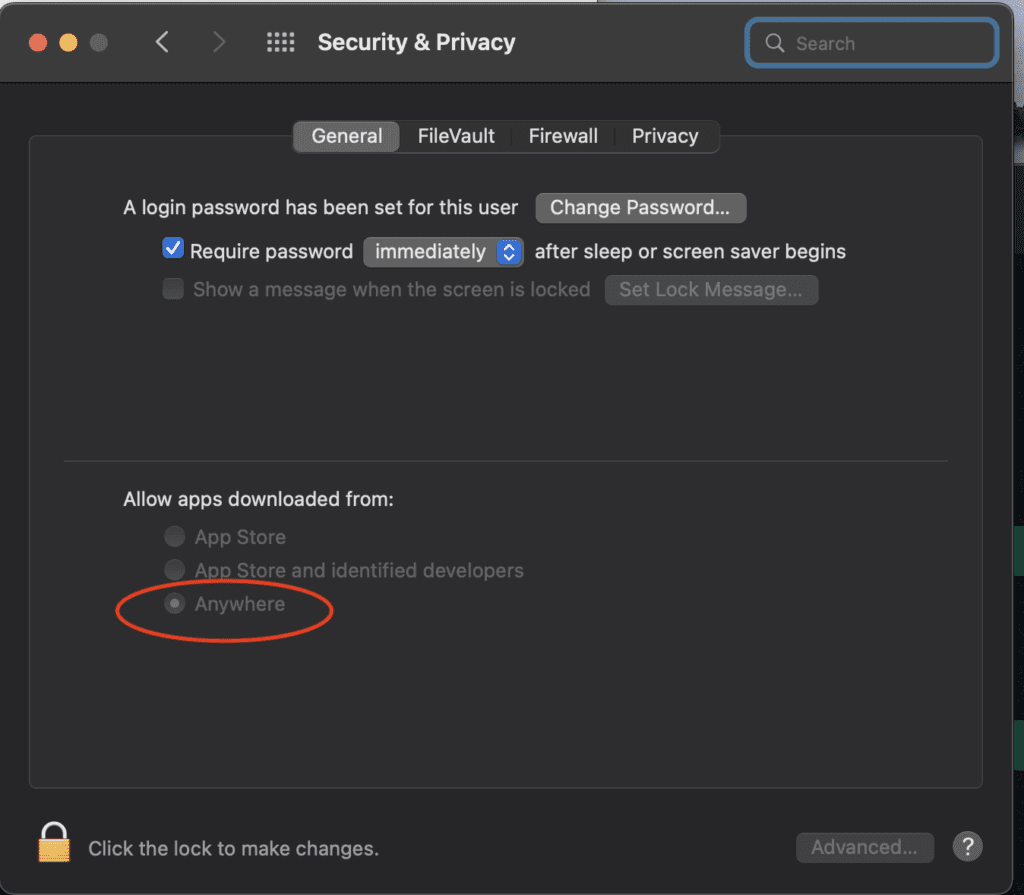
macOS security settings window showing app installation options

Leave a Reply

Your email address will not be published. Required fields are marked *