AWS: Making use of S3s ETags to check if a file has been altered
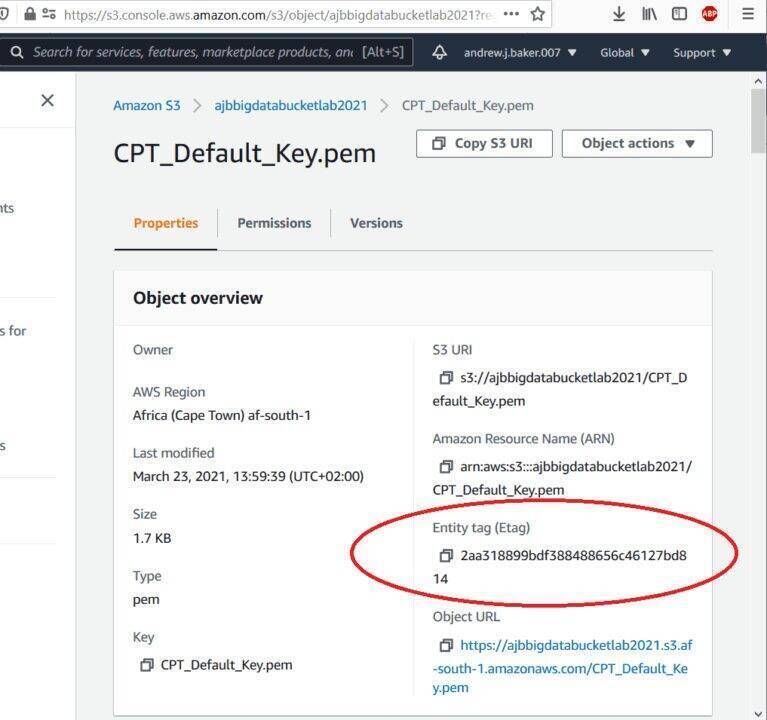
I was playing with S3 the other day an I noticed that a file which I had uploaded twice, in two different locations had an identical ETag. This immediately made me think that this tag was some kind of hash. So I had a quick look AWS documentation and this ETag turns out to be marginally useful. ETag is an “Entity Tag” and its basically a MD5 hash of the file (although once the file is bigger than 5gb it appears to use another hashing algorithm).
So if you ever want to compare a local copy of a file with an AWS S3 copy of a file you just need to install MD5 (the below steps are for ubuntu linux):
# Update your ubunto
# Download the latest package lists
sudo apt update
# Perform the upgrade
sudo apt-get upgrade -y
# Now install common utils (inc MD5)
sudo apt install -y ucommon-utils
# Upgrades involving the Linux kernel, changing dependencies, adding / removing new packages etc
sudo apt-get dist-upgrade
Next to view the MD5 hash of a file simple type:
# View MD5 hash of
md5sum myfilename.myextension
2aa318899bdf388488656c46127bd814  myfilename.myextension
# The first number above will match your S3 Etag if its not been altered
Below is the screenshot of the properties that you will see in S3 with a matching MD5 hash: