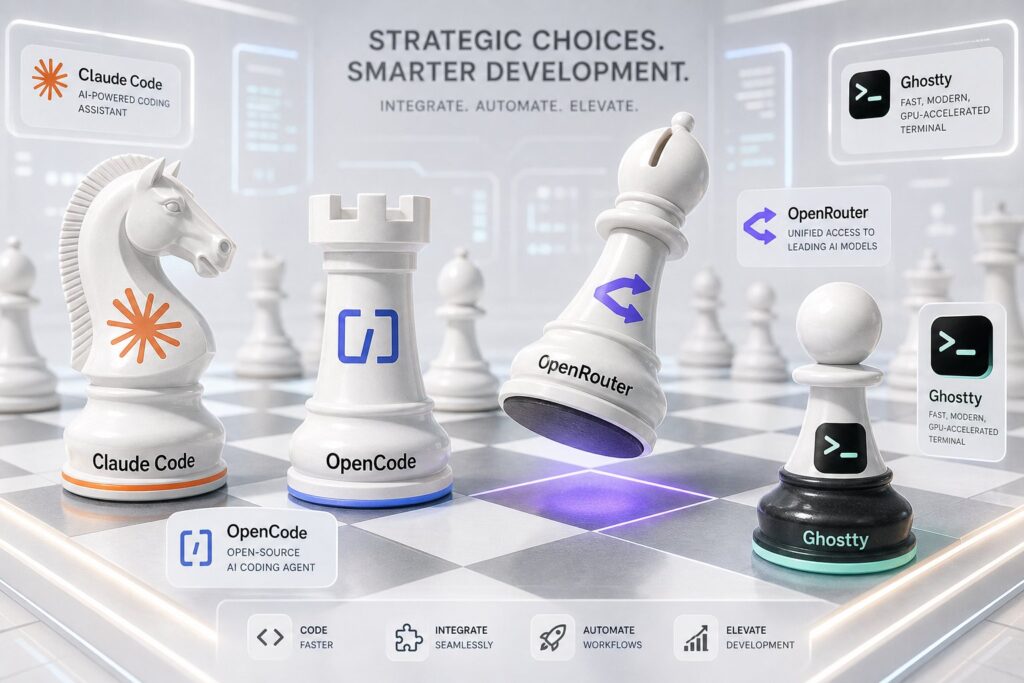
Claude Code Without Model Lock In: Ghostty, OpenCode and OpenRouter
Running OpenCode behind Ghostty and routing requests through OpenRouter removes model dependency by letting you swap between multiple providers instead of committing to a single frontier model. Token pricing across OpenRouter's catalogue varies by a factor of four to fifty for the same coding task, so a gateway underneath the agent acts as direct cost control.
CloudScale AI SEO summary
What this is: a practical build guide for running an OpenCode agent behind Ghostty, routed through OpenRouter, as an alternative to a single model coding agent such as Claude Code.
Why it matters: token pricing across OpenRouter‘s catalogue varies by a factor of four to over a hundred for the same category of coding task, so putting a gateway underneath the agent is a direct cost control, not merely a flexibility nicety. A full migration style workflow priced across a single frontier model can run roughly four times more than the same workflow priced deliberately across two or three models. Separately, restricting provider routing to US domiciled providers such as Anthropic, OpenAI and Google addresses jurisdictional risk for production or customer adjacent data, which sits alongside Zero Data Retention as a distinct and equally serious data protection control rather than a footnote to it. GLM 5.2 from China’s Z.ai is used throughout as the concrete example of where the two considerations, price and jurisdiction, pull in opposite directions.
Who this is for: engineering leaders and senior developers evaluating whether to standardise on a single vendor coding agent or build a model agnostic terminal workflow, particularly where cost at scale and data governance both matter.
1. The bigger idea
Claude Code changed the way I think about AI assisted development, and I want to position this article around a bigger idea than simply installing another coding tool. Claude Code proved how good a terminal based agent can be, but it also embedded an architectural assumption that is worth examining. The agent and the model do not have to be the same product. OpenCode combined with OpenRouter separates those two layers cleanly, and Ghostty gives both of them an excellent terminal to run in.
Instead of putting an AI chatbot beside your editor, Claude Code puts the agent inside your development environment. It can inspect a repository, understand multiple files, run commands, change code, execute tests, inspect failures and keep working until it has completed the task. That is considerably more useful than autocomplete, and it is the reason so many engineers have adopted it so quickly.
There is one decision hidden inside that experience though. Claude Code tightly couples the coding agent experience to the Claude model family. That is a perfectly reasonable design choice, but it raises an obvious question. What if I want the same terminal based workflow, but I want to choose the model myself? Perhaps I want Claude for one problem, GPT for another, Gemini for a third, or one of the increasingly capable open models for something less expensive.
That question is where OpenCode and OpenRouter become interesting.
2. What this actually costs
Before getting into architecture, it is worth putting real numbers against the decision, because the financial gap between providers is large enough to change how you would design a workflow.
The table below shows current OpenRouter list pricing per million tokens for a representative spread of models, from Anthropic’s Mythos and Claude lineup through to leading open weight coding models. These are the published rates as of August 2026, and OpenRouter passes them through with no meaningful markup on the inference itself. I have included Claude Fable 5, Anthropic’s Mythos class model built for long horizon autonomous work, at the top of the table, since it anchors the expensive end of the range the way DeepSeek V4 Pro anchors the cheap end. I have also included GLM 5.2 from Z.ai alongside the other open weight options, since it is currently one of the more aggressively priced models in the catalogue, and it becomes relevant again in section 11 for reasons that have nothing to do with price.
| Model | Input per million tokens | Output per million tokens |
|---|---|---|
| Claude Fable 5 | $10.00 | $50.00 |
| Claude Opus 5 | $5.00 | $25.00 |
| Claude Sonnet 5 | $2.00 | $10.00 |
| Claude Haiku 4.5 | $1.00 | $5.00 |
| GPT-5.2 | $1.75 | $14.00 |
| Gemini 3 Pro Preview | $2.00 | $12.00 |
| GLM 5.2 | $0.50 | $1.58 |
| Qwen3 Coder | $0.30 | $1.00 |
| DeepSeek V4 Pro | $0.11 | $0.22 |
To make that concrete, consider a fairly typical agentic coding session. An agent that reads a repository, forms a hypothesis, edits several files and runs tests will easily push through 500,000 input tokens and 50,000 output tokens once you count every file read, every tool result and every round of context the agent reloads. Here is what that single session would cost on each model.
| Model | Cost for one session (500K in, 50K out) |
|---|---|
| Claude Fable 5 | $7.50 |
| Claude Opus 5 | $3.75 |
| Claude Sonnet 5 | $1.50 |
| Gemini 3 Pro Preview | $1.60 |
| GPT-5.2 | $1.58 |
| Claude Haiku 4.5 | $0.75 |
| GLM 5.2 | $0.33 |
| Qwen3 Coder | $0.20 |
| DeepSeek V4 Pro | $0.07 |
The range across that table is roughly a hundred to one between the most and least expensive option, for what is nominally the same category of work. That does not mean the cheapest model is the right choice, and it does not mean the most expensive one is a mistake either. Fable 5 is a Mythos class model built specifically for long running, ambiguous, multi step work that would otherwise need a person checking in every few minutes, and Opus 5 and Sonnet 5 earn their price on genuinely hard reasoning and long horizon agentic tasks as well. The qualification I make later in this article about model equivalence still applies here. Qwen3 Coder and DeepSeek V4 Pro are competitive on straightforward implementation work but will not substitute for a frontier or Mythos class model on your hardest architectural decisions.
What the numbers do establish is the shape of the opportunity. If your development workflow only ever talks to one model family, you pay that model’s rate for every task regardless of whether the task actually needs that level of capability. A gateway that sits underneath the agent lets you route the exploratory architecture review, the large migration plan and the security sensitive change to Opus or Sonnet, while routing the repetitive refactor, the test generation and the boilerplate to something considerably cheaper, without touching your workflow at all. That is the financial case underneath the architectural one, and it is why the rest of this article treats the model as a variable rather than a fixed cost.
3. My preferred stack
My preferred stack looks like this.
┌──────────────────────────────────────┐
│               Ghostty                │
│            Terminal layer            │
└──────────────────┬───────────────────┘
                    │
                    ▼
┌──────────────────────────────────────┐
│              OpenCode                │
│              Agent layer             │
│                                      │
│  Read files                          │
│  Edit files                          │
│  Run commands                        │
│  Run tests                           │
│  Search repositories                 │
│  Use tools                           │
│  Maintain context                    │
└──────────────────┬───────────────────┘
                    │
                    ▼
┌──────────────────────────────────────┐
│             OpenRouter               │
│             Model gateway            │
└──────────────────┬───────────────────┘
                    │
         ┌──────────┼──────────┬──────────┐
         ▼          ▼          ▼          ▼
      GLM 5.2     Qwen3    DeepSeek   Frontier
Each component in this stack has one job. Ghostty provides the terminal, OpenCode is the coding agent, and OpenRouter is the model gateway, which means the model itself becomes a replaceable component rather than a fixed part of the workflow. That separation of concerns is what makes the whole combination worthwhile.
I have deliberately drawn the fan out at the bottom pointing at value models rather than at Claude, GPT and Gemini by name. Given the numbers in section 2, most of the volume in a typical session, the file reads, the routine edits, the test runs, should default to whichever model gives you the best result per dollar, and right now that is GLM 5.2, Qwen3 Coder or DeepSeek V4 Pro depending on the task. Frontier models earn their place for the smaller slice of work that genuinely needs the extra reasoning, which is exactly the point made in section 25. The gateway is what lets you make that split deliberately instead of defaulting to the most expensive option for everything by habit.
4. Why OpenCode
Several tools can talk to OpenRouter, including Cline and Codex CLI, and OpenRouter now publishes integrations for a number of coding agents. For someone who already likes the way Claude Code feels to work in though, OpenCode is particularly interesting. It is an open source coding agent available as a terminal interface, a desktop application and an IDE extension, and it supports more than seventy five LLM providers with OpenRouter built in as one of them.
The important point is that OpenCode is an agent, not merely a command line interface bolted onto an LLM. It can read your source tree, edit files, create files, execute shell commands, interact with language servers, maintain tasks and call additional tools. It also supports custom agents, MCP servers and reusable agent skills, which means the basic Claude Code development loop remains familiar.
You
 │
 │ "Find the race condition in this service,
 │  fix it and run the tests."
 ▼
Agent
 │
 ├── reads repository
 ├── searches code
 ├── forms hypothesis
 ├── edits source
 ├── runs tests
 ├── reads failure
 ├── edits again
 └── reports result
The difference is what sits underneath the agent. With OpenCode, changing the underlying model does not require changing the way you work.
5. Why OpenRouter
OpenRouter provides a common API layer across a large catalogue of models. Instead of creating accounts, credentials and integrations for every model provider you want to experiment with, OpenCode can connect to OpenRouter once, and it will then expose the available OpenRouter models through its /models interface. OpenRouter’s own documentation for the OpenCode integration confirms that requests can be routed through OpenRouter after connecting a single API key.
Strictly speaking, OpenCode already abstracts the model provider on its own and can connect directly to dozens of them through its own provider system. OpenRouter is not what makes OpenCode multi model, and it is worth being precise about that. What OpenRouter adds on top is a second abstraction layer that centralises credentials, billing, provider routing and failover, which is why I prefer placing it underneath OpenCode rather than managing every provider independently.
OpenCode
   │
   └── OpenRouter
          │
          ├── Model A
          ├── Model B
          ├── Model C
          └── Model D
That turns model selection into something much closer to infrastructure selection. The coding environment stays constant, the agent stays constant and your repository instructions stay constant. Only the intelligence executing the task changes, which makes model comparison far more meaningful because you are no longer comparing entirely different development products against each other.
6. Why Ghostty
You could run OpenCode in almost any modern terminal, but I use Ghostty because it is fast, native and deliberately focused on being an excellent terminal rather than trying to become an entire development environment. OpenCode itself lists Ghostty as one of the modern terminal emulators suitable for running its terminal interface. Ghostty uses native platform interfaces and GPU accelerated rendering, and on macOS it can be installed directly with Homebrew.
There is a second reason Ghostty has become especially interesting for this kind of workflow. Ghostty 1.3 introduced AppleScript support on macOS, and scripts can now create windows, tabs and splits, specify working directories and inject commands into terminals. That means it is possible to build a proper AI development launcher rather than simply opening a terminal and typing commands manually, which is exactly what I will do later in this article.
7. Installing the stack on macOS
I am assuming macOS and zsh throughout this section. The first requirement is Homebrew. If you already have it, confirm the version.
brew --versionIf that returns a version, continue.
7.1 Install Ghostty
brew install --cask ghosttyGhostty’s official documentation confirms that the Homebrew cask packages the signed and notarised macOS application. Launch it once installed.
open -a GhosttyYou now have the terminal layer.
7.2 Install OpenCode
I prefer the OpenCode Homebrew tap.
brew install anomalyco/tap/opencodeOpenCode recommends its own tap if you want current releases, because the standard Homebrew formula can update more slowly. Confirm the installation.
opencode --versionYou now have the agent layer.
8. Create an OpenRouter API key
Create an OpenRouter account and generate an API key from the OpenRouter API key page. OpenRouter keys currently use the sk-or style prefix, and OpenRouter’s OpenCode integration explicitly supports connecting this key directly to OpenCode.
There are two sensible ways to configure it. The easiest is from inside OpenCode itself.
opencodeThen run:
/connectSelect OpenRouter and paste the key. Then run:
/modelsYou should now see OpenRouter models available. OpenCode stores provider credentials in ~/.local/share/opencode/auth.json, and you can inspect which providers are configured with:
opencode auth listOpenCode also provides a command line authentication flow.
opencode auth login --provider openrouterBoth the credential storage location and the auth commands are documented by OpenCode, and I prefer this approach to putting the OpenRouter key directly into .zshrc. Credentials and shell configuration should be kept separate wherever practical.
9. Give OpenCode safer defaults
There is an important OpenCode behaviour worth understanding before pointing it at an important repository. Current OpenCode documentation states that operations are allowed by default unless permissions are configured otherwise, and you can control actions including edit and bash through the permission configuration.
For personal experiments that default may be acceptable. For serious repositories I prefer to tighten it first.
mkdir -p ~/.config/opencode
nano ~/.config/opencode/opencode.json
Add the following.
{
  "$schema": "https://opencode.ai/config.json",
  "share": "disabled",
  "permission": {
    "edit": "ask",
    "bash": "ask"
  },
  "compaction": {
    "auto": true,
    "prune": true,
    "reserved": 10000
  },
  "watcher": {
    "ignore": [
      "node_modules/**",
      "dist/**",
      "build/**",
      ".git/**"
    ]
  }
}
This gives me a much more comfortable starting position. The agent can inspect the repository freely, but potentially consequential file modifications and shell commands require approval. You can relax that later once you understand the tool and trust the project configuration.
I also disable sharing globally in that configuration. OpenCode normally uses manual sharing, but shared sessions create publicly accessible URLs, and for corporate or sensitive source code I would rather make that possibility explicit than rely on remembering not to invoke it.
10. Understand where your source code goes
This is a section I would not skip, and it sits naturally alongside the permissions discussion above.
OpenCode running locally does not mean the model is running locally. Once you point OpenCode at OpenRouter, repository context you send to a model passes through OpenRouter and ultimately reaches whichever upstream provider services the request. For personal projects that may be perfectly acceptable. For corporate source code it deserves a deliberate decision rather than an assumption.
OpenRouter itself states that prompt retention at the OpenRouter layer is opt in, meaning it does not log your prompts by default. Upstream providers are a separate matter though, because each one carries its own logging, retention and training policy, and those policies differ meaningfully from provider to provider. OpenRouter’s documentation on Zero Data Retention explains that a provider with a genuine Zero Data Retention policy will not store your data for any period of time, and that OpenRouter gives you controls to restrict routing to only those endpoints, whether enforced account wide, per model group or per request.
The practical takeaway for anyone pointing this stack at real production code is straightforward. Review your OpenRouter privacy settings before connecting a serious repository, exclude providers whose data policies you are not willing to accept, and consider enforcing Zero Data Retention explicitly rather than assuming every endpoint in the catalogue handles your source code the same way. Restricting provider routing is a one time decision that then applies to every session afterward, which makes it a sensible thing to get right before your first serious repository rather than after.
Retention is only one half of the data protection question though. The other half is jurisdiction, which is a separate concern with a separate set of controls, and it deserves its own section next.
11. Jurisdiction matters as much as retention
Zero Data Retention answers the question of whether a provider keeps a copy of your data. It does not answer a different question that regulated organisations need to ask separately, which is which country’s legal system that data passes through on its way to and from the model. These are two distinct axes of risk, and treating them as one leads to a false sense of security.
Anthropic, OpenAI and Google are all US domiciled companies, and their primary inference infrastructure is US based. OpenRouter‘s catalogue also includes models served by providers headquartered and operating in other jurisdictions, including providers in the EU and providers in other regions entirely. GLM 5.2 from Z.ai, the model that appears in the pricing tables in section 2 as one of the more aggressively priced options in the entire catalogue, is a useful concrete example here. Z.ai is a Chinese company, and routing a request to GLM means that request is served from infrastructure operating under Chinese law rather than US or EU law. The price advantage is real, and so is the jurisdictional question that comes attached to it, and the two need to be weighed separately rather than letting the first one quietly answer the second. Each of these jurisdictions carries its own legal framework for government access to data, its own data protection regime and its own set of obligations that may or may not align with the obligations your own organisation already carries. Routing production or customer adjacent data through a provider in an unfamiliar jurisdiction does not just add a theoretical risk. It adds a concrete compliance question that someone in your organisation now has to answer, document and defend, on top of whatever retention guarantees that provider offers.
Restricting your routing to US based providers is a genuine architectural decision, not a minor caveat tacked onto the end of a privacy discussion. For an organisation that already operates under US regulatory expectations, or that has already done the legal work to satisfy itself about US based processing, keeping every request inside that single jurisdiction removes an entire category of cross border complexity before it starts. You are not eliminating risk by doing this. You are choosing to hold a single, well understood jurisdictional risk instead of accumulating a different one for every provider in the catalogue.
OpenRouter‘s provider routing controls make this restriction straightforward to express and enforce. The only field on a request acts as an allow list, and setting allow_fallbacks to false means a request fails outright rather than silently falling through to a provider outside that list.
{
  "provider": {
    "only": ["anthropic", "openai", "google-vertex"],
    "allow_fallbacks": false
  }
}
The same pattern that OpenRouter documents for enforcing EU only routing, where a European organisation names EU headquartered providers such as Mistral and denies fallback outside that list, applies just as well in reverse. Name the US based providers you are willing to use, deny collection, and let the request fail loudly if nothing on that list is available rather than quietly routing somewhere you have not reviewed. This can be set as an account wide default in your OpenRouter privacy settings so that it applies automatically to every session rather than depending on you remembering to add it to each request.
Combine this with the Zero Data Retention setting from the previous section and you are addressing both axes of the data protection question at once. One control governs what happens to your data after a request completes. The other governs which legal system that data was ever exposed to in the first place. A serious repository deserves a deliberate answer to both, not just the one that happens to be easier to configure.
12. Start your first repository
Change into a project.
cd ~/src/my-projectThen start OpenCode.
opencodeInside OpenCode, run:
/initThis step is worth doing properly. OpenCode inspects the repository and creates an AGENTS.md file, which gives the agent persistent project context including architecture, build commands, test commands, conventions and other repository specific information. OpenCode recommends committing this file to Git so that future sessions and other developers receive the same instructions.
A simplified example might look like this.
# Project Instructions
## Architecture
This is a Java 25 Spring Boot application.
Services run on AWS EKS.
PostgreSQL is provided by Aurora.
Kafka is used for asynchronous messaging.
## Build
Run:
mvn clean verify
## Tests
All changes must pass:
mvn test
Never disable a failing test to make a build pass.
## Development rules
Prefer immutable objects.
Do not introduce new dependencies unless necessary.
All external calls require explicit timeout handling.
Never log client credentials, tokens or account numbers.
This is one of the most important concepts in agentic development. Do not make the model rediscover your engineering standards on every single request. Put them in the repository once and let every session benefit from them.
13. Migrating from Claude Code is easier than you might expect
If you already use Claude Code heavily, there is some useful compatibility built in. OpenCode can use CLAUDE.md as a fallback project instruction file when no AGENTS.md exists, it can consume global Claude instructions from ~/.claude/CLAUDE.md, and it can discover skills stored under .claude/skills/ and ~/.claude/skills/. That means an existing Claude Code repository does not necessarily need to be redesigned on day one.
project/
│
├── CLAUDE.md
├── src/
├── tests/
└── .claude/
    └── skills/
OpenCode can understand much of that existing structure immediately. Over time I would probably standardise shared instructions around AGENTS.md, but the compatibility layer makes experimenting with the new stack dramatically easier in the meantime.
14. Switching models
This is where the architecture becomes genuinely interesting. Inside OpenCode, run:
/modelsChoose another OpenRouter model. That is the entire procedure. Your repository does not change, your instructions do not change, your terminal does not change, your tools do not change and the agent harness does not change. Only the model changes.
There is one qualification worth stating clearly though. Model portability does not imply model equivalence. Coding agents depend heavily on reliable tool calling, instruction following, context handling and structured responses, and not every model exposed through OpenRouter performs those tasks equally well. OpenCode’s own documentation on models is candid about this, noting that there are a lot of models available but only a relatively small number that are genuinely good at both generating code and tool calling. The architecture lets you switch models cheaply, but you should still treat any particular model and provider combination as something that needs testing rather than assuming interchangeability.
That distinction actually strengthens the argument for this stack rather than weakening it. The point is that switching is cheap, which means testing competing models against each other becomes cheap too. It is not that every model is interchangeable.
OpenCode also supports selecting a model directly from the command line using the provider and model format. Once you know the exact model identifier available through your OpenRouter configuration, you can run something like:
opencode --model "openrouter/<model>"I would deliberately avoid hard coding a list of supposedly best models into a permanent setup script, because the model market is moving far too quickly for any such list to stay accurate. Run /models and make the decision using whatever is available at that moment. The broader lesson here matters more than whichever model happens to lead a benchmark this particular month.
15. Different models for different problems
Once the agent has been separated from the model, an interesting workflow becomes possible, because you no longer need one single favourite model for everything. Imagine a large migration. You could use one model to inspect the architecture first.
Study this repository.
Do not modify anything.
Explain the architecture, identify the major coupling points and
produce a migration plan for moving this application from Java 17
to Java 25.
Then switch models and ask a second one to review that plan.
Review the migration plan.
Look specifically for JVM, Spring, dependency and build compatibility
risks that the previous analysis may have missed.
Do not modify the repository.
Then switch again for implementation.
Implement phase one of the approved migration plan.
Run the relevant tests after each logical group of changes.
Stop if a test fails for a reason unrelated to your changes.
This turns model diversity into a genuine engineering control. Instead of asking one model to design, implement and approve its own work, different models can challenge each other’s assumptions along the way, and that is a far more interesting property than simply asking which model happens to write the prettiest function.
16. Plan before you let it build
OpenCode includes a Plan mode designed specifically for analysing a task without changing any files, and its documentation recommends creating a plan before asking the agent to implement any significant feature. I strongly agree with that recommendation.
For anything nontrivial, my workflow follows this sequence.
Understand
    ↓
Plan
    ↓
Challenge plan
    ↓
Implement
    ↓
Test
    ↓
Review diff
Not a straight line from prompt to unreviewed changes across the repository. The coding model is increasingly capable, and that makes engineering discipline more important rather than less important.
17. Useful OpenCode commands
The commands I use most often are these.
/modelschanges the active model./initcreates or updates the repository instructions./sessionsmoves between previous sessions./undoundoes the previous agent action./redorestores something you had undone./newstarts a clean session.
OpenCode keeps snapshots of file changes by default, which allows changes made during a session to be undone and restored. You can also run a one shot task without entering the interactive interface at all.
opencode run "Explain the authentication architecture in this repository"That becomes surprisingly useful once you start writing scripts around it.
18. My macOS bootstrap script
Here is a simple bootstrap script for a new Mac. Create the file.
nano setup-ai-coding.shPaste the following.
#!/usr/bin/env bash
set -euo pipefail
echo
echo "AI coding workstation setup"
echo "==========================="
echo
if [[ "$(uname)" != "Darwin" ]]; then
    echo "This script is intended for macOS."
    exit 1
fi
if ! command -v brew >/dev/null 2>&1; then
    echo "Homebrew is not installed."
    echo "Install Homebrew first, then run this script again."
    exit 1
fi
echo "Updating Homebrew..."
brew update
echo
echo "Installing Ghostty..."
if brew list --cask ghostty >/dev/null 2>&1; then
    echo "Ghostty is already installed."
else
    brew install --cask ghostty
fi
echo
echo "Installing OpenCode..."
if command -v opencode >/dev/null 2>&1; then
    echo "OpenCode is already installed."
else
    brew install anomalyco/tap/opencode
fi
echo
echo "Creating OpenCode configuration..."
mkdir -p "$HOME/.config/opencode"
CONFIG="$HOME/.config/opencode/opencode.json"
if [[ ! -f "$CONFIG" ]]; then
cat > "$CONFIG" <<'EOF'
{
  "$schema": "https://opencode.ai/config.json",
  "share": "disabled",
  "permission": {
    "edit": "ask",
    "bash": "ask"
  },
  "compaction": {
    "auto": true,
    "prune": true,
    "reserved": 10000
  },
  "watcher": {
    "ignore": [
      "node_modules/**",
      "dist/**",
      "build/**",
      ".git/**"
    ]
  }
}
EOF
    echo "Created $CONFIG"
else
    echo "$CONFIG already exists. Leaving it unchanged."
fi
echo
echo "Versions"
echo "--------"
if command -v opencode >/dev/null 2>&1; then
    echo "OpenCode: $(opencode --version)"
fi
if [[ -d "/Applications/Ghostty.app" ]]; then
    echo "Ghostty: installed"
fi
echo
echo "Installation complete."
echo
echo "Next:"
echo
echo "1. Open Ghostty"
echo "2. Run: opencode auth login --provider openrouter"
echo "3. Enter your OpenRouter API key"
echo "4. cd into a Git repository"
echo "5. Run: opencode"
echo "6. Run /init"
echo "7. Run /models"
echo
Make it executable and run it.
chmod +x setup-ai-coding.sh
./setup-ai-coding.sh
Notice what the script deliberately does not contain. Your API key. Never put a personal API credential into a bootstrap script that may eventually find its way into GitHub.
19. A better Ghostty launcher
Now this can be turned into something that feels like a proper development environment. Ghostty’s AppleScript support can create a window with a specific initial working directory and execute commands inside it automatically.
Create the launcher.
mkdir -p ~/bin
nano ~/bin/ai
Add the following.
#!/usr/bin/env bash
set -euo pipefail
PROJECT="${1:-$PWD}"
if [[ ! -d "$PROJECT" ]]; then
    echo "Directory does not exist: $PROJECT"
    exit 1
fi
PROJECT="$(cd "$PROJECT" && pwd)"
osascript <<EOF
tell application "Ghostty"
    activate
    set cfg to new surface configuration
    set initial working directory of cfg to "$PROJECT"
    set win to new window with configuration cfg
    set term to terminal 1 of selected tab of win
    input text "opencode" to term
    send key "enter" to term
    focus term
end tell
EOF
Make it executable.
chmod +x ~/bin/aiMake sure ~/bin is on your path.
grep -q 'export PATH="$HOME/bin:$PATH"' ~/.zshrc || \
echo 'export PATH="$HOME/bin:$PATH"' >> ~/.zshrc
source ~/.zshrc
Now running:
ai ~/src/paymentsopens a new Ghostty window in ~/src/payments and immediately starts OpenCode. From inside a repository you can simply run ai on its own. That is starting to feel like an AI native development environment rather than a terminal with a tool running inside it.
20. Going further, an AI development cockpit
Ghostty can also create split terminals programmatically, which makes it possible to build something considerably more interesting.
┌────────────────────────────┬─────────────────────┐
│                             │                     │
│         OpenCode           │      git status     │
│                             │                     │
│                             ├─────────────────────┤
│                             │                     │
│                             │        shell        │
│                             │                     │
└────────────────────────────┴─────────────────────┘
Create the script.
nano ~/bin/aidevAdd the following.
#!/usr/bin/env bash
set -euo pipefail
PROJECT="${1:-$PWD}"
if [[ ! -d "$PROJECT" ]]; then
    echo "Directory does not exist: $PROJECT"
    exit 1
fi
PROJECT="$(cd "$PROJECT" && pwd)"
osascript <<EOF
tell application "Ghostty"
    activate
    set cfg to new surface configuration
    set initial working directory of cfg to "$PROJECT"
    set win to new window with configuration cfg
    set agentPane to terminal 1 of selected tab of win
    set gitPane to split agentPane direction right with configuration cfg
    set shellPane to split gitPane direction down with configuration cfg
    input text "opencode" to agentPane
    send key "enter" to agentPane
    input text "git status --short --branch" to gitPane
    send key "enter" to gitPane
    input text "clear" to shellPane
    send key "enter" to shellPane
    focus agentPane
end tell
EOF
Make it executable.
chmod +x ~/bin/aidevNow running:
aidev ~/src/my-projectcreates the entire development environment automatically. Ghostty documents this same underlying AppleScript mechanism for creating windows, defining initial directories and splitting terminals, and this is where terminal based development becomes much more interesting than simply adding another AI sidebar to an IDE. The terminal itself becomes programmable infrastructure.
21. Remote control from your phone
Everything so far assumes you are sitting at the Mac. OpenCode does not require that, and the remote path is a first party part of the design rather than something bolted on afterward.
The relevant command is opencode serve, which starts a headless HTTP server exposing an OpenAPI endpoint. Repository access, tool execution and model calls all happen on that machine, and a remote client only handles input and display.
opencode serve --hostname 0.0.0.0 --port 4096There is also opencode web, which serves a full browser based UI from the same machine rather than the terminal interface, and the OpenCode TUI itself can attach to a remote backend, so a terminal on a different device can drive opencode serve as though it were local.
opencode web --port 4096Do not expose either of these directly to the internet. Set OPENCODE_SERVER_PASSWORD to add basic auth, and put the whole thing behind a VPN rather than a raw open port. Tailscale is the option most people reach for, since it puts your phone and your Mac on the same private network without any port forwarding.
The simplest way to actually use this from a phone is the browser. Open the Tailscale address for opencode web in your phone’s browser and you get the full interface with no extra app to install or trust. If you want a native app instead, there are a small number of third party clients built specifically for OpenCode’s protocol. For iOS and iPadOS, grapeot/opencode_ios_client is the most actively maintained option at the time of writing, distributed through TestFlight, with support for Basic Auth, SSH tunnelling, a file tree, session diffs and model switching. For Android, OpenCode Mobile from Agent Labs is open source and speaks the OpenCode wire protocol directly, with an iOS build on their roadmap but not yet shipped. Both are independent of the OpenCode project itself, so treat them the way you would treat any client you are handing access to a development machine, and check what each one logs before pointing it at anything sensitive.
One thing that does not carry over from earlier in this article. The Ghostty AppleScript launchers, ai and aidev, only control applications on the same Mac, so there is no remote equivalent of them. For remote work the launcher is unnecessary anyway, since opencode serve or opencode web replaces the terminal automation entirely.
22. Adding MCP
OpenCode also supports Model Context Protocol servers, which means your coding agent can be given tools that go beyond the local filesystem and shell. OpenCode supports both local and remote MCP servers, although its documentation correctly warns that MCP tools consume context and that enabling too many of them can significantly increase context usage.
You can add one interactively.
opencode mcp addThen inspect what has been configured.
opencode mcp listThis adds another layer to the architecture.
                    OpenCode
                       │
        ┌──────────────┼──────────────┐
        │              │              │
        ▼              ▼              ▼
     Filesystem      Shell           MCP
                                      │
                              ┌───────┼───────┐
                              ▼       ▼       ▼
                            Docs    APIs    Tools
Once configured, MCP tools are automatically available to the model alongside the built in tools, which means they deserve the same scrutiny as shell and file editing rather than being treated as merely additional context. An MCP server connected to GitHub, AWS, Jira or another production system can expose actions with consequences well beyond the local repository, so configure its OpenCode permissions with the same care you apply to bash and edit.
Again, the interesting part is the separation of responsibilities. The model reasons, the agent orchestrates, the tools perform actions, OpenRouter provides the model and Ghostty provides the interface around all of it.
23. Can you just use Claude Code with OpenRouter
Interestingly, yes. OpenRouter now exposes an Anthropic compatible interface that Claude Code can talk to directly, and no local proxy is required. OpenRouter documents configuring ANTHROPIC_BASE_URL to point Claude Code at OpenRouter, and it also provides gateway model discovery as an option.
Ghostty
   │
   ▼
Claude Code
   │
   ▼
OpenRouter
   │
   ▼
Claude
There are good reasons to take this route. You gain OpenRouter billing visibility, budget controls and routing while retaining Claude Code itself as your agent. There is an important qualification though. OpenRouter explicitly states that running Claude Code through OpenRouter is only guaranteed to work correctly with Anthropic’s first party provider, and its documentation warns that Claude Code is optimised for Anthropic models specifically, so other providers may not behave correctly through that path.
So I would separate the two use cases clearly. If your objective is that you love Claude Code, want to keep Claude as the model, and want OpenRouter‘s routing and billing on top of it, then Claude Code combined with OpenRouter makes sense. If your objective is that you love the Claude Code workflow but want genuine freedom to choose the model, then I think OpenCode combined with OpenRouter is the more interesting architecture of the two.
24. OpenCode versus Claude Code
These are not identical products, and they should not be. The more useful comparison is architectural rather than feature by feature.
| Capability | Claude Code | OpenCode and OpenRouter |
|---|---|---|
| Terminal agent | Yes | Yes |
| Repository understanding | Yes | Yes |
| File editing | Yes | Yes |
| Shell execution | Yes | Yes |
| Persistent project rules | CLAUDE.md | AGENTS.md with Claude compatibility |
| Skills | Yes | Yes |
| MCP | Yes | Yes |
| Model choice | Primarily Anthropic | Broad OpenRouter catalogue |
| Gateway choice | Possible | Native OpenRouter integration |
| Open source agent | No | Yes |
| One agent across model families | Limited | Core design |
The important difference is not whether a particular button exists in one tool and not the other. It is this.
Claude Code
Agent + model ecosystem
        │
        ▼
      Claude
versus
OpenCode
Agent
  │
  ▼
OpenRouter
  │
  ├── Claude
  ├── GPT
  ├── Gemini
  └── Others
The second architecture treats the model as replaceable infrastructure rather than as a fixed part of the product, and I think that is the direction development tooling is heading in more broadly.
25. Cost is a genuine advantage, not a distraction
It would be tempting to treat model pricing as a secondary detail underneath the architecture argument, something to mention once in section 2 and then move past in favour of the more abstract case for optionality. I do not think that holds up. Token cost differences between providers are large enough, and consistent enough across task types, that cost is one of the central arguments for this stack rather than something to wave away in favour of a more elegant sounding point about flexibility.
Look at what the same class of task costs across different models rather than a single average session. Take a large context code review, the kind of task where an agent reads most of a sizeable repository before writing an assessment. A realistic budget for that is around 800,000 input tokens and 5,000 output tokens.
| Model | Cost for one large context review (800K in, 5K out) |
|---|---|
| Claude Fable 5 | $8.25 |
| Claude Opus 5 | $4.13 |
| Claude Sonnet 5 | $1.65 |
| Gemini 3 Pro Preview | $1.66 |
| GPT-5.2 | $1.47 |
| GLM 5.2 | $0.41 |
| Qwen3 Coder | $0.25 |
| DeepSeek V4 Pro | $0.09 |
Now take the opposite end of the spectrum, a routine file edit where the agent reads a handful of files, makes a small change and runs a test. A realistic budget there is closer to 15,000 input tokens and 2,000 output tokens.
| Model | Cost for one routine file edit (15K in, 2K out) |
|---|---|
| Claude Fable 5 | $0.25 |
| Claude Opus 5 | $0.13 |
| Claude Sonnet 5 | $0.05 |
| Claude Haiku 4.5 | $0.03 |
| GLM 5.2 | $0.01 |
| Qwen3 Coder | $0.01 |
| DeepSeek V4 Pro | $0.002 |
At the level of a single routine edit the absolute numbers look trivial, and it would be easy to conclude that none of this matters. It matters once you multiply by volume. A team running dozens of agent sessions a day, or an individual developer letting an agent iterate through many small edits inside one long session, is repeating that ratio hundreds or thousands of times a month. A hundred to one cost ratio on a single call becomes a genuinely large number once it compounds across normal usage, and that is true whether the task is a large review or a small edit. GLM 5.2 is the cheapest model in either table by a wide margin, and section 11 explains why that price is not the only variable worth weighing before you route production traffic to it. Fable 5 sits at the opposite end for a specific reason rather than by accident, since it is priced for long horizon autonomous work rather than for the kind of quick edit this table is measuring, and using it for a routine file edit is roughly the same mismatch as using DeepSeek V4 Pro for a task that genuinely needs sustained multi step reasoning.
The clearest way to see the financial case is to price out a full workflow rather than a single call. Go back to the three step migration workflow from section 15, inspecting the architecture, reviewing the plan and implementing it. A realistic token budget across those three steps looks like this. Architecture inspection reads most of the repository and produces a plan, roughly 900,000 input tokens and 8,000 output tokens. Plan review rereads that context and the plan itself, roughly 950,000 input tokens and 5,000 output tokens. Implementation runs across many smaller iterations of editing and testing, totalling roughly 800,000 input tokens and 120,000 output tokens across the session.
Run the entire workflow on Opus 5 throughout, which is a reasonable default if your workflow only ever talks to one model family, and the total comes to roughly $16.58. Run the same workflow with a deliberately mixed strategy instead, Sonnet 5 for the architecture inspection where reasoning quality matters most, GPT-5.2 for the independent plan review, and Qwen3 Coder for the implementation phase where the work is mostly mechanical edit and test cycles, and the total comes to roughly $3.97. That is not a rounding difference. It is the same migration, the same repository and the same quality bar on the two steps that actually need frontier reasoning, at roughly a quarter of the cost.
None of this removes the qualification from section 14 about model equivalence. Qwen3 Coder is a reasonable choice for the implementation phase precisely because that phase is mechanical rather than because every model is interchangeable, and you should still verify that a given model and provider combination handles your specific codebase and tool calling pattern well before trusting it with real work. But the qualification is about which model to assign to which step, not about whether the savings are real. They are real, and they are large enough to change how a serious team should think about model selection.
Optionality is still a genuine benefit on top of this. Today a particular model may be exceptional at large repository reasoning while another is dramatically cheaper for repetitive transformations, and six months from now those positions may look completely different. If the model is tightly coupled to your development workflow, every one of those changes forces you to move tools. If the model sits behind a gateway instead, the workflow does not need to change at all.
developer workflow
        │
        ▼
      agent
        │
        ▼
      router
        │
        ▼
      model
But treat that as the second reason to build this stack, not the first. Infrastructure engineers have spent decades learning that interfaces are durable while implementations change, and that lesson still applies here. The first reason is that the same category of work can cost four to over a hundred times more or less depending entirely on which model handles it, and a gateway is what lets you actually capture that difference on a task by task basis instead of paying one rate for everything by default.
If I were configuring a new Mac today, that arithmetic would translate into a fairly specific setup. Ghostty for the terminal, OpenCode as the agent, and OpenRouter underneath it as the gateway to Claude, GPT, Gemini or whatever comes next, restricted to the providers and jurisdictions covered in sections 10 and 11. On top of that I would add an AGENTS.md file covering architecture, coding standards, build commands, testing rules and security rules, and only the MCP tools the repository genuinely needs rather than every available integration by default. The model then becomes only one component in a much larger engineering system, priced deliberately rather than by default, which is a considerably healthier way to think about AI assisted development than treating the model as the product itself.
26. The bigger shift
Claude Code demonstrated something important. The future of AI assisted development probably is not a chat window sitting beside an IDE. It is an agent with genuine access to the engineering environment itself. The next step is equally important though. The agent should not necessarily dictate the model.
OpenCode provides the agent, OpenRouter provides the model abstraction, and Ghostty provides an excellent terminal environment around both of them. Put together, this produces something that feels very similar to the workflow that made Claude Code compelling in the first place, but with a fundamentally different architecture underneath it. One terminal, one agent, one model gateway and many models to choose from. The terminal stays, the workflow stays and the repository instructions stay, while the models compete with each other for the work. That is exactly how I want this layer of the development stack to evolve.
References
- OpenCode installation and providers
- OpenCode models and recommended models for coding
- OpenCode permissions
- OpenCode rules, AGENTS.md and Claude Code compatibility
- OpenCode share settings
- OpenCode MCP servers
- OpenCode configuration reference
- OpenCode server and remote access
- OpenCode web interface
- OpenCode CLI reference
- Native iOS client for OpenCode
- OpenCode Mobile for Android
- OpenRouter OpenCode integration guide
- OpenRouter Claude Code integration guide
- OpenRouter Zero Data Retention guide
- OpenRouter provider routing and data residency controls
- OpenRouter model pricing, Claude Opus 5
- OpenRouter model pricing, Claude Sonnet 5
- OpenRouter model pricing, Claude Haiku 4.5
- OpenRouter model pricing, GPT-5.2
- OpenRouter model pricing, Gemini 3 Pro Preview
- OpenRouter model pricing, DeepSeek V4 Pro
- OpenRouter model pricing, GLM 5.2
- Ghostty AppleScript documentation
- Ghostty features overview