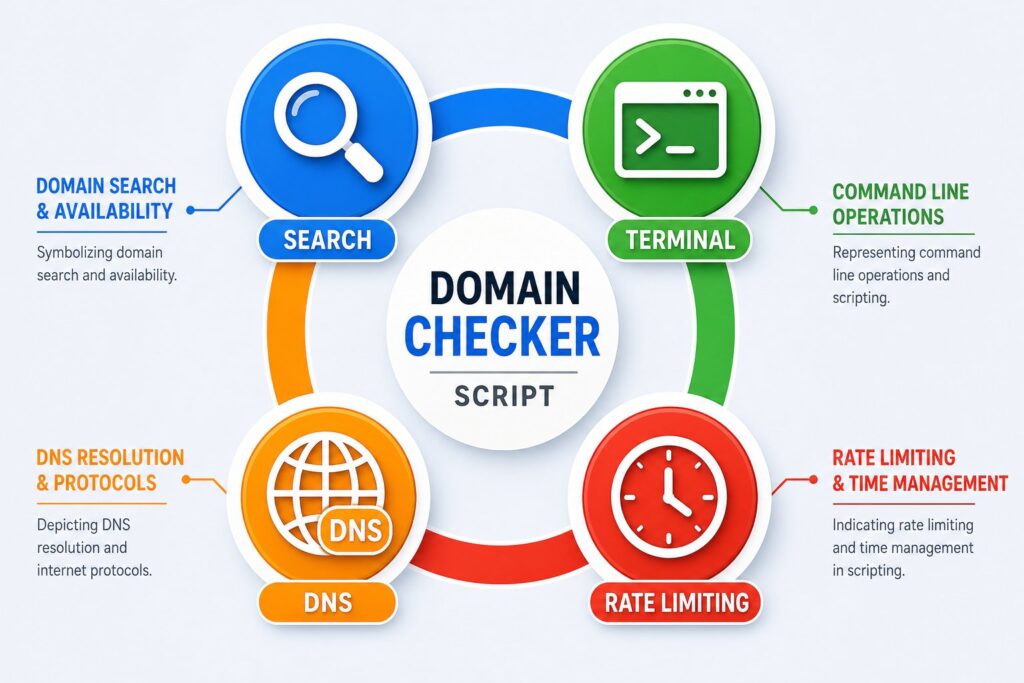
How to check domain name availability in bulk from the command line

Using Python's standard library and bash, you can check domain availability in bulk by attempting a socket connection or DNS lookup against each domain and interpreting failures as potential availability. This approach works across multiple TLDs simultaneously, requires no paid API or third-party tools, and runs reliably on Mac, Linux, and WSL in seconds.
You have a list of 50 domain name ideas. Maybe you are launching a product, picking a brand, or trying to find something halfway decent that has not already been squatted. Whatever the reason, typing them one at a time into a registrar search box is not a workflow, it is punishment.
This post shows you how to check domain availability in bulk from the command line, across multiple TLDs simultaneously, with no whois dependency, no paid API, and no third-party tools. All you need is bash and Python’s standard library. It works on Mac, Linux, and WSL.
If you want to skip straight to the code, jump to the function.
1. Why not whois?
whois is the obvious tool and the first thing most people reach for, but the problems start immediately.
Different TLD registries use different “not found” strings. .com returns No match for domain, .co.za returns something different, and .io uses yet another format. Parsing these reliably across TLDs requires maintaining a lookup table of registry-specific strings, and registries change them without notice.
More practically, whois is frequently blocked. Corporate networks block it, cloud sandbox environments block it, and rate limiting kicks in fast when you run it in a loop. I discovered this the hard way after running 300 whois lookups and getting empty output for every single domain, which my grep logic interpreted as “taken” and gave me a completely useless result set.
DNS resolution sidesteps all of this. The logic is straightforward: if a domain is registered it almost always has nameservers and resolves to an IP address. If it is not registered, DNS returns NXDOMAIN and Python raises a socket.gaierror. There is no string parsing, no registry-specific edge cases, and no external tools required.
2. The function
Drop this into your .bashrc or .zshrc, or source it at the top of any script:
check_domains() {
  local tlds="$1"
  local names="$2"

  python3 - "$tlds" "$names" <<'PYEOF'
import sys
import socket

tlds  = [t.strip() for t in sys.argv[1].split(",") if t.strip()]
names = [d.strip() for d in sys.argv[2].split(",") if d.strip()]

combos = [f"{name}{tld}" for name in names for tld in tlds]
total  = len(combos)
available = []
taken     = []

print(f"\nChecking {total} combinations ({len(names)} names x {len(tlds)} TLDs)...\n")

for i, fqdn in enumerate(combos, 1):
    try:
        socket.gethostbyname(fqdn)
        taken.append(fqdn)
        print(f"[{i:>3}/{total}]  x  {fqdn}")
    except socket.gaierror:
        available.append(fqdn)
        print(f"[{i:>3}/{total}]  v  {fqdn}  <-- AVAILABLE")

print(f"\nAvailable ({len(available)}):")
for d in available:
    print(f"  v  {d}")

print(f"\nTaken ({len(taken)}):")
for d in taken:
    print(f"  x  {d}")
PYEOF
}
The first argument is a comma-separated list of TLDs. The second is a comma-separated list of domain names without any TLD attached. The function builds every name x TLD combination and checks them all, printing each result immediately as it resolves rather than buffering everything to the end.
3. Usage
Check a handful of names across four TLDs in one call:
check_domains ".com, .io, .co.uk, .ninja" "bondswitchguru, mortgagepaymentcut"Output appears immediately as each domain resolves, so you do not have to wait for the full run to finish before seeing results:
Checking 8 combinations (2 names x 4 TLDs)...

[  1/8]  v  bondswitchguru.com  <-- AVAILABLE
[  2/8]  v  bondswitchguru.io  <-- AVAILABLE
[  3/8]  v  bondswitchguru.co.uk  <-- AVAILABLE
[  4/8]  v  bondswitchguru.ninja  <-- AVAILABLE
[  5/8]  x  mortgagepaymentcut.com
[  6/8]  v  mortgagepaymentcut.io  <-- AVAILABLE
[  7/8]  v  mortgagepaymentcut.co.uk  <-- AVAILABLE
[  8/8]  v  mortgagepaymentcut.ninja  <-- AVAILABLE

Available (7):
  v  bondswitchguru.com
  v  bondswitchguru.io
  ...

Taken (1):
  x  mortgagepaymentcut.com
Results are ordered name-first then TLD, so all variants of a given name appear together, which makes it easy to scan visually when you are comparing coverage across extensions for a shortlist of candidates. For a single TLD just pass one value:
check_domains ".co.za" "bondswitch, bondshift, bondflip"4. Wrapping a large candidate list in a script
For bulk research with hundreds of candidates, wrap the function and your list in a heredoc installer. This pattern creates a self-contained script you can share with a colleague or run on any machine with Python 3 installed:
cat > check_domains.sh << 'EOF'
#!/bin/bash

check_domains() {
  local tlds="$1"
  local names="$2"
  python3 - "$tlds" "$names" <<'PYEOF'
import sys, socket
tlds  = [t.strip() for t in sys.argv[1].split(",") if t.strip()]
names = [d.strip() for d in sys.argv[2].split(",") if d.strip()]
combos = [f"{name}{tld}" for name in names for tld in tlds]
total = len(combos)
available, taken = [], []
print(f"\nChecking {total} combinations ({len(names)} names x {len(tlds)} TLDs)...\n")
for i, fqdn in enumerate(combos, 1):
    try:
        socket.gethostbyname(fqdn)
        taken.append(fqdn)
        print(f"[{i:>3}/{total}]  x  {fqdn}")
    except socket.gaierror:
        available.append(fqdn)
        print(f"[{i:>3}/{total}]  v  {fqdn}  <-- AVAILABLE")
print(f"\nAvailable ({len(available)}):")
for d in available: print(f"  v  {d}")
print(f"\nTaken ({len(taken)}):")
for d in taken: print(f"  x  {d}")
PYEOF
}

# Edit these two variables and run
TLDS=".co.za, .com, .io"

NAMES="bondswitchguru,
switchmybond, bondswitch, lowermybond,
saveonmybond, betterratebond, reducemybond"

check_domains "$TLDS" "$NAMES"
EOF

chmod +x check_domains.sh
Run bash check_domains.sh to create the script, then ./check_domains.sh to execute it. Edit TLDS and NAMES at the bottom for whatever you are researching.
5. Why DNS is not perfect and what to do about it
There are four edge cases worth understanding before you trust the output.
Registered domains with no DNS records. A small number of registered domains have no A record, no nameservers, or no MX record configured, which means they return NXDOMAIN and will appear available when they are not. This is rare but it happens, particularly with freshly registered domains or domains registered purely for trademark protection with no intention of building a site.
Parked domains and squatters. A domain that resolves to an IP but shows a blank page or a “domain for sale” landing page is registered and the script will correctly mark it as taken. Whether you can acquire it is a separate problem, because you are dealing with a squatter or an aftermarket listing rather than a standard unregistered domain.
Wildcard DNS. Some DNS providers configure wildcard records that cause every subdomain and unregistered variation to resolve to an IP address. This is uncommon at the apex domain level but worth knowing. If you get a suspiciously large number of “taken” results for highly unusual names, wildcard DNS may be interfering with the results.
Rate limiting. Running hundreds of DNS lookups in quick succession can trigger throttling on some corporate or ISP resolvers. If you are checking large lists and seeing intermittent failures, add import time and time.sleep(0.1) inside the loop, or configure your system to use a public DNS server like 8.8.8.8 or 1.1.1.1.
6. After you get your shortlist
DNS availability is step one of a short verification process, not the final word. Before registering anything that comes back green, work through these three checks.
Verify at the registry. For .co.za use whois.registry.net.za. For .com and most gTLDs, whois works reliably from a standard desktop connection even when it fails inside a sandboxed environment. This takes 30 seconds per domain and rules out the false-positive edge cases described above.
Check aftermarket listings. An available domain may still be listed for sale on Sedo, Afternic, or GoDaddy Auctions at a significant premium above standard registration price. A quick search of the domain name on those platforms before registering confirms whether you are getting it at face value or whether someone is sitting on it expecting a payday.
Check for trademark conflicts. In South Africa, search the CIPC trademark database. For anything you plan to use internationally, run it through the USPTO TESS database as well. A clean DNS result and a clean WHOIS result do not protect you from a trademark dispute filed by someone who registered the mark years ago.
7. Alternatives considered
Registrar bulk search UIs. GoDaddy, Namecheap, and most registrars have bulk search tools in their web UI that work reasonably well. The limitations are that you are restricted to their supported TLDs, you have to manually enter or paste your list each time, and there is no way to script or pipe the output into another tool.
Domainr API. Domainr provides a domain availability API with excellent TLD coverage and is the right tool if you are building a product feature that needs availability checking. For one-off command line research it is overkill and requires API key management that adds friction to a simple task.
whois in a loop. Works on a standard desktop connection for .com and a handful of other gTLDs, but breaks for many ccTLDs and for any sandboxed or restricted network environment. DNS resolution is more portable and does not require any external binary to be installed.
8. FAQ
Does this work on Mac? Yes. Python 3 ships with macOS and socket.gethostbyname behaves identically to Linux. Drop the function into your .zshrc and it is available in every terminal session without any further setup.
Does this work for .com domains? Yes. Pass .com as the TLD argument and the function works exactly the same way. It supports any TLD that uses standard DNS resolution, which covers essentially all of them.
What does NXDOMAIN mean? NXDOMAIN stands for “non-existent domain” and is the DNS response code returned when a domain has no DNS records registered against it. In practice this almost always means the domain has not been registered, which is the signal this script uses to identify available domains.
Can I check hundreds of domains at once? Yes, though very large lists may trigger rate limiting on some resolvers. For lists over 500 domains, add a short sleep inside the loop or split your list across multiple runs to avoid hitting throttling thresholds.
Why does the script show a domain as available when the registrar says it is taken? The most likely cause is that the domain was registered recently and the owner has not yet configured any DNS records. This is common in the first few hours after registration. Always verify at the registry before purchasing anything from your available list.
Does this work on Windows? Yes, inside WSL (Windows Subsystem for Linux) or any environment with Python 3 and bash available. It will not work directly in a plain Windows Command Prompt or PowerShell session without porting the Python to a .py file and calling it directly.