The Silent Killer in Your AWS Architecture: IOPS Mismatches
Andrew Baker, Chief Information Officer at Capitec Bank
There is a class of AWS architecture mistake that is genuinely difficult to see. It does not appear in your cost explorer as an obvious line item. It does not trigger a CloudWatch alarm. It does not show up in a well architected review unless the reviewer knows exactly what to look for. And yet it can be the direct cause of a production outage, a degraded database, or a payment processing delay that your customers notice long before your monitoring does.
The mistake is an IOPS mismatch: a configuration where you have provisioned more storage IOPS than your instance can ever consume.
1. What Is an IOPS Mismatch?
When you provision an RDS instance or attach an EBS volume to an EC2 instance, you are making two separate configuration decisions. The first is how many IOPS to provision on the storage volume itself. The second is which instance type to use. These two decisions interact in a way that AWS documentation describes clearly but that operators routinely overlook in practice.
Every EC2 and RDS instance has a maximum EBS throughput ceiling. This is the highest IOPS rate the instance’s virtualisation layer can sustain, regardless of what the attached storage is capable of delivering. A db.r6g.xlarge has a ceiling of 6,000 IOPS. A db.r5.2xlarge has a ceiling of 12,000 IOPS. A db.m5.24xlarge has a ceiling of 80,000 IOPS. These are hard physical constraints, not pooled budgets.
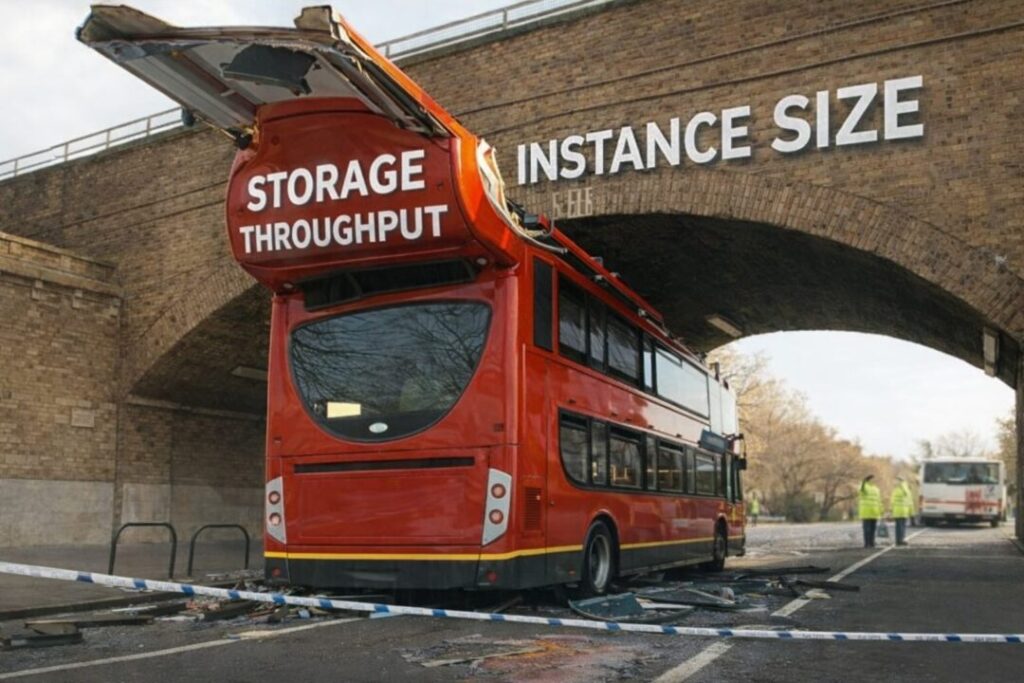
The effective IOPS available to your workload is therefore the lower of two values: the provisioned IOPS on the storage volume, and the maximum EBS throughput ceiling of the instance. This is the double ceiling. If you provision a volume with 20,000 IOPS and attach it to an instance with a ceiling of 6,000 IOPS, your workload can never exceed 6,000 IOPS. The remaining 14,000 IOPS are completely unreachable. They do not exist from the perspective of any process running on that instance. You are paying for them every month, and you are getting nothing in return.
This matters for two reasons that pull in opposite directions. The first is cost. io1 and io2 storage is priced per provisioned IOPS per month, regardless of whether those IOPS are reachable. Excess IOPS above the instance ceiling are pure waste. The second reason is more dangerous: the IOPS you think you have provisioned as headroom do not actually exist. An architect who looks at a database with 20,000 provisioned IOPS and an instance ceiling of 6,000 IOPS and concludes that the system has substantial capacity headroom is working from a false premise. Under load, that database will saturate at 6,000 IOPS and exhibit exactly the same symptoms as a system with no headroom at all.
2. The AWS Architecture Pattern That Makes This Worse
This problem is common precisely because AWS makes it easy to create. The RDS console will happily accept any IOPS value within the allowed range for a given storage type without warning you that the instance you have selected cannot deliver those IOPS. Terraform and CloudFormation will apply whatever configuration you specify. Nothing in the provisioning path validates the relationship between storage IOPS and instance ceiling.
The typical path to this configuration looks like this. A database is provisioned with a particular instance type and a storage IOPS value that was chosen based on benchmark results or a vendor recommendation. Over time, the instance is upgraded to handle growing CPU and memory demands. Each upgrade changes the instance ceiling, but nobody revisits the storage configuration at the same time. After two or three upgrade cycles, the storage IOPS value may have originated from a completely different era of the architecture and may bear no relationship to the current instance’s capabilities.
The reverse path is also common. A team provisions generous storage IOPS during a performance investigation, finds that the problem was elsewhere, and never reduces the IOPS after the investigation concludes. The excess capacity sits on the invoice indefinitely.
3. Why This Causes Outages and Not Just Waste
The cost dimension is the easier case to reason about. The outage risk is less intuitive.
Consider a database that is running comfortably at 4,000 IOPS under normal load. The storage is provisioned with 20,000 IOPS. The instance ceiling is 6,000 IOPS. An architect reviewing this system sees what looks like significant headroom: the workload is using 20% of provisioned storage IOPS. In reality the headroom is 2,000 IOPS above the current workload, and the ceiling is absolute. A load event that pushes the database to 7,000 IOPS will saturate the instance completely. The storage could deliver 20,000 IOPS without difficulty. The instance cannot.
At saturation, IO requests queue at the hypervisor layer. Query latency climbs. Connections accumulate. If the database is Aurora, read replicas begin to lag. Connection pools exhaust. The application starts timing out. From the perspective of everything above the database layer, the database has failed, even though the underlying storage is not even approaching its limits.
The situation is made worse by how this failure presents in monitoring. CloudWatch will show EBS read and write IOPS sitting at the instance ceiling, which looks like high utilisation but is not obviously a misconfiguration. EBS volume metrics will show the volume delivering at its ceiling, not at its provisioned maximum. Unless you know to look at the ratio between provisioned IOPS and instance ceiling, the monitoring data does not tell a clear story.
4. The FinOps Trap: When Cost Optimisation Creates the Outage
There is a specific failure mode that connects the cost and reliability dimensions directly, and it is worth naming explicitly.
Many engineering teams run periodic cost optimisation exercises that identify over provisioned resources and recommend reductions. A FinOps review sees a database with 20,000 provisioned IOPS and a workload that rarely exceeds 4,000 IOPS and correctly identifies this as waste. The recommended remediation is to reduce provisioned IOPS. The team does so, bringing storage IOPS down to 5,000.
The instance ceiling is 6,000 IOPS. The workload has 1,000 IOPS of headroom above its normal operating point. This is much less than the team believes, because the original 20,000 provisioned IOPS created a false sense of capacity. When a peak event arrives, the system saturates in exactly the same way as the outage scenario above, but now the team cannot understand why. The storage IOPS looked adequate. The cost optimisation looked correct. Nothing in the process revealed that the effective ceiling was 6,000 all along.
The fix is always the same: understand the instance ceiling before making any storage IOPS decision. The provisioned IOPS number is only meaningful in relation to the instance’s maximum EBS throughput. Without knowing both values, you cannot reason about either cost or capacity.
5. Detection Requires Automation
Finding these mismatches manually across a large AWS estate is not practical. Even a modest organisation running dozens of RDS instances across multiple accounts and regions would need someone to cross reference the AWS EBS optimised documentation against the configuration of every instance, then compare that against provisioned storage IOPS. The documentation is dense, the ceiling values vary significantly across instance families and sizes, and the number of possible combinations is large.
The script below automates this. It scans an entire AWS Organisation or a specified list of accounts, retrieves every running RDS instance and every in use EC2 volume with provisioned IOPS, looks up the EBS throughput ceiling for each instance type from a built in table covering 576 instance configurations across the full current AWS instance catalogue, and calculates the ratio of provisioned IOPS to instance ceiling. Instances where that ratio exceeds 1.0 are findings. The severity bands are CRITICAL at 3x or above, HIGH at 2x or above, MEDIUM at 1.5x or above, and LOW for anything above 1x.
The script does not call CloudWatch. It is a provisioning mismatch auditor, not a runtime saturation detector. These are different tools that answer different questions. The provisioning question can be answered statically from configuration alone, which is what this script does. It exits with code 1 if any CRITICAL findings are present, which makes it suitable for use in a CI pipeline or scheduled Lambda.
For any instance type not in the ceiling table, the script emits an UNKNOWN_TYPE finding rather than silently dropping the instance. This means gaps in table coverage are visible in the output rather than creating false negatives.
#!/usr/bin/env python3
"""
IOPS Mismatch Auditor - AWS OU Account Scanner
v3.0 - unified IOPS ceiling table, corrected values across all families,
Aurora Serverless v2 support, db. prefix stripping for RDS lookup
Identifies where RDS instances or EC2 volumes have provisioned storage IOPS
that exceed the instance's maximum EBS throughput ceiling.
The effective IOPS ceiling for any instance is the LOWER of:
(a) the storage volume's provisioned IOPS limit, and
(b) the instance's maximum EBS throughput ceiling.
Any IOPS provisioned on the storage above the instance ceiling are unreachable
and represent both wasted spend and a false capacity assumption.
Usage:
python iops_audit.py --ou-id ou-xxxx-xxxxxxxx --regions af-south-1 eu-west-1
python iops_audit.py --accounts 123456789012 234567890123 --regions af-south-1
Prerequisites:
pip install boto3 pandas openpyxl
"""
import boto3
import csv
import sys
import argparse
import logging
from datetime import datetime
from dataclasses import dataclass, asdict
from typing import Optional
from concurrent.futures import ThreadPoolExecutor, as_completed
try:
import pandas as pd
PANDAS_AVAILABLE = True
except ImportError:
PANDAS_AVAILABLE = False
logging.basicConfig(
level=logging.INFO,
format="%(asctime)s [%(levelname)s] %(message)s",
datefmt="%Y-%m-%d %H:%M:%S"
)
log = logging.getLogger(__name__)
# Aurora Serverless v2 scales to a maximum ACU that maps to a well-known
# EBS throughput ceiling. 64 000 IOPS is the documented maximum for v2.
SERVERLESS_V2_CEILING = 64000
# ---------------------------------------------------------------------------
# Unified EBS-optimised IOPS ceiling table keyed on bare EC2 instance type
# (no "db." prefix). RDS lookups strip the "db." prefix before consulting
# this table, so a single dict covers both EC2 and RDS.
#
# Sources:
# https://docs.aws.amazon.com/AWSEC2/latest/UserGuide/ebs-optimized.html
# Values use Baseline IOPS (16 KiB I/O) for burstable instances and
# sustained-max IOPS for non-burstable instances.
# Last refreshed: March 2026
# ---------------------------------------------------------------------------
IOPS_CEILING = {
# =========================================================================
# BURSTABLE (t-family)
# =========================================================================
# --- t3 family ---
"t3.micro": 11800,
"t3.small": 11800,
"t3.medium": 11800,
"t3.large": 15700,
"t3.xlarge": 15700,
"t3.2xlarge": 15700,
# --- t3a family ---
"t3a.micro": 11800,
"t3a.small": 11800,
"t3a.medium": 11800,
"t3a.large": 15700,
"t3a.xlarge": 15700,
"t3a.2xlarge": 15700,
# --- t4g family (Graviton2) ---
"t4g.micro": 11800,
"t4g.small": 11800,
"t4g.medium": 11800,
"t4g.large": 15700,
"t4g.xlarge": 15700,
"t4g.2xlarge": 15700,
# =========================================================================
# GENERAL PURPOSE (m-family)
# =========================================================================
# --- m5 family ---
"m5.large": 3600,
"m5.xlarge": 6000,
"m5.2xlarge": 12000,
"m5.4xlarge": 18750,
"m5.8xlarge": 30000,
"m5.12xlarge": 40000,
"m5.16xlarge": 60000,
"m5.24xlarge": 80000,
# --- m5a family ---
"m5a.large": 3600,
"m5a.xlarge": 6000,
"m5a.2xlarge": 8333,
"m5a.4xlarge": 16000,
"m5a.8xlarge": 20000,
"m5a.12xlarge": 30000,
"m5a.16xlarge": 40000,
"m5a.24xlarge": 60000,
# --- m5ad family (same EBS as m5a) ---
"m5ad.large": 3600,
"m5ad.xlarge": 6000,
"m5ad.2xlarge": 8333,
"m5ad.4xlarge": 16000,
"m5ad.8xlarge": 20000,
"m5ad.12xlarge": 30000,
"m5ad.16xlarge": 40000,
"m5ad.24xlarge": 60000,
# --- m5d family ---
"m5d.large": 3600,
"m5d.xlarge": 6000,
"m5d.2xlarge": 12000,
"m5d.4xlarge": 18750,
"m5d.8xlarge": 30000,
"m5d.12xlarge": 40000,
"m5d.16xlarge": 60000,
"m5d.24xlarge": 80000,
# --- m5dn family ---
"m5dn.large": 3600,
"m5dn.xlarge": 6000,
"m5dn.2xlarge": 12000,
"m5dn.4xlarge": 18750,
"m5dn.8xlarge": 30000,
"m5dn.12xlarge": 40000,
"m5dn.16xlarge": 60000,
"m5dn.24xlarge": 80000,
# --- m5n family ---
"m5n.large": 3600,
"m5n.xlarge": 6000,
"m5n.2xlarge": 12000,
"m5n.4xlarge": 18750,
"m5n.8xlarge": 30000,
"m5n.12xlarge": 40000,
"m5n.16xlarge": 60000,
"m5n.24xlarge": 80000,
# --- m5zn family ---
"m5zn.large": 3333,
"m5zn.xlarge": 6667,
"m5zn.2xlarge": 13333,
"m5zn.3xlarge": 20000,
"m5zn.6xlarge": 40000,
"m5zn.12xlarge": 80000,
# --- m6a family (AMD) ---
"m6a.large": 3600,
"m6a.xlarge": 6000,
"m6a.2xlarge": 12000,
"m6a.4xlarge": 20000,
"m6a.8xlarge": 40000,
"m6a.12xlarge": 60000,
"m6a.16xlarge": 80000,
"m6a.24xlarge": 120000,
"m6a.32xlarge": 160000,
"m6a.48xlarge": 240000,
# --- m6g family (Graviton2) ---
"m6g.medium": 2500,
"m6g.large": 3600,
"m6g.xlarge": 6000,
"m6g.2xlarge": 12000,
"m6g.4xlarge": 20000,
"m6g.8xlarge": 40000,
"m6g.12xlarge": 50000,
"m6g.16xlarge": 80000,
# --- m6gd family (same EBS as m6g) ---
"m6gd.medium": 2500,
"m6gd.large": 3600,
"m6gd.xlarge": 6000,
"m6gd.2xlarge": 12000,
"m6gd.4xlarge": 20000,
"m6gd.8xlarge": 40000,
"m6gd.12xlarge": 50000,
"m6gd.16xlarge": 80000,
# --- m6i family ---
"m6i.large": 3600,
"m6i.xlarge": 6000,
"m6i.2xlarge": 12000,
"m6i.4xlarge": 20000,
"m6i.8xlarge": 40000,
"m6i.12xlarge": 60000,
"m6i.16xlarge": 80000,
"m6i.24xlarge": 120000,
"m6i.32xlarge": 160000,
# --- m6id family ---
"m6id.large": 3600,
"m6id.xlarge": 6000,
"m6id.2xlarge": 12000,
"m6id.4xlarge": 20000,
"m6id.8xlarge": 40000,
"m6id.12xlarge": 60000,
"m6id.16xlarge": 80000,
"m6id.24xlarge": 120000,
"m6id.32xlarge": 160000,
# --- m6idn family ---
"m6idn.large": 6250,
"m6idn.xlarge": 12500,
"m6idn.2xlarge": 25000,
"m6idn.4xlarge": 50000,
"m6idn.8xlarge": 100000,
"m6idn.12xlarge": 150000,
"m6idn.16xlarge": 200000,
"m6idn.24xlarge": 300000,
"m6idn.32xlarge": 400000,
# --- m6in family ---
"m6in.large": 6250,
"m6in.xlarge": 12500,
"m6in.2xlarge": 25000,
"m6in.4xlarge": 50000,
"m6in.8xlarge": 100000,
"m6in.12xlarge": 150000,
"m6in.16xlarge": 200000,
"m6in.24xlarge": 300000,
"m6in.32xlarge": 400000,
# --- m7a family (AMD) ---
"m7a.medium": 2500,
"m7a.large": 3600,
"m7a.xlarge": 6000,
"m7a.2xlarge": 12000,
"m7a.4xlarge": 20000,
"m7a.8xlarge": 40000,
"m7a.12xlarge": 60000,
"m7a.16xlarge": 80000,
"m7a.24xlarge": 120000,
"m7a.32xlarge": 160000,
"m7a.48xlarge": 240000,
# --- m7g family (Graviton3) ---
"m7g.medium": 2500,
"m7g.large": 3600,
"m7g.xlarge": 6000,
"m7g.2xlarge": 12000,
"m7g.4xlarge": 20000,
"m7g.8xlarge": 40000,
"m7g.12xlarge": 60000,
"m7g.16xlarge": 80000,
# --- m7gd family (Graviton3 + NVMe) ---
"m7gd.medium": 2500,
"m7gd.large": 3600,
"m7gd.xlarge": 6000,
"m7gd.2xlarge": 12000,
"m7gd.4xlarge": 20000,
"m7gd.8xlarge": 40000,
"m7gd.12xlarge": 60000,
"m7gd.16xlarge": 80000,
# --- m7i family ---
"m7i.large": 3600,
"m7i.xlarge": 6000,
"m7i.2xlarge": 12000,
"m7i.4xlarge": 20000,
"m7i.8xlarge": 40000,
"m7i.12xlarge": 60000,
"m7i.16xlarge": 80000,
"m7i.24xlarge": 120000,
"m7i.48xlarge": 240000,
# --- m7i-flex family ---
"m7i-flex.large": 2500,
"m7i-flex.xlarge": 3600,
"m7i-flex.2xlarge": 6000,
"m7i-flex.4xlarge": 12000,
"m7i-flex.8xlarge": 20000,
# --- m8g family (Graviton4) ---
"m8g.medium": 2500,
"m8g.large": 3600,
"m8g.xlarge": 6000,
"m8g.2xlarge": 12000,
"m8g.4xlarge": 20000,
"m8g.8xlarge": 40000,
"m8g.12xlarge": 60000,
"m8g.16xlarge": 80000,
"m8g.24xlarge": 120000,
"m8g.48xlarge": 240000,
# --- m8gd family (Graviton4 + NVMe) ---
"m8gd.medium": 2500,
"m8gd.large": 3600,
"m8gd.xlarge": 6000,
"m8gd.2xlarge": 12000,
"m8gd.4xlarge": 20000,
"m8gd.8xlarge": 40000,
"m8gd.12xlarge": 60000,
"m8gd.16xlarge": 80000,
"m8gd.24xlarge": 120000,
"m8gd.48xlarge": 240000,
# =========================================================================
# MEMORY OPTIMISED (r-family)
# =========================================================================
# --- r5 family ---
"r5.large": 3600,
"r5.xlarge": 6000,
"r5.2xlarge": 12000,
"r5.4xlarge": 18750,
"r5.8xlarge": 30000,
"r5.12xlarge": 40000,
"r5.16xlarge": 60000,
"r5.24xlarge": 80000,
# --- r5a family ---
"r5a.large": 3600,
"r5a.xlarge": 6000,
"r5a.2xlarge": 8333,
"r5a.4xlarge": 16000,
"r5a.8xlarge": 20000,
"r5a.12xlarge": 30000,
"r5a.16xlarge": 40000,
"r5a.24xlarge": 60000,
# --- r5ad family (same EBS as r5a) ---
"r5ad.large": 3600,
"r5ad.xlarge": 6000,
"r5ad.2xlarge": 8333,
"r5ad.4xlarge": 16000,
"r5ad.8xlarge": 20000,
"r5ad.12xlarge": 30000,
"r5ad.16xlarge": 40000,
"r5ad.24xlarge": 60000,
# --- r5b family (enhanced EBS) ---
"r5b.large": 10000,
"r5b.xlarge": 20000,
"r5b.2xlarge": 40000,
"r5b.4xlarge": 60000,
"r5b.8xlarge": 60000,
"r5b.12xlarge": 60000,
"r5b.16xlarge": 60000,
"r5b.24xlarge": 60000,
# --- r5d family ---
"r5d.large": 3600,
"r5d.xlarge": 6000,
"r5d.2xlarge": 12000,
"r5d.4xlarge": 18750,
"r5d.8xlarge": 30000,
"r5d.12xlarge": 40000,
"r5d.16xlarge": 60000,
"r5d.24xlarge": 80000,
# --- r5dn family ---
"r5dn.large": 3600,
"r5dn.xlarge": 6000,
"r5dn.2xlarge": 12000,
"r5dn.4xlarge": 18750,
"r5dn.8xlarge": 30000,
"r5dn.12xlarge": 40000,
"r5dn.16xlarge": 60000,
"r5dn.24xlarge": 80000,
# --- r5n family ---
"r5n.large": 3600,
"r5n.xlarge": 6000,
"r5n.2xlarge": 12000,
"r5n.4xlarge": 18750,
"r5n.8xlarge": 30000,
"r5n.12xlarge": 40000,
"r5n.16xlarge": 60000,
"r5n.24xlarge": 80000,
# --- r6a family (AMD) ---
"r6a.large": 3600,
"r6a.xlarge": 6000,
"r6a.2xlarge": 12000,
"r6a.4xlarge": 20000,
"r6a.8xlarge": 40000,
"r6a.12xlarge": 60000,
"r6a.16xlarge": 80000,
"r6a.24xlarge": 120000,
"r6a.32xlarge": 160000,
"r6a.48xlarge": 240000,
# --- r6g family (Graviton2) ---
"r6g.medium": 2500,
"r6g.large": 3600,
"r6g.xlarge": 6000,
"r6g.2xlarge": 12000,
"r6g.4xlarge": 20000,
"r6g.8xlarge": 40000,
"r6g.12xlarge": 50000,
"r6g.16xlarge": 80000,
# --- r6gd family (same EBS as r6g) ---
"r6gd.medium": 2500,
"r6gd.large": 3600,
"r6gd.xlarge": 6000,
"r6gd.2xlarge": 12000,
"r6gd.4xlarge": 20000,
"r6gd.8xlarge": 40000,
"r6gd.12xlarge": 50000,
"r6gd.16xlarge": 80000,
# --- r6i family ---
"r6i.large": 3600,
"r6i.xlarge": 6000,
"r6i.2xlarge": 12000,
"r6i.4xlarge": 20000,
"r6i.8xlarge": 40000,
"r6i.12xlarge": 60000,
"r6i.16xlarge": 80000,
"r6i.24xlarge": 120000,
"r6i.32xlarge": 160000,
# --- r6id family ---
"r6id.large": 3600,
"r6id.xlarge": 6000,
"r6id.2xlarge": 12000,
"r6id.4xlarge": 20000,
"r6id.8xlarge": 40000,
"r6id.12xlarge": 60000,
"r6id.16xlarge": 80000,
"r6id.24xlarge": 120000,
"r6id.32xlarge": 160000,
# --- r6idn family ---
"r6idn.large": 6250,
"r6idn.xlarge": 12500,
"r6idn.2xlarge": 25000,
"r6idn.4xlarge": 50000,
"r6idn.8xlarge": 100000,
"r6idn.12xlarge": 150000,
"r6idn.16xlarge": 200000,
"r6idn.24xlarge": 300000,
"r6idn.32xlarge": 400000,
# --- r6in family ---
"r6in.large": 6250,
"r6in.xlarge": 12500,
"r6in.2xlarge": 25000,
"r6in.4xlarge": 50000,
"r6in.8xlarge": 100000,
"r6in.12xlarge": 150000,
"r6in.16xlarge": 200000,
"r6in.24xlarge": 300000,
"r6in.32xlarge": 400000,
# --- r7a family (AMD) ---
"r7a.medium": 2500,
"r7a.large": 3600,
"r7a.xlarge": 6000,
"r7a.2xlarge": 12000,
"r7a.4xlarge": 20000,
"r7a.8xlarge": 40000,
"r7a.12xlarge": 60000,
"r7a.16xlarge": 80000,
"r7a.24xlarge": 120000,
"r7a.32xlarge": 160000,
"r7a.48xlarge": 240000,
# --- r7g family (Graviton3) ---
"r7g.medium": 2500,
"r7g.large": 3600,
"r7g.xlarge": 6000,
"r7g.2xlarge": 12000,
"r7g.4xlarge": 20000,
"r7g.8xlarge": 40000,
"r7g.12xlarge": 60000,
"r7g.16xlarge": 80000,
# --- r7gd family (Graviton3 + NVMe) ---
"r7gd.medium": 2500,
"r7gd.large": 3600,
"r7gd.xlarge": 6000,
"r7gd.2xlarge": 12000,
"r7gd.4xlarge": 20000,
"r7gd.8xlarge": 40000,
"r7gd.12xlarge": 60000,
"r7gd.16xlarge": 80000,
# --- r7i family ---
"r7i.large": 3600,
"r7i.xlarge": 6000,
"r7i.2xlarge": 12000,
"r7i.4xlarge": 20000,
"r7i.8xlarge": 40000,
"r7i.12xlarge": 60000,
"r7i.16xlarge": 80000,
"r7i.24xlarge": 120000,
"r7i.48xlarge": 240000,
# --- r7iz family (high-freq Intel) ---
"r7iz.large": 3600,
"r7iz.xlarge": 6000,
"r7iz.2xlarge": 12000,
"r7iz.4xlarge": 20000,
"r7iz.8xlarge": 40000,
"r7iz.12xlarge": 60000,
"r7iz.16xlarge": 80000,
"r7iz.32xlarge": 160000,
# --- r8g family (Graviton4) ---
"r8g.medium": 2500,
"r8g.large": 3600,
"r8g.xlarge": 6000,
"r8g.2xlarge": 12000,
"r8g.4xlarge": 20000,
"r8g.8xlarge": 40000,
"r8g.12xlarge": 60000,
"r8g.16xlarge": 80000,
"r8g.24xlarge": 120000,
"r8g.48xlarge": 240000,
# --- r8gd family (Graviton4 + NVMe) ---
"r8gd.medium": 2500,
"r8gd.large": 3600,
"r8gd.xlarge": 6000,
"r8gd.2xlarge": 12000,
"r8gd.4xlarge": 20000,
"r8gd.8xlarge": 40000,
"r8gd.12xlarge": 60000,
"r8gd.16xlarge": 80000,
"r8gd.24xlarge": 120000,
"r8gd.48xlarge": 240000,
# =========================================================================
# COMPUTE OPTIMISED (c-family)
# =========================================================================
# --- c5 family ---
"c5.large": 4000,
"c5.xlarge": 6000,
"c5.2xlarge": 10000,
"c5.4xlarge": 20000,
"c5.9xlarge": 40000,
"c5.12xlarge": 40000,
"c5.18xlarge": 80000,
"c5.24xlarge": 80000,
# --- c5a family (AMD) ---
"c5a.large": 800,
"c5a.xlarge": 1600,
"c5a.2xlarge": 3200,
"c5a.4xlarge": 6600,
"c5a.8xlarge": 13300,
"c5a.12xlarge": 20000,
"c5a.16xlarge": 26700,
"c5a.24xlarge": 40000,
# --- c5ad family (same EBS as c5a) ---
"c5ad.large": 800,
"c5ad.xlarge": 1600,
"c5ad.2xlarge": 3200,
"c5ad.4xlarge": 6600,
"c5ad.8xlarge": 13300,
"c5ad.12xlarge": 20000,
"c5ad.16xlarge": 26700,
"c5ad.24xlarge": 40000,
# --- c5d family (same EBS as c5) ---
"c5d.large": 4000,
"c5d.xlarge": 6000,
"c5d.2xlarge": 10000,
"c5d.4xlarge": 20000,
"c5d.9xlarge": 40000,
"c5d.12xlarge": 40000,
"c5d.18xlarge": 80000,
"c5d.24xlarge": 80000,
# --- c5n family ---
"c5n.large": 4000,
"c5n.xlarge": 6000,
"c5n.2xlarge": 10000,
"c5n.4xlarge": 20000,
"c5n.9xlarge": 40000,
"c5n.18xlarge": 80000,
# --- c6a family (AMD) ---
"c6a.large": 3600,
"c6a.xlarge": 6000,
"c6a.2xlarge": 12000,
"c6a.4xlarge": 20000,
"c6a.8xlarge": 40000,
"c6a.12xlarge": 60000,
"c6a.16xlarge": 80000,
"c6a.24xlarge": 120000,
"c6a.32xlarge": 160000,
"c6a.48xlarge": 240000,
# --- c6g family (Graviton2) ---
"c6g.medium": 2500,
"c6g.large": 3600,
"c6g.xlarge": 6000,
"c6g.2xlarge": 12000,
"c6g.4xlarge": 20000,
"c6g.8xlarge": 40000,
"c6g.12xlarge": 50000,
"c6g.16xlarge": 80000,
# --- c6gd family (Graviton2 + NVMe) ---
"c6gd.medium": 2500,
"c6gd.large": 3600,
"c6gd.xlarge": 6000,
"c6gd.2xlarge": 12000,
"c6gd.4xlarge": 20000,
"c6gd.8xlarge": 40000,
"c6gd.12xlarge": 50000,
"c6gd.16xlarge": 80000,
# --- c6i family ---
"c6i.large": 3600,
"c6i.xlarge": 6000,
"c6i.2xlarge": 12000,
"c6i.4xlarge": 20000,
"c6i.8xlarge": 40000,
"c6i.12xlarge": 60000,
"c6i.16xlarge": 80000,
"c6i.24xlarge": 120000,
"c6i.32xlarge": 160000,
# --- c6id family ---
"c6id.large": 3600,
"c6id.xlarge": 6000,
"c6id.2xlarge": 12000,
"c6id.4xlarge": 20000,
"c6id.8xlarge": 40000,
"c6id.12xlarge": 60000,
"c6id.16xlarge": 80000,
"c6id.24xlarge": 120000,
"c6id.32xlarge": 160000,
# --- c6in family ---
"c6in.large": 6250,
"c6in.xlarge": 12500,
"c6in.2xlarge": 25000,
"c6in.4xlarge": 50000,
"c6in.8xlarge": 100000,
"c6in.12xlarge": 150000,
"c6in.16xlarge": 200000,
"c6in.24xlarge": 300000,
"c6in.32xlarge": 400000,
# --- c7g family (Graviton3) ---
"c7g.medium": 2500,
"c7g.large": 3600,
"c7g.xlarge": 6000,
"c7g.2xlarge": 12000,
"c7g.4xlarge": 20000,
"c7g.8xlarge": 40000,
"c7g.12xlarge": 60000,
"c7g.16xlarge": 80000,
# --- c7gd family (Graviton3 + NVMe) ---
"c7gd.medium": 2500,
"c7gd.large": 3600,
"c7gd.xlarge": 6000,
"c7gd.2xlarge": 12000,
"c7gd.4xlarge": 20000,
"c7gd.8xlarge": 40000,
"c7gd.12xlarge": 60000,
"c7gd.16xlarge": 80000,
# --- c7i family ---
"c7i.large": 3600,
"c7i.xlarge": 6000,
"c7i.2xlarge": 12000,
"c7i.4xlarge": 20000,
"c7i.8xlarge": 40000,
"c7i.12xlarge": 60000,
"c7i.16xlarge": 80000,
"c7i.24xlarge": 120000,
"c7i.48xlarge": 240000,
# --- c7i-flex family ---
"c7i-flex.large": 2500,
"c7i-flex.xlarge": 3600,
"c7i-flex.2xlarge": 6000,
"c7i-flex.4xlarge": 12000,
"c7i-flex.8xlarge": 20000,
# --- c7a family (AMD) ---
"c7a.medium": 2500,
"c7a.large": 3600,
"c7a.xlarge": 6000,
"c7a.2xlarge": 12000,
"c7a.4xlarge": 20000,
"c7a.8xlarge": 40000,
"c7a.12xlarge": 60000,
"c7a.16xlarge": 80000,
"c7a.24xlarge": 120000,
"c7a.32xlarge": 160000,
"c7a.48xlarge": 240000,
# =========================================================================
# HIGH-FREQUENCY / MEMORY-COMPUTE (z-family)
# =========================================================================
# --- z1d family ---
"z1d.large": 3333,
"z1d.xlarge": 6667,
"z1d.2xlarge": 13333,
"z1d.3xlarge": 20000,
"z1d.6xlarge": 40000,
"z1d.12xlarge": 80000,
# =========================================================================
# STORAGE OPTIMISED (i-family)
# =========================================================================
# --- i3 family ---
"i3.large": 3000,
"i3.xlarge": 6000,
"i3.2xlarge": 12000,
"i3.4xlarge": 16000,
"i3.8xlarge": 32500,
"i3.16xlarge": 65000,
# --- i3en family ---
"i3en.large": 4750,
"i3en.xlarge": 9500,
"i3en.2xlarge": 19000,
"i3en.3xlarge": 26125,
"i3en.6xlarge": 52250,
"i3en.12xlarge": 65000,
"i3en.24xlarge": 65000,
# --- i4i family ---
"i4i.large": 10000,
"i4i.xlarge": 20000,
"i4i.2xlarge": 40000,
"i4i.4xlarge": 40000,
"i4i.8xlarge": 40000,
"i4i.12xlarge": 60000,
"i4i.16xlarge": 80000,
"i4i.24xlarge": 120000,
"i4i.32xlarge": 160000,
# =========================================================================
# MEMORY OPTIMISED - X family
# =========================================================================
# --- x1 / x1e ---
"x1.16xlarge": 40000,
"x1.32xlarge": 80000,
"x1e.xlarge": 3700,
"x1e.2xlarge": 7400,
"x1e.4xlarge": 14800,
"x1e.8xlarge": 29600,
"x1e.16xlarge": 40000,
"x1e.32xlarge": 80000,
# --- x2g family (Graviton2) ---
"x2g.medium": 2500,
"x2g.large": 3600,
"x2g.xlarge": 6000,
"x2g.2xlarge": 12000,
"x2g.4xlarge": 20000,
"x2g.8xlarge": 40000,
"x2g.12xlarge": 50000,
"x2g.16xlarge": 80000,
# --- x2gd family (Graviton2 + NVMe) ---
"x2gd.medium": 2500,
"x2gd.large": 3600,
"x2gd.xlarge": 6000,
"x2gd.2xlarge": 12000,
"x2gd.4xlarge": 20000,
"x2gd.8xlarge": 40000,
"x2gd.12xlarge": 50000,
"x2gd.16xlarge": 80000,
# --- x2idn / x2iedn family ---
"x2idn.16xlarge": 40000,
"x2idn.24xlarge": 80000,
"x2idn.32xlarge": 160000,
"x2iedn.xlarge": 3600,
"x2iedn.2xlarge": 12000,
"x2iedn.4xlarge": 20000,
"x2iedn.8xlarge": 40000,
"x2iedn.16xlarge": 80000,
"x2iedn.24xlarge": 120000,
"x2iedn.32xlarge": 160000,
# --- x2iezn family ---
"x2iezn.2xlarge": 20000,
"x2iezn.4xlarge": 40000,
"x2iezn.6xlarge": 55000,
"x2iezn.8xlarge": 55000,
"x2iezn.12xlarge": 55000,
}
def _get_ceiling(instance_type: str) -> Optional[int]:
"""
Resolve the IOPS ceiling for any instance type string.
Accepts both bare EC2 types ("r6g.large") and RDS types ("db.r6g.large").
Aurora Serverless v2 ("db.serverless") returns SERVERLESS_V2_CEILING.
Returns None if the type is unknown.
"""
if instance_type == "db.serverless":
return SERVERLESS_V2_CEILING
ec2_type = instance_type.removeprefix("db.")
return IOPS_CEILING.get(ec2_type)
@dataclass
class Finding:
account_id: str
account_name: str
region: str
resource_type: str # EC2, RDS, Aurora Cluster Instance, Aurora Serverless v2, UNKNOWN_TYPE
resource_id: str
resource_name: str
instance_type: str
storage_type: str # gp2 / gp3 / io1 / io2 / unknown
provisioned_iops: int
instance_ceiling_iops: int # 0 = unknown
overprovision_ratio: float # 0 = unknown
severity: str # CRITICAL / HIGH / MEDIUM / LOW / UNKNOWN_TYPE
monthly_wasted_cost_usd: float = 0.0
recommendation: str = ""
tags: str = ""
def classify_severity(ratio: float) -> str:
if ratio >= 3.0:
return "CRITICAL"
elif ratio >= 2.0:
return "HIGH"
elif ratio >= 1.5:
return "MEDIUM"
elif ratio > 1.0:
return "LOW"
return "OK"
def estimate_wasted_cost(excess_iops: int, storage_type: str) -> float:
# Rough monthly cost of excess provisioned IOPS at af-south-1 pricing (~1.15x us-east-1).
# io1/io2: $0.065/IOPS/month. gp3: $0.005/IOPS/month above 3000.
if storage_type in ("io1", "io2"):
return max(0, excess_iops) * 0.065 * 1.15
elif storage_type == "gp3":
return max(0, excess_iops) * 0.005 * 1.15
return 0.0
def get_tag_value(tags: list, key: str) -> str:
for t in tags or []:
if t.get("Key") == key:
return t.get("Value", "")
return ""
def tags_to_str(tags: list) -> str:
if not tags:
return ""
return "; ".join(f"{t['Key']}={t['Value']}" for t in tags)
def assume_role(account_id: str, role_name: str) -> dict:
sts = boto3.client("sts")
role_arn = f"arn:aws:iam::{account_id}:role/{role_name}"
resp = sts.assume_role(RoleArn=role_arn, RoleSessionName="IOPSAudit")
return resp["Credentials"]
def get_session(account_id: str, role_name: Optional[str]) -> boto3.Session:
if role_name:
creds = assume_role(account_id, role_name)
return boto3.Session(
aws_access_key_id=creds["AccessKeyId"],
aws_secret_access_key=creds["SecretAccessKey"],
aws_session_token=creds["SessionToken"]
)
return boto3.Session()
def list_accounts_in_ou(ou_id: str) -> list:
"""Recursively list all active accounts under an OU."""
org = boto3.client("organizations")
accounts = []
def recurse(parent_id):
paginator = org.get_paginator("list_children")
for page in paginator.paginate(ParentId=parent_id, ChildType="ACCOUNT"):
for child in page["Children"]:
try:
resp = org.describe_account(AccountId=child["Id"])
acc = resp["Account"]
if acc["Status"] == "ACTIVE":
accounts.append({"id": acc["Id"], "name": acc["Name"]})
except Exception as e:
log.warning(f"Could not describe account {child['Id']}: {e}")
for page in paginator.paginate(ParentId=parent_id, ChildType="ORGANIZATIONAL_UNIT"):
for child in page["Children"]:
recurse(child["Id"])
recurse(ou_id)
return accounts
def make_unknown_type_finding(
account_id, account_name, region, resource_type,
resource_id, resource_name, instance_type, storage_type, provisioned_iops, tags
) -> Finding:
"""Emit a finding row for any instance whose type is not in the ceiling table."""
return Finding(
account_id=account_id,
account_name=account_name,
region=region,
resource_type=resource_type,
resource_id=resource_id,
resource_name=resource_name,
instance_type=instance_type,
storage_type=storage_type,
provisioned_iops=provisioned_iops,
instance_ceiling_iops=0,
overprovision_ratio=0.0,
severity="UNKNOWN_TYPE",
monthly_wasted_cost_usd=0.0,
recommendation=(
f"Instance type '{instance_type}' is not in the ceiling lookup table. "
f"The script cannot determine the effective IOPS ceiling. "
f"Check AWS documentation for this instance type and add it to the table, "
f"then re-run the audit. Provisioned storage IOPS: {provisioned_iops:,}."
),
tags=tags
)
def audit_rds(session: boto3.Session, account_id: str, account_name: str, region: str) -> list:
findings = []
rds = session.client("rds", region_name=region)
# Identify Aurora Serverless v2 cluster members so resource_type is labelled correctly.
serverless_cluster_ids: set = set()
provisioned_cluster_ids: set = set()
try:
cl_paginator = rds.get_paginator("describe_db_clusters")
for page in cl_paginator.paginate():
for cl in page["DBClusters"]:
if cl.get("ServerlessV2ScalingConfiguration"):
serverless_cluster_ids.add(cl["DBClusterIdentifier"])
else:
provisioned_cluster_ids.add(cl["DBClusterIdentifier"])
except Exception as e:
log.warning(f"Could not describe DB clusters in {region}: {e}")
paginator = rds.get_paginator("describe_db_instances")
for page in paginator.paginate():
for db in page["DBInstances"]:
instance_type = db.get("DBInstanceClass", "")
storage_type = db.get("StorageType", "")
provisioned_iops = db.get("Iops", 0) or 0
resource_id = db.get("DBInstanceIdentifier", "")
cluster_id = db.get("DBClusterIdentifier")
tags = db.get("TagList", [])
name = get_tag_value(tags, "Name") or resource_id
status = db.get("DBInstanceStatus", "")
if status not in ("available", "backing-up", "modifying"):
continue
if provisioned_iops == 0:
continue
# Determine resource type label
if instance_type == "db.serverless":
res_type = "Aurora Serverless v2"
elif cluster_id in serverless_cluster_ids:
res_type = "Aurora Serverless v2"
elif cluster_id:
res_type = "Aurora Cluster Instance"
else:
res_type = "RDS Instance"
ceiling = _get_ceiling(instance_type)
if ceiling is None:
log.warning(
f"Unknown RDS type '{instance_type}' in {account_id}/{region} "
f"({resource_id}) -- emitting UNKNOWN_TYPE finding"
)
findings.append(make_unknown_type_finding(
account_id, account_name, region, res_type,
resource_id, name, instance_type, storage_type,
provisioned_iops, tags_to_str(tags)
))
continue
ratio = provisioned_iops / ceiling
severity = classify_severity(ratio)
if severity == "OK":
continue
excess = provisioned_iops - ceiling
wasted_cost = estimate_wasted_cost(excess, storage_type)
recommendation = (
f"Reduce provisioned IOPS from {provisioned_iops:,} to {ceiling:,} "
f"(instance ceiling), or upgrade instance class. "
f"Est. monthly saving: ~${wasted_cost:,.2f}"
)
findings.append(Finding(
account_id=account_id,
account_name=account_name,
region=region,
resource_type=res_type,
resource_id=resource_id,
resource_name=name,
instance_type=instance_type,
storage_type=storage_type,
provisioned_iops=provisioned_iops,
instance_ceiling_iops=ceiling,
overprovision_ratio=round(ratio, 2),
severity=severity,
monthly_wasted_cost_usd=round(wasted_cost, 2),
recommendation=recommendation,
tags=tags_to_str(tags)
))
return findings
def audit_ec2(session: boto3.Session, account_id: str, account_name: str, region: str) -> list:
findings = []
ec2 = session.client("ec2", region_name=region)
volume_map = {}
vol_paginator = ec2.get_paginator("describe_volumes")
for page in vol_paginator.paginate(Filters=[{"Name": "status", "Values": ["in-use"]}]):
for vol in page["Volumes"]:
iops = vol.get("Iops", 0) or 0
if iops == 0:
continue
volume_map[vol["VolumeId"]] = {
"iops": iops,
"type": vol.get("VolumeType", ""),
"tags": vol.get("Tags", []),
"attachments": vol.get("Attachments", [])
}
if not volume_map:
return []
instance_ids = set()
for v in volume_map.values():
for att in v["attachments"]:
instance_ids.add(att["InstanceId"])
if not instance_ids:
return []
instance_type_map = {}
instance_name_map = {}
inst_paginator = ec2.get_paginator("describe_instances")
for page in inst_paginator.paginate(InstanceIds=list(instance_ids)):
for reservation in page["Reservations"]:
for inst in reservation["Instances"]:
iid = inst["InstanceId"]
instance_type_map[iid] = inst.get("InstanceType", "")
instance_name_map[iid] = get_tag_value(inst.get("Tags", []), "Name") or iid
for vol_id, vol in volume_map.items():
for att in vol["attachments"]:
instance_id = att["InstanceId"]
instance_type = instance_type_map.get(instance_id, "")
if not instance_type:
continue
provisioned_iops = vol["iops"]
storage_type = vol["type"]
instance_name = instance_name_map.get(instance_id, instance_id)
resource_id = f"{instance_id}/{vol_id}"
resource_name = f"{instance_name} / {vol_id}"
ceiling = _get_ceiling(instance_type)
if ceiling is None:
log.warning(
f"Unknown EC2 type '{instance_type}' ({instance_id}) in {account_id}/{region} "
f"-- emitting UNKNOWN_TYPE finding"
)
findings.append(make_unknown_type_finding(
account_id, account_name, region, "EC2",
resource_id, resource_name, instance_type, storage_type,
provisioned_iops, tags_to_str(vol["tags"])
))
continue
ratio = provisioned_iops / ceiling
severity = classify_severity(ratio)
if severity == "OK":
continue
excess = provisioned_iops - ceiling
wasted_cost = estimate_wasted_cost(excess, storage_type)
recommendation = (
f"Volume {vol_id} has {provisioned_iops:,} IOPS but instance {instance_type} "
f"ceiling is {ceiling:,}. Reduce volume IOPS or upgrade instance. "
f"Est. monthly saving: ~${wasted_cost:,.2f}"
)
findings.append(Finding(
account_id=account_id,
account_name=account_name,
region=region,
resource_type="EC2",
resource_id=resource_id,
resource_name=resource_name,
instance_type=instance_type,
storage_type=storage_type,
provisioned_iops=provisioned_iops,
instance_ceiling_iops=ceiling,
overprovision_ratio=round(ratio, 2),
severity=severity,
monthly_wasted_cost_usd=round(wasted_cost, 2),
recommendation=recommendation,
tags=tags_to_str(vol["tags"])
))
return findings
def audit_account(account: dict, role_name: Optional[str], regions: list) -> list:
account_id = account["id"]
account_name = account["name"]
all_findings = []
log.info(f"Auditing account {account_id} ({account_name})")
try:
session = get_session(account_id, role_name)
except Exception as e:
log.error(f"Cannot assume role in {account_id}: {e}")
return []
for region in regions:
log.info(f" Scanning {region}...")
try:
all_findings.extend(audit_rds(session, account_id, account_name, region))
all_findings.extend(audit_ec2(session, account_id, account_name, region))
except Exception as e:
log.error(f" Error scanning {account_id} / {region}: {e}")
return all_findings
def write_csv(findings: list, path: str):
if not findings:
log.info("No findings to write.")
return
fieldnames = list(asdict(findings[0]).keys())
with open(path, "w", newline="") as f:
writer = csv.DictWriter(f, fieldnames=fieldnames)
writer.writeheader()
for finding in findings:
writer.writerow(asdict(finding))
log.info(f"CSV written: {path}")
def write_excel(findings: list, path: str):
if not PANDAS_AVAILABLE:
log.warning("pandas/openpyxl not available -- skipping Excel output.")
return
if not findings:
return
import pandas as pd
from openpyxl.styles import PatternFill
rows = [asdict(f) for f in findings]
df = pd.DataFrame(rows)
severity_order = {"CRITICAL": 0, "HIGH": 1, "MEDIUM": 2, "LOW": 3, "UNKNOWN_TYPE": 4}
df["_sort"] = df["severity"].map(severity_order).fillna(99)
df = df.sort_values(["_sort", "monthly_wasted_cost_usd"], ascending=[True, False]).drop(columns=["_sort"])
colour_map = {
"CRITICAL": "FF4444",
"HIGH": "FF8800",
"MEDIUM": "FFD700",
"LOW": "90EE90",
"UNKNOWN_TYPE": "CCCCFF",
}
with pd.ExcelWriter(path, engine="openpyxl") as writer:
df.to_excel(writer, index=False, sheet_name="IOPS Mismatches")
ws = writer.sheets["IOPS Mismatches"]
severity_col_idx = list(df.columns).index("severity") + 1
for row_idx, row in enumerate(df.itertuples(index=False), start=2):
colour = colour_map.get(row.severity, "FFFFFF")
ws.cell(row=row_idx, column=severity_col_idx).fill = PatternFill(
start_color=colour, end_color=colour, fill_type="solid"
)
sevs = ["CRITICAL", "HIGH", "MEDIUM", "LOW", "UNKNOWN_TYPE"]
summary_data = {
"Severity": sevs,
"Count": [len(df[df.severity == s]) for s in sevs],
"Est. Monthly Waste (USD)": [
df[df.severity == s]["monthly_wasted_cost_usd"].sum()
for s in sevs
]
}
pd.DataFrame(summary_data).to_excel(writer, index=False, sheet_name="Summary")
log.info(f"Excel written: {path}")
def print_summary(findings: list):
if not findings:
print("\nNo IOPS mismatches found.")
return
counts = {}
total_waste = 0.0
for f in findings:
counts[f.severity] = counts.get(f.severity, 0) + 1
total_waste += f.monthly_wasted_cost_usd
print("\n" + "=" * 60)
print("IOPS MISMATCH AUDIT SUMMARY")
print("=" * 60)
for sev in ["CRITICAL", "HIGH", "MEDIUM", "LOW"]:
print(f" {sev:14s}: {counts.get(sev, 0):4d} findings")
if counts.get("UNKNOWN_TYPE", 0):
print(f" {'UNKNOWN_TYPE':14s}: {counts['UNKNOWN_TYPE']:4d} findings <-- ceiling table needs updating")
print(f"\n Total findings : {len(findings)}")
print(f" Est. monthly waste : ${total_waste:,.2f} USD")
print("=" * 60)
def parse_args():
parser = argparse.ArgumentParser(
description="Audit IOPS mismatches across AWS accounts in an OU."
)
group = parser.add_mutually_exclusive_group(required=True)
group.add_argument("--ou-id", help="AWS Organizations OU ID (e.g. ou-xxxx-xxxxxxxx)")
group.add_argument("--accounts", nargs="+", help="Specific AWS account IDs to scan")
parser.add_argument(
"--role-name",
default="OrganizationAccountAccessRole",
help="IAM role name to assume in each account (default: OrganizationAccountAccessRole)"
)
parser.add_argument(
"--regions",
nargs="+",
default=["af-south-1", "eu-west-1", "us-east-1"],
help="AWS regions to scan"
)
parser.add_argument(
"--workers",
type=int,
default=5,
help="Parallel account scan workers (default: 5)"
)
parser.add_argument(
"--output-prefix",
default="iops_mismatch_report",
help="Output filename prefix"
)
return parser.parse_args()
def main():
args = parse_args()
timestamp = datetime.utcnow().strftime("%Y%m%d_%H%M%S")
if args.ou_id:
log.info(f"Discovering accounts in OU: {args.ou_id}")
accounts = list_accounts_in_ou(args.ou_id)
log.info(f"Found {len(accounts)} active accounts")
else:
accounts = [{"id": a, "name": a} for a in args.accounts]
all_findings = []
with ThreadPoolExecutor(max_workers=args.workers) as executor:
futures = {
executor.submit(audit_account, acc, args.role_name, args.regions): acc
for acc in accounts
}
for future in as_completed(futures):
acc = futures[future]
try:
findings = future.result()
all_findings.extend(findings)
log.info(f"Account {acc['id']} complete: {len(findings)} findings")
except Exception as e:
log.error(f"Account {acc['id']} failed: {e}")
print_summary(all_findings)
csv_path = f"{args.output_prefix}_{timestamp}.csv"
xlsx_path = f"{args.output_prefix}_{timestamp}.xlsx"
write_csv(all_findings, csv_path)
write_excel(all_findings, xlsx_path)
unknown_count = sum(1 for f in all_findings if f.severity == "UNKNOWN_TYPE")
if unknown_count:
log.warning(
f"{unknown_count} instance(s) had unknown types. "
f"Add them to the IOPS_CEILING table and re-run to get accurate mismatch analysis."
)
log.info("Audit complete.")
has_critical = any(f.severity == "CRITICAL" for f in all_findings)
return 1 if has_critical else 0
if __name__ == "__main__":
sys.exit(main())Prerequisites
pip install boto3 pandas openpyxlUsage
Scan an entire Organisation Unit across multiple regions:
python iops_audit.py \
  --ou-id ou-xxxx-xxxxxxxx \
  --role-name YourAuditRole \
  --regions af-south-1 eu-west-1 us-east-1 \
  --workers 10
Scan specific accounts:
python iops_audit.py \
  --accounts 123456789012 234567890123 \
  --regions af-south-1
The script produces a timestamped CSV and a colour coded Excel workbook. CRITICAL findings are red, HIGH are orange, MEDIUM are yellow, LOW are green, and UNKNOWN_TYPE rows are pale blue. A Summary tab provides count and estimated monthly waste by severity band. The script exits with code 1 if any CRITICAL findings are present, making it usable as a pipeline gate.
Required IAM permissions
The caller role needs organizations:ListChildren, organizations:DescribeAccount, and sts:AssumeRole. The assumed role in each target account needs rds:DescribeDBInstances, rds:DescribeDBClusters, ec2:DescribeVolumes, and ec2:DescribeInstances. None of these permissions are write operations, so the audit is safe to run against production accounts.
6. The Broader Lesson
IOPS mismatches are a specific instance of a more general problem in cloud architecture: the assumption that two independent configuration decisions that relate to the same resource have been validated against each other. AWS bills you for storage IOPS independently of the instance that consumes them. This is convenient for the billing model but it means there is no automatic enforcement of the constraint that links the two. You have to enforce it yourself.
The same class of problem exists elsewhere. Network bandwidth provisioning that exceeds instance network ceilings. Memory allocated to a database engine that exceeds the instance’s available RAM after operating system overhead. CPU reservations in container orchestration that assume host capacity that has been allocated elsewhere. In each case, the configuration appears valid in isolation. The system only reveals the problem under load, and by that point the investigation is happening during an incident rather than during a design review.
The discipline required is to treat related configuration decisions as a unit rather than as independent values. When you change an instance type, you are not just changing vCPU count and memory. You are changing the EBS throughput ceiling, the network bandwidth ceiling, and potentially the instance store configuration. Any dependent configuration should be reviewed at the same time. A platform engineering team that automates this review, as this script does for IOPS, converts a class of potential incidents into a routine finding that gets corrected before it causes a problem.
Knowing your IOPS are broken is not the same as knowing they are about to break. The provisioning question and the runtime question are different, and both require automation to answer reliably at scale.