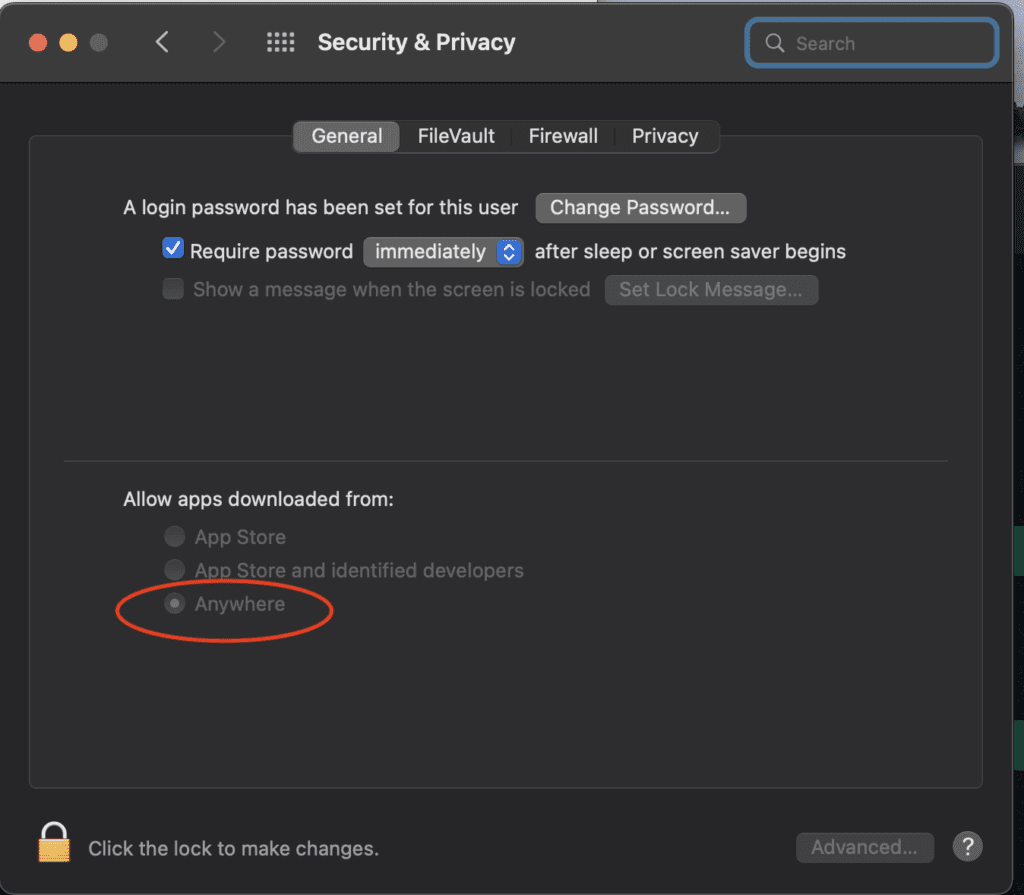
Enable Apps From Anywhere on Mac: Terminal Command Guide
Running `sudo spctl master disable` in Terminal enables the "Anywhere" option under System Preferences, Security and Privacy, allowing Mac users to install apps from unidentified developers. Open Terminal, type the command, enter your administrator password, then verify the setting appeared in the Security and Privacy tab to confirm it worked.
Enable Apps From Anywhere on Mac: Terminal Command GuideAndrew Baker's Technology Blog Posts, 03/May/2022
https://andrewbaker.ninja/2022/05/03/enable-apps-from-anywhere-on-mac-terminal-command-guide/
Previously Macs would allow you to install software from anywhere. Now you will see the error message “NMAPxx.mpkg cannot be opened because its from an unidentified developer“. If you want to fix this and enable apps to be install from anywhere, you will need to run the following command line:
sudo spctl --master-disableOnce you have run the script you should then see the “Anywhere” option in the System Preferences > Security & Privacy Tab!