Category: Macbooks

Fix DNS Issues Using dig and whois on Mac OS X
When debugging DNS issues its important to verify the local DNS response with the authoritive DNS nameserver. With dig we can directly query the authoritative name servers for a domain, these are the DNS servers that hold the authoritative records for the domains DNS zone; the source of truth. If a correct response is received […]
Read more →
Find Max MTU Size on Mac OS X Using Ping (No Fragmentation)
If you have ever tried to use jumbo packets, or trace a weird slowness on the network – one of the things that frequently comes up is packet fragmentation. This is basically where a source machine is sending bigger packets than can be consumed along its pathway to a destination machine. This means the packets […]
Read more →Scan SSL/TLS Ciphers With nmap and sslscan on macOS
To retrieve a list of the SSL/TLS cipher suites a particular website offers you can either use sslscan or nmap alternatively you can just use nmap (note: i use “-e en0” to bypass zscaler): Another variant (including cert dates, again “-e en0” is used to bypass zscaler):
Read more →curl Command: Get HTTP Response Headers in Terminal
Web devs need to know the http headers their apps/webpages. This can be easily achieved using a browser plugin for Chrome or Firefox. But I prefer to use the command terminal, and curl makes this really easy.
Read more →
DNS Lookup with DIG: Query Records & Trace Resolution
DIG is an awesome command line utility to explore DNS. Below is a quick guide to get you started. Query Specific Name Server By default, if no name server is specified, dig will use the servers listed in /etc/resolv.conf file. To view the default server use: You can override the name server against which the query will be executed, […]
Read more →Mac: Find Open Ports and IP Addresses with lsof & netstat
Below is a dump of examples of doing pretty much the same thing differently. I mostly use netstat and lsof, coupled with some bash scripts. You can argue that this is overkill, but below is a simple bash function that you can paste into terminal and call it whenever you want to see which application/process […]
Read more →MTR on macOS: Fix Traceroute Issues with Zscaler VPN
If your on a zero trust network adapter like zscaler or netskope, you will see that traceroute doesn’t work as expected. The article below shows how to install mtr (my trace route) using brew: Next we need to change the owner of the MTR package and it’s permissions (otherwise you will need to run it […]
Read more →SCP Files to EC2: Mac & Linux Command Guide
I always forget the syntax of SCP and so this is a short article with a simple example of how to SCP a file from your laptop to your EC2 instance and how to copy it back from EC2 to your laptop: Copying from Laptop to EC2 scp -i identity_file.pem source_file.extention username@public_ipv4_dns:/remote_path scp: Secure copy protocol-i: Identity […]
Read more →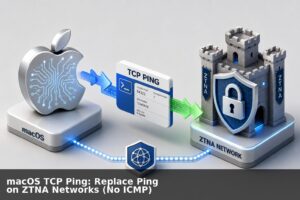
macOS TCP Ping: Replace Ping on ZTNA Networks (No ICMP)
A lot of companies are moving to ZTNA (Zero Trust Network Architecture). This is generally a good thing, it helps cyber posture and it and makes life a lot easier as you no longer need to login to VPN tunnels to manage your cloud environment/s. But one of the few downsides of ZTNA is that […]
Read more →Change Default Mail Client on Mac via Terminal (CLI)
22 If you want to change the default mail client on your Mac then you can use a quick Python script to quickly change the default mail app. Copy/paste the following command into Terminal. Below I am setting Outlook to be the default mail client, but you can replace com.microsoft.Outlook with whatever application bundle identifier you use. […]
Read more →